Available on all plans
The New Ticket page settings control the order fields appear in when a contact submits a ticket, plus a couple of form-wide options. Fields are grouped into Ticket Fields and Contact Fields.
Permission needed: "Manage Support Center settings"and "Customize look and feel of Support Center pages", both grantable to any role. Account admins have both by default.
Steps:
- Log in to your HappyFox Agent Portal.
- Go to Main Menu > Support Center > Pages > New Ticket.
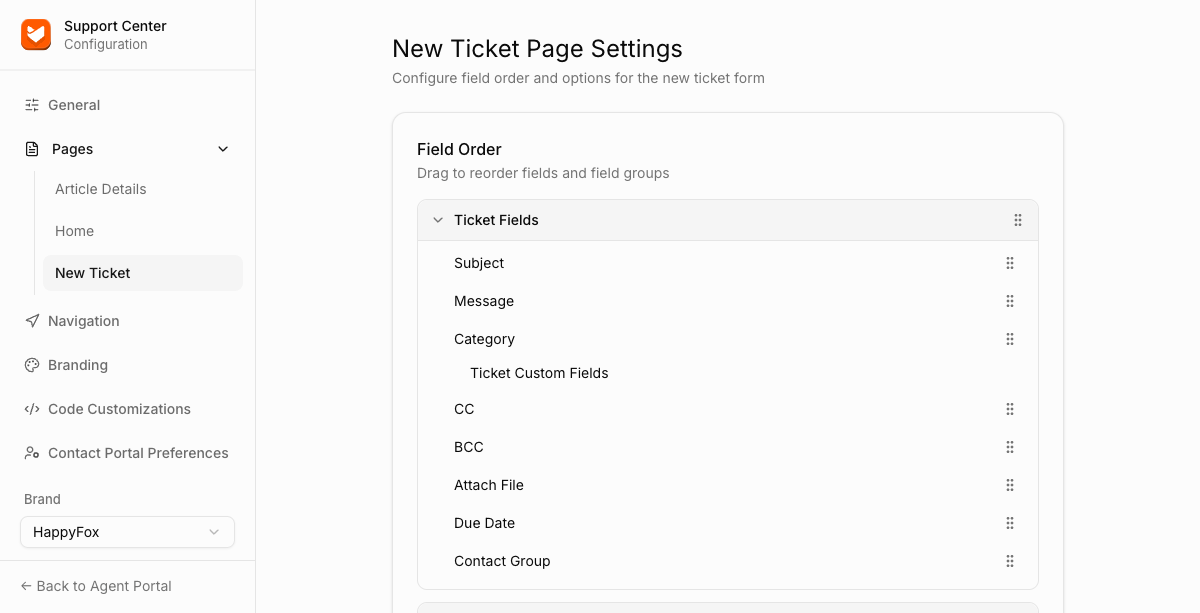
Field Order
Drag any field or field group up or down to change where it appears on the form.
Ticket Fields
Subject, Message, Category (with Ticket Custom Fields nested underneath), CC, BCC, Attach File, Due Date, Contact Group.
Contact Fields
Full Name, Email, Contact Custom Fields, Phone.
There's no visibility toggle per field on this page, reordering is the only per-field control available here. To hide specific ticket-visibility options from contacts (like due date), use Contact Portal Preferences instead.
Additional Settings
| Setting | Description |
|---|---|
| Google reCAPTCHA | Adds a reCAPTCHA challenge to the new ticket form. |
| Custom New Ticket Message | Free text shown on the new ticket form. |