Available on all plans
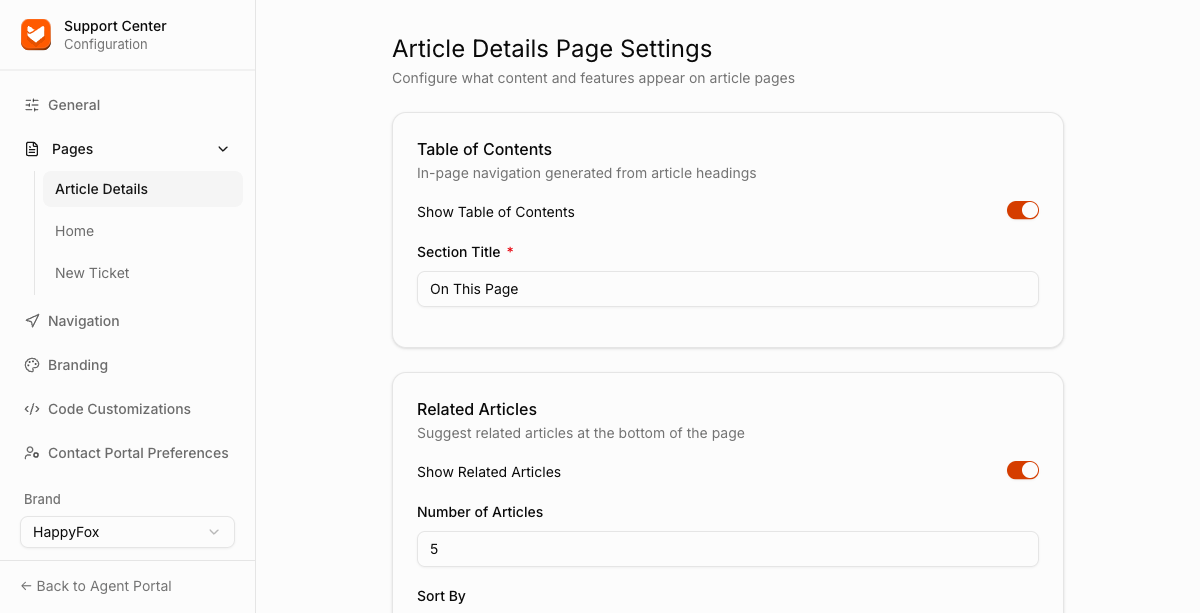
Article Details page settings control the optional components that appear alongside your knowledge base articles: an in-page table of contents, related articles, reader feedback, tags, attachments, and social sharing.
Permission needed: "Manage Support Center settings" and "Customize look and feel of Support Center pages", both grantable to any role. Account admins have both by default.
Steps:
- Log in to your HappyFox Agent Portal.
- Go to Main Menu > Support Center > Pages > Article Details.
Components
Each of these is an independent toggle. Most also let you customize the heading shown above them.
| Component | Toggle |
|---|---|
| Table of Contents | Show Table of Contents |
| Feedback | Show Feedback |
| Tags | Show Tags |
| Attachments | Show Attachments |
| Social Share | Show Social Share |
Related Articles
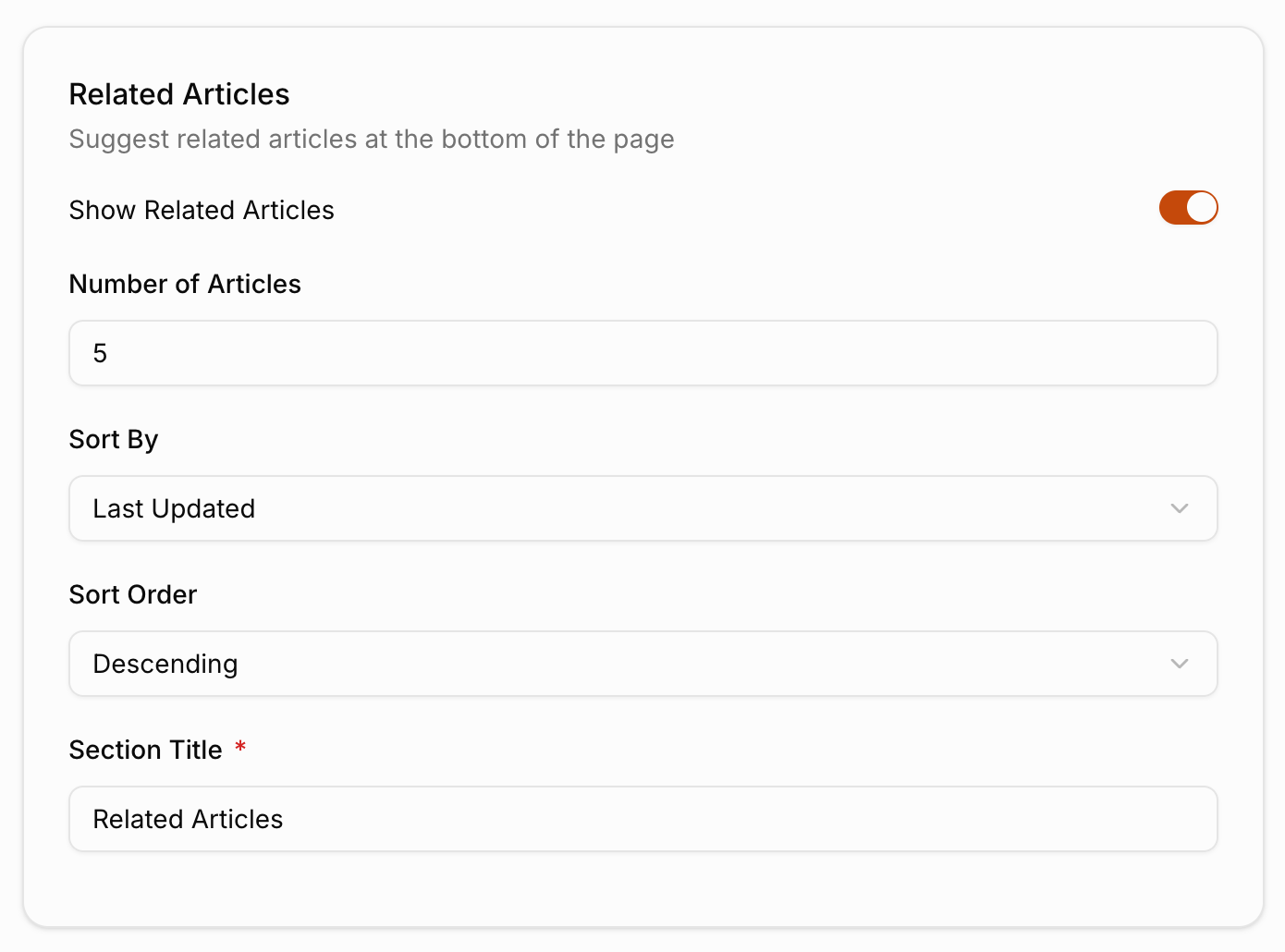
Related Articles has more settings than the simple toggle-plus-title pattern above:
| Setting | Description |
|---|---|
| Show Related Articles | Toggles a "related articles" list at the bottom of the page. |
| Number of Articles | How many related articles to show. |
| Sort By | Last Updated, View Count, or Title. |
| Sort Order | Ascending or Descending. |
| Section Title | The label shown above the related articles list (default: "Related Articles"). |