Available on all plans
Translate lets you provide translations of your Support Center's text so contacts can view it in a different language.
Permission needed: "Manage Support Center settings" (to access the module) and "Manage translations in Support Center Pages" (to use this page), both grantable to any role. Account admins have both by default.
Steps:
- Log in to your HappyFox Agent Portal.
- Go to Main Menu > Support Center > General (or any section) to open the Support Center Configuration app.
- In the app's own left sidebar, go to Translate.
- Choose a Language from the dropdown.
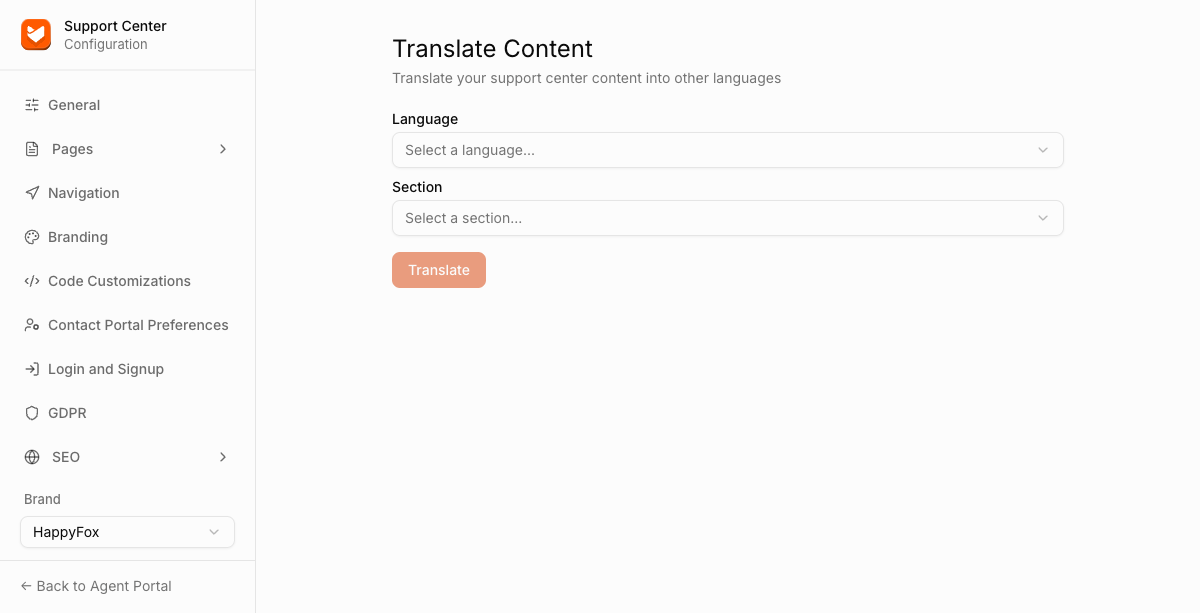
- Choose a Section to translate: General, Navigation, GDPR, Pages > Home, Pages > Article Details, or Pages > New Ticket.
- Provide translations for lables and click Save.
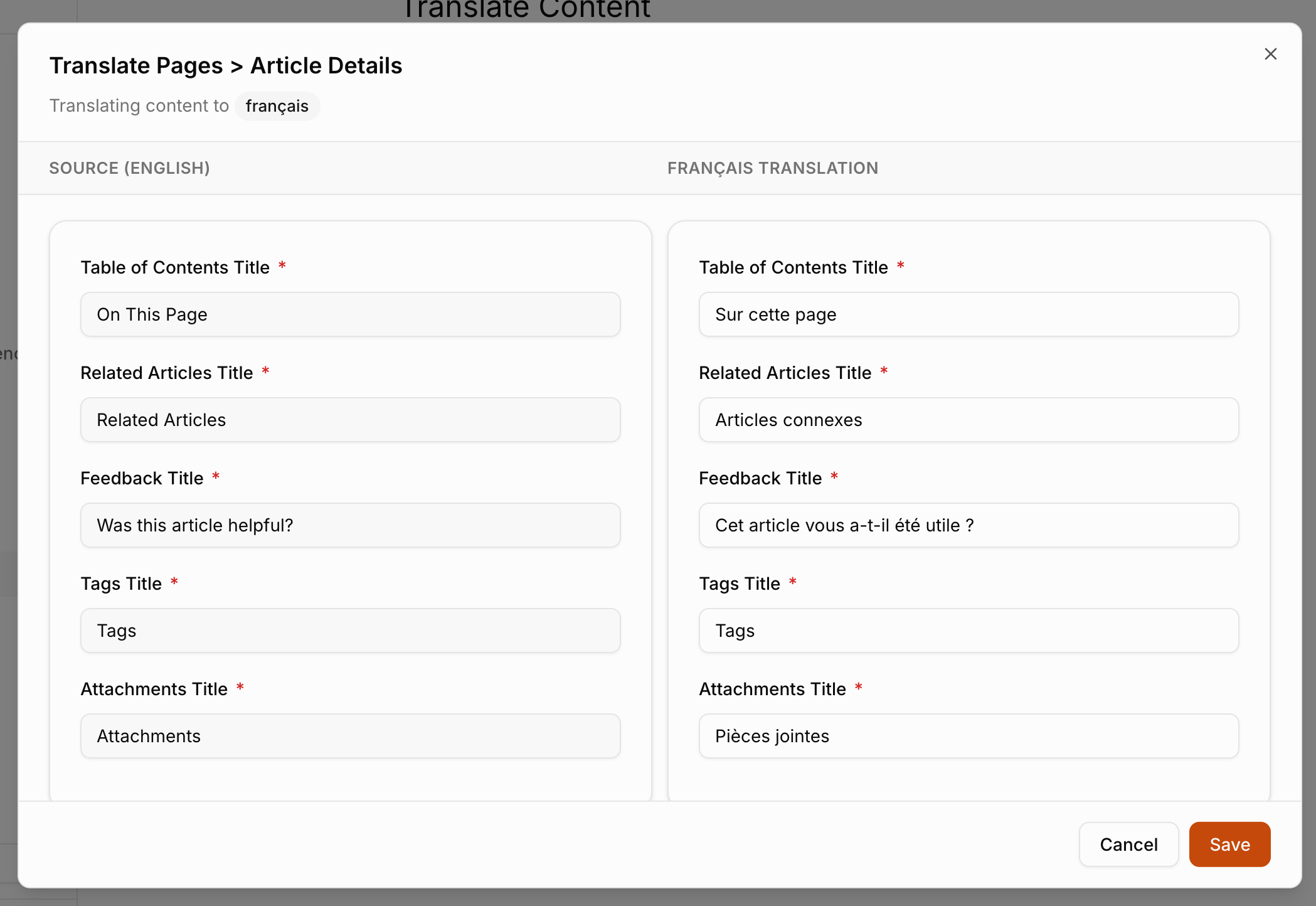
- Click "Translate" to provide translated text for that section.
Translations are configured one language and one section at a time, repeat the steps above for each language and section you want covered.