Available on all plans
Code Customizations let you add your own HTML and JavaScript to your Support Center, for things like analytics scripts, chat widgets, or third-party verification snippets, without a developer modifying the product itself.
Permission needed: "Manage Support Center settings" (to access the module) and "Perform code customization changes in Support Center" (to use this page), both grantable to any role. Account admins have both by default.
Steps:
- Log in to your HappyFox Agent Portal.
- Go to Main Menu > Support Center > Code Customizations.
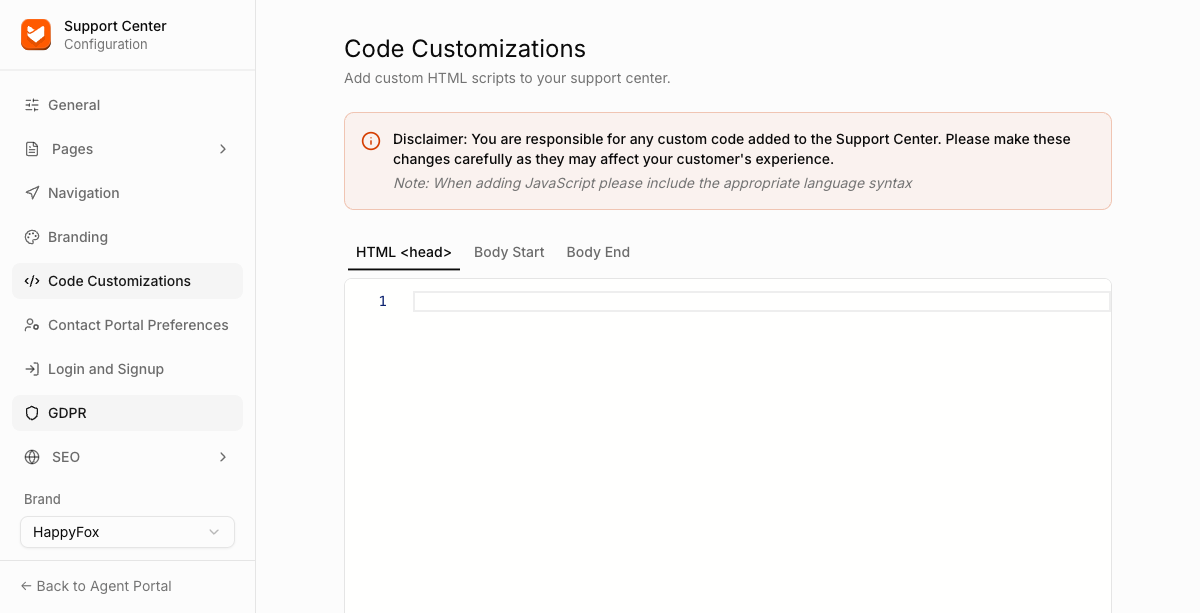
Tabs
| Tab | Description |
|---|---|
HTML <head> |
Code inserted into the page's <head> tag. Use this for tracking codes (like Google Analytics) or meta tags. |
| Body Start | Code inserted immediately after the opening <body> tag. |
| Body End | Code inserted immediately before the closing </body> tag. |
All three tabs accept HTML and JavaScript.