Available on all plans
The General settings control the elements that show up across your whole Support Center rather than on one specific page: site title, search prompt, announcement banner, footer, search suggestions, article display options, and registration security.
Permission needed: "Manage Support Center settings," which can be granted to any role. Account admins have it by default.
Steps:
- Log in to your HappyFox Agent Portal.
- Go to Main Menu > Support Center > General.
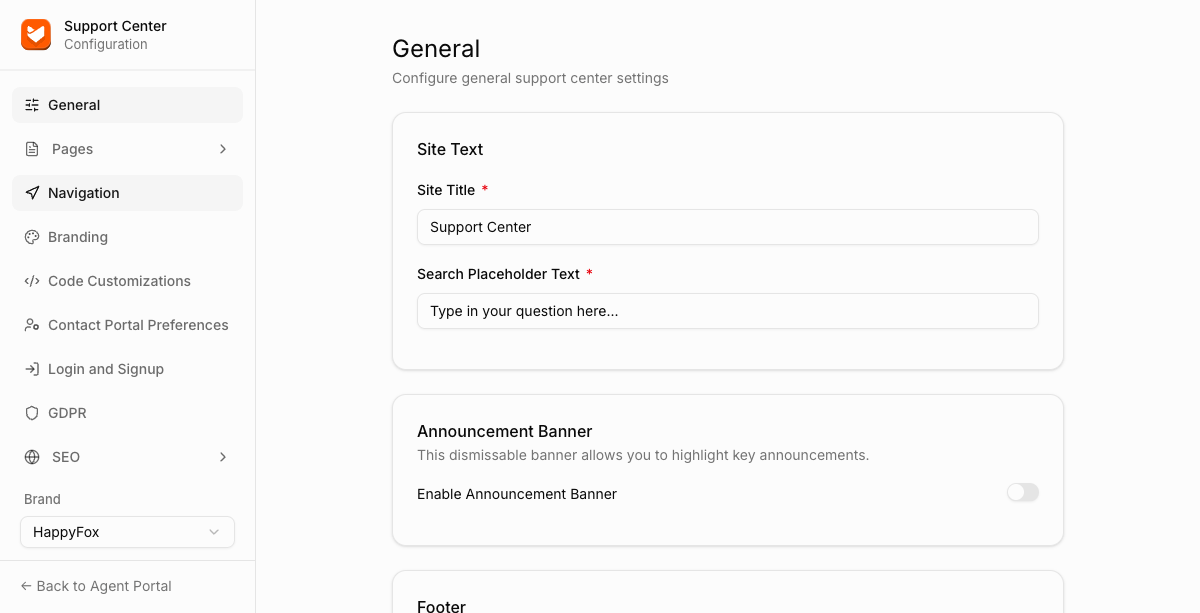
Site Text
| Setting | Description |
|---|---|
| Site Title | The name of your Support Center, used in the browser tab and page metadata. |
| Search Placeholder Text | The greyed-out prompt text shown inside the home page search bar before a contact types anything. |
Announcement Banner
Enable Announcement Banner toggles a dismissable banner used to highlight key announcements. When enabled, it can be configured to show across your Support Center.
Footer
| Setting | Description |
|---|---|
| Footer Links | Click "Add Link" to add links that appear in the Support Center footer. |
| Footer Text | Free text shown alongside the footer links. |
| Show HappyFox Branding | Toggles a "Powered by HappyFox" style credit in the footer. |
Search Suggestions
Default Search Queries: click "Add" to set quick suggestions that appear below the search bar on the home page, before a contact types anything.
Article Display
Controls what metadata shows on knowledge base articles.
| Setting | Description |
|---|---|
| Show Author | Displays the article's author. |
| Show View Count | Displays how many times the article has been viewed. On by default. |
| Show Last Updated | Displays when the article was last updated. On by default. |
Registration
Google reCAPTCHA for Registration adds a reCAPTCHA challenge to the contact registration form. On by default.
FAQ
Q: Do these settings apply per brand?
A: Yes, if you manage multiple brands, use the Brand selector at the bottom of the sidebar to configure General settings separately for each one.