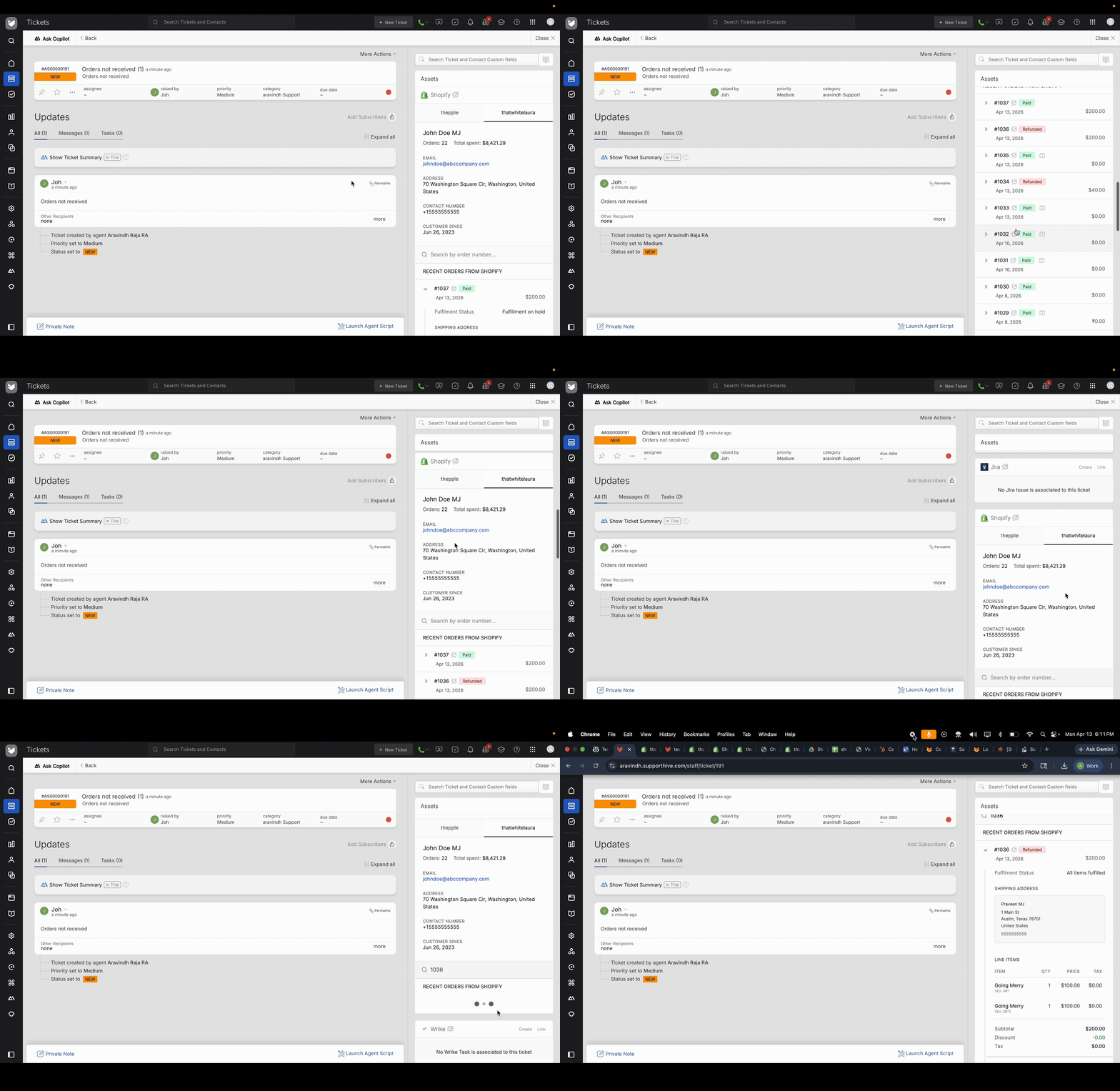
Shopify is a leading e-commerce platform that enables businesses of all sizes to create, manage, and operate online stores. As businesses expand and engage with a growing number of customers, streamlining customer support becomes vital. This is where the integration between HappyFox Help Desk comes into play. The HappyFox - Shopify integration allows agents to view the Shopify customer information and their recent orders right within a HappyFox ticket. Additionally, agents can perform a quick search or lookup of Shopify customers and order information and use it while creating a new HappyFox ticket.
Applicable Plans: ✔️ Mighty ✔️ Fantastic ✔️ Enterprise ✔️Enterprise Plus
When Should You Use This Method?
Use this integration flow if:
- You are setting up a new Shopify integration with HappyFox Helpdesk
- Your Shopify store does not already have a legacy custom app
- You are not able to create a legacy custom app in Shopify.
Step 1: Create a Shopify App in Dev Dashboard
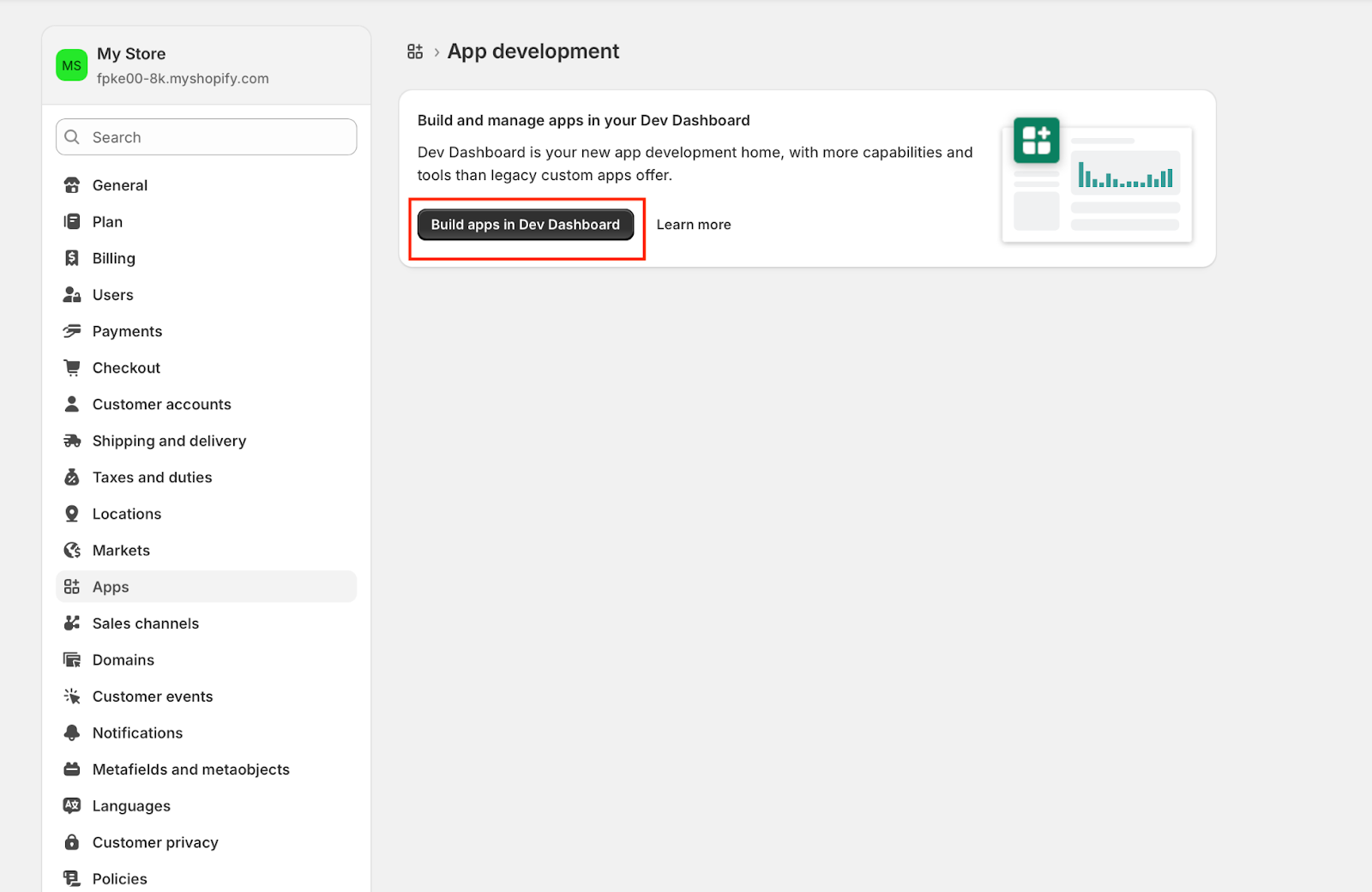
- In your Shopify Admin, go to Settings
- Click Apps
- Select Develop apps
- Click Build apps in Dev Dashboard
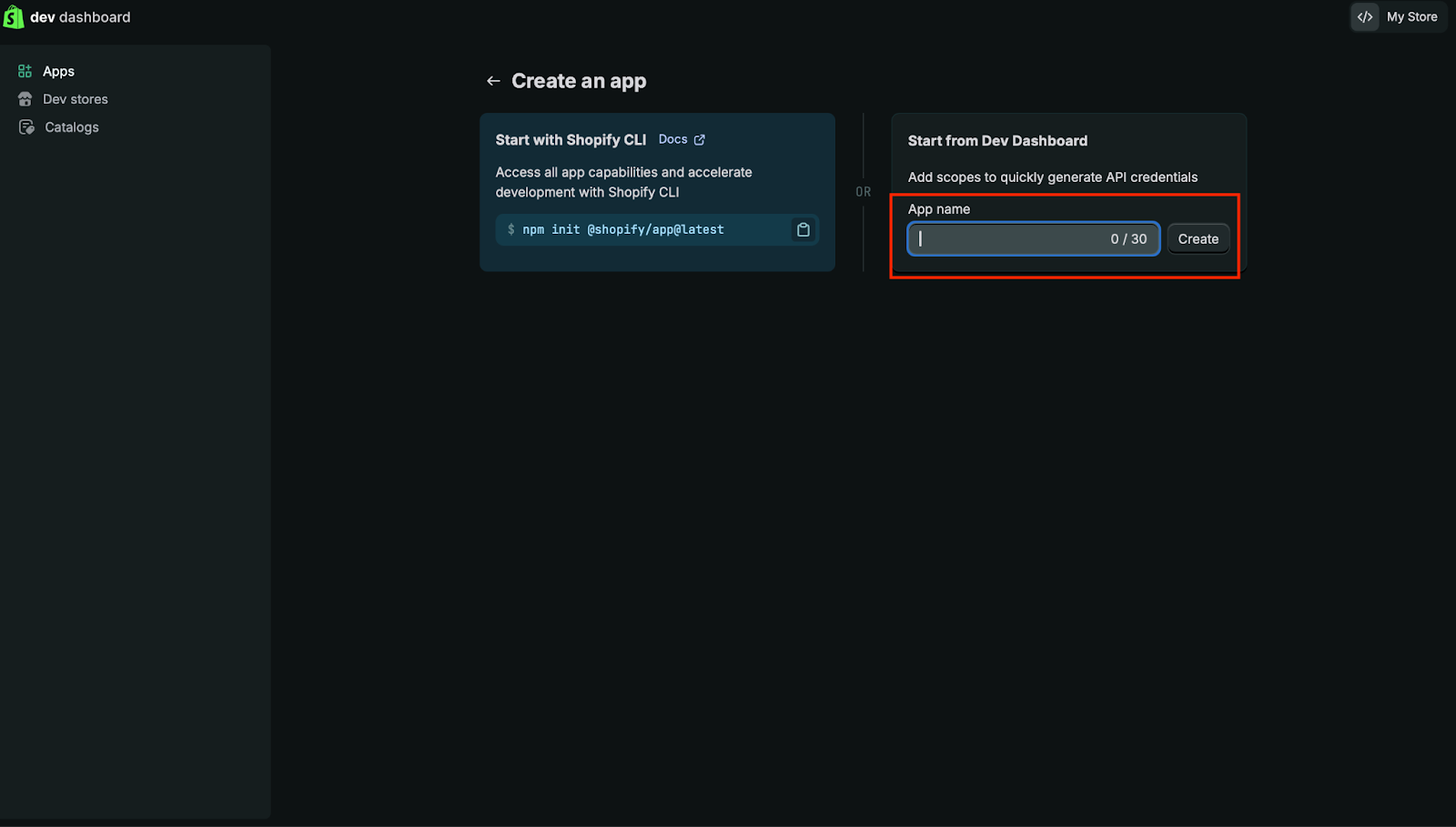
- Click Create app
- Enter an App name and click Create
Step 2: Configure Required API Scopes
- Open the newly created app
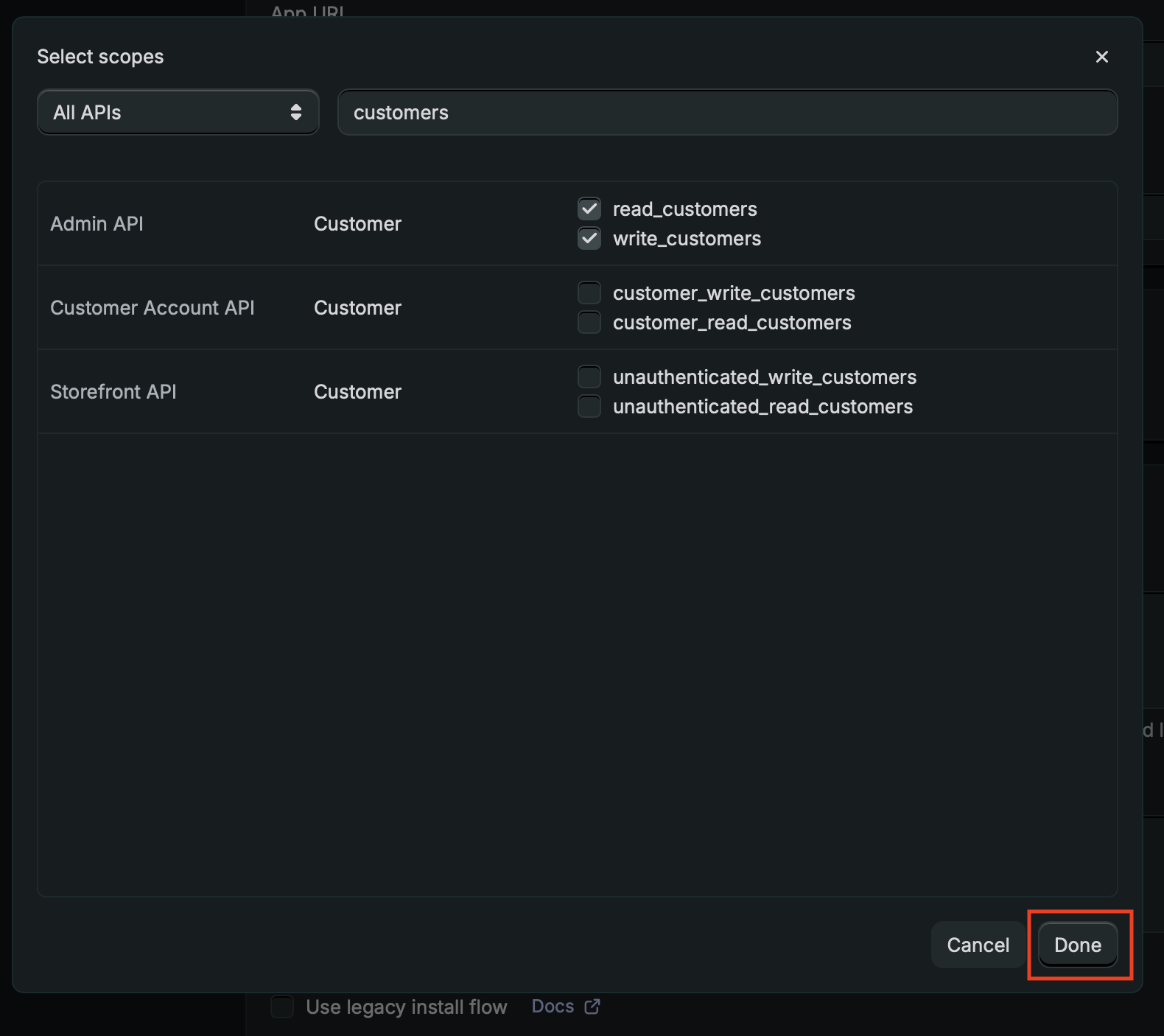
- Navigate to ‘Access’ with Versions and click Select scopes
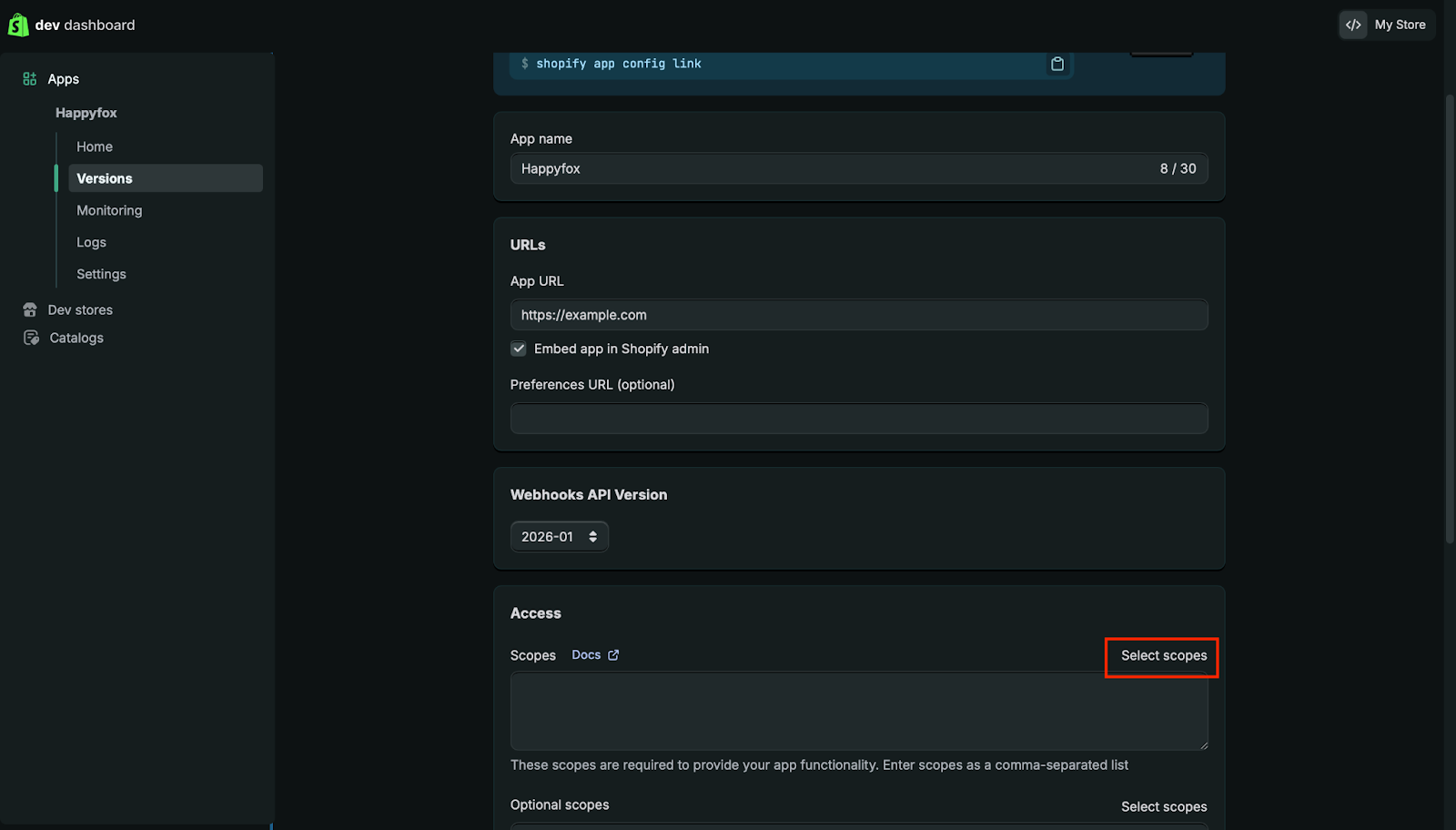
- Enable the required scopes for HappyFox
- read_orders
- write_orders
- read_customers
- write_customers


- Save the scope configuration by clicking on done.
Step 3: Release the App
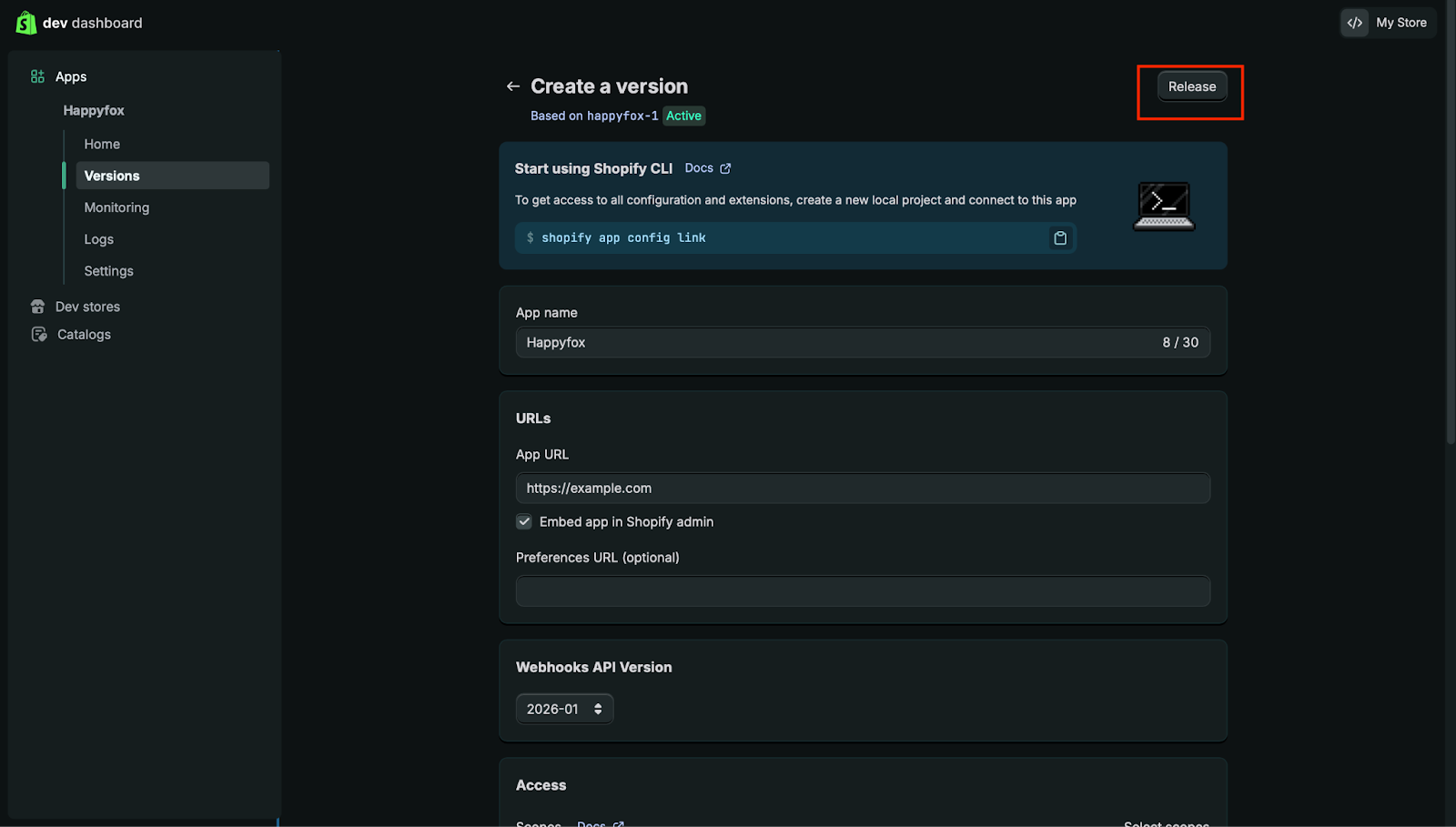
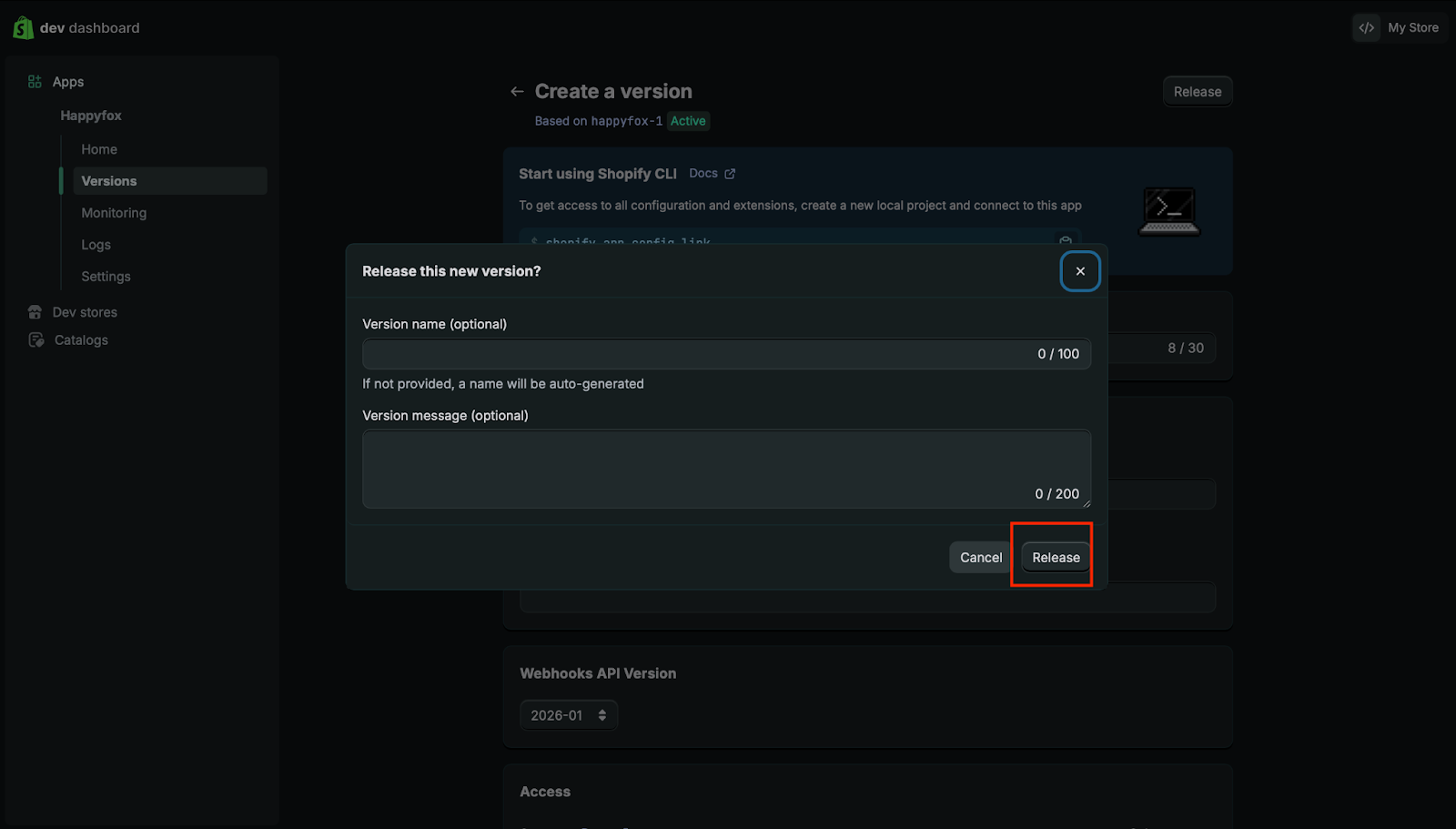
- Click Release to make the app available for installation
Step 4: Install the App on the Shopify Store
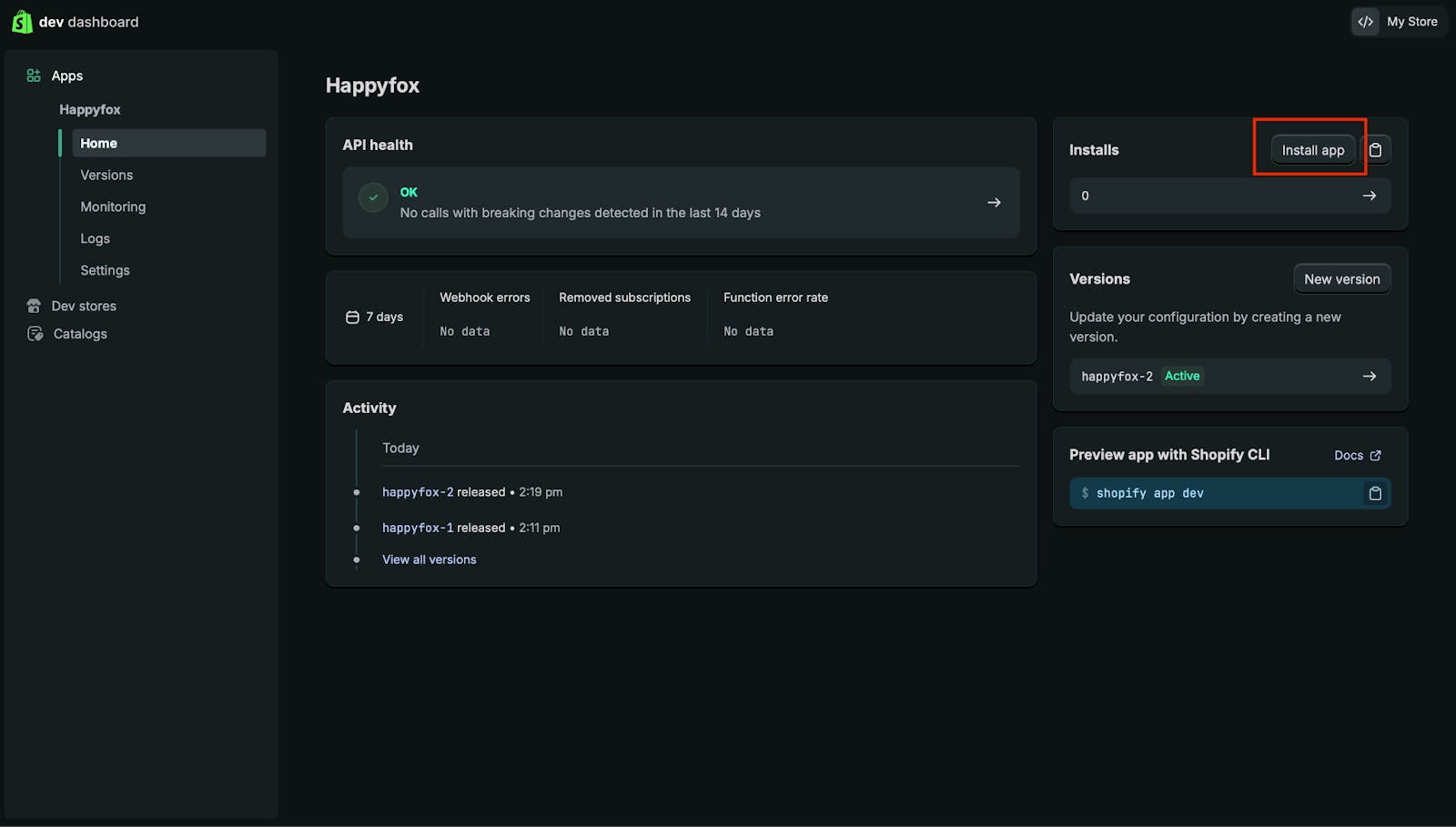
- In the new app, navigate to ‘Home’ on the left sidepane and click the ‘Install app’ option.
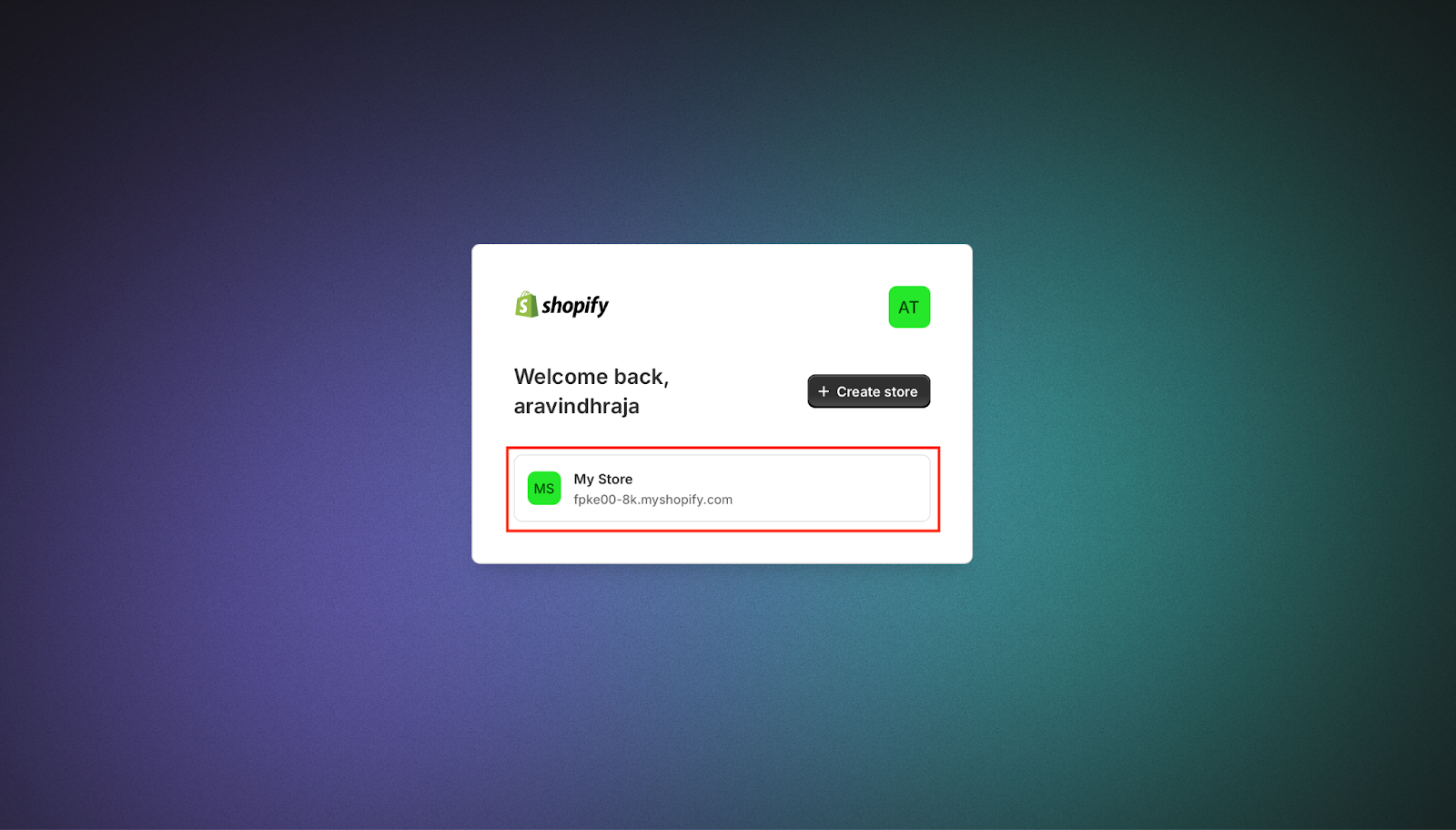
2. Select the appropriate Shopify store
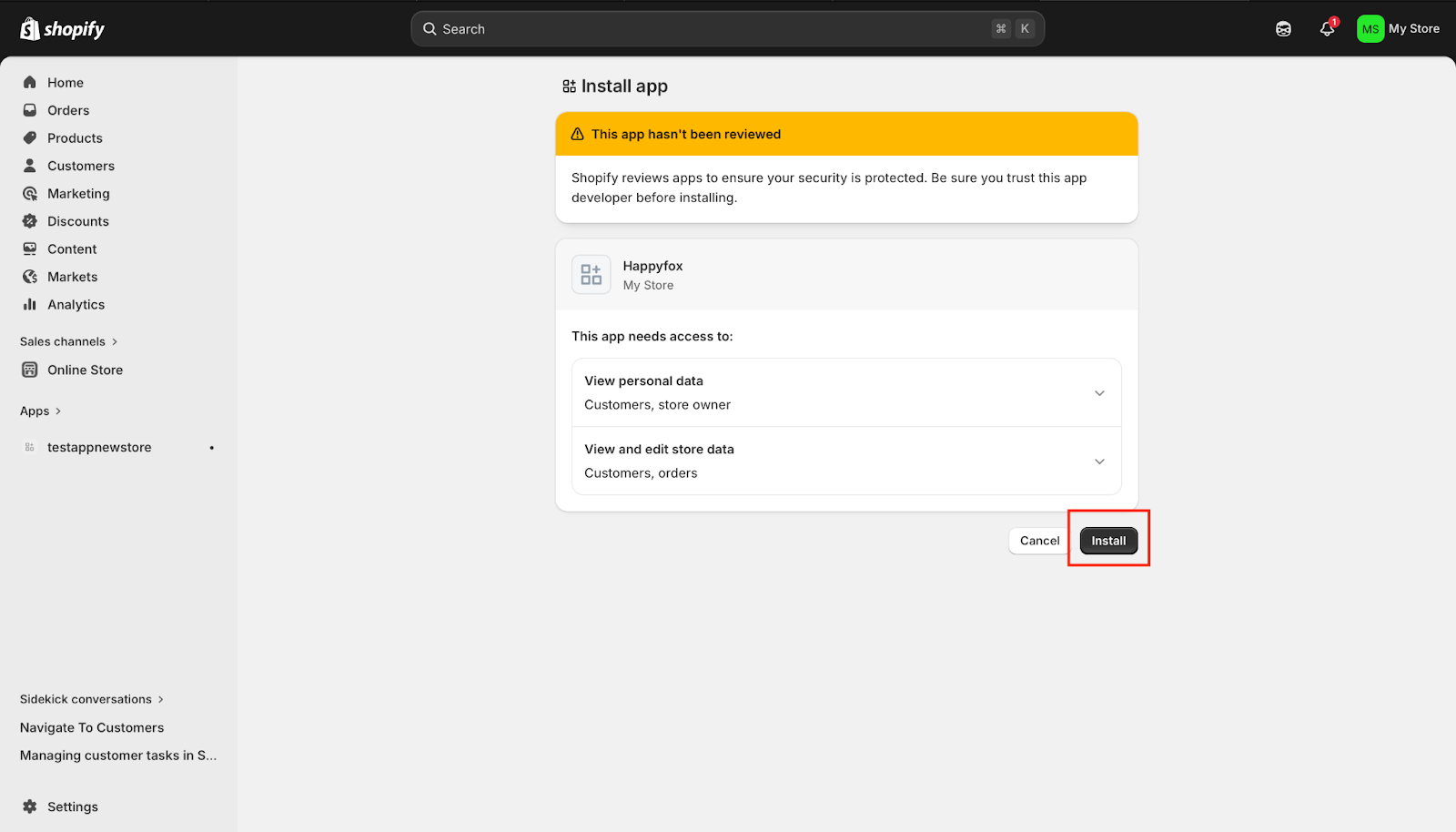
3. Click Install again to confirm the installation of the custom app
Step 5: Retrieve Client ID and Client Secret
- Navigate to:
- Settings > Apps > Develop apps > Build apps in Dev Dashboard
- Open your app
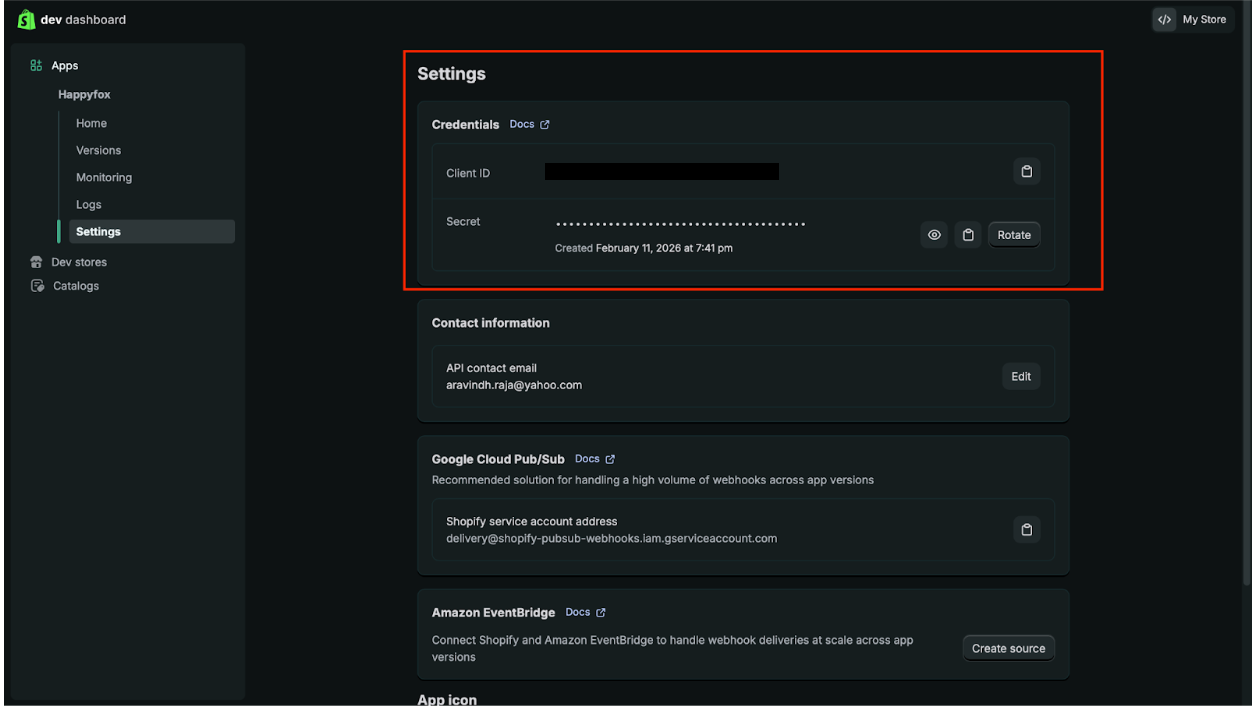
- Go to Settings
- Copy the Client ID and Client Secret
Step 6: Configure the Integration in HappyFox Helpdesk
- In HappyFox, navigate to Manage Apps > Shopify
- From the app selection dropdown, choose Dev Dashboard App
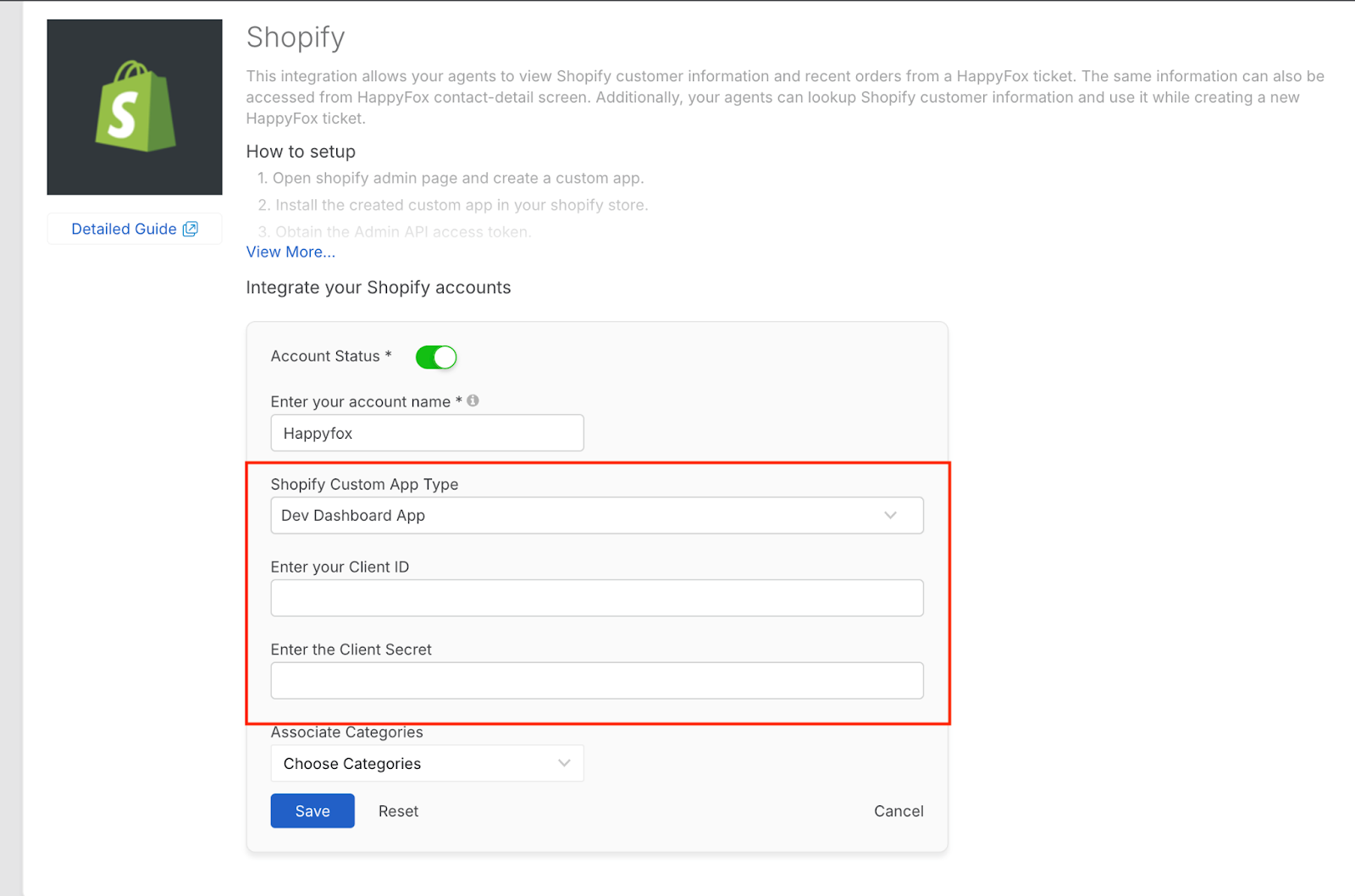
- Enter the Client ID and Client Secret
- Select the Categories for the Shopify account here. When you access a ticket in the selected category, Customer and Order information from the above Shopify stores will be fetched and displayed in the respective ticket details page under Shopify section.
Note: A category can be associated with a maximum of three Shopify stores.
- Click Save
- The Shopify Integration setup with HappyFox Help Desk is complete, you can enable the app now.
Required Permission
- Manage apps settings
- You should have the above permission to enable, configure or update this integration in HappyFox.
Viewing Shopify Order Information in the Ticket Details Page and during Ticket Creation
The Shopify widget searches all connected Shopify stores for a matching Shopify customer using the HappyFox contact's email address. If no match is found, it searches using the HappyFox contact's mobile number. Orders for the matching customer are then displayed in the widget.