Webex integration with HappyFox Help Desk allows agents to seamlessly set up Webex meetings directly within a support ticket. This integration simplifies scheduling and managing virtual meetings with customers, ensuring better collaboration and faster resolution of queries. Agents can generate Webex meeting links, add them to ticket replies, and efficiently communicate with customers in real-time, all from within the HappyFox platform.
Prerequisites:
-
Only the admin user with the following privileges will be able to perform the OAuth authorization
-
Only agents with an active Webex meetings license will be able to generate and join meetings.
Applicable Plans: ✔ Team ✔ Pro ✔ Enterprise Pro ✔ All Unlimited agents plan
Managing Webex Integration:
To enable Webex integration within HappyFox Help Desk, follow these steps:
-
Navigate to the App section in your HappyFox Help Desk.
-
Select Webex from the list of available apps.
-
Click Install to begin the installation process.
-
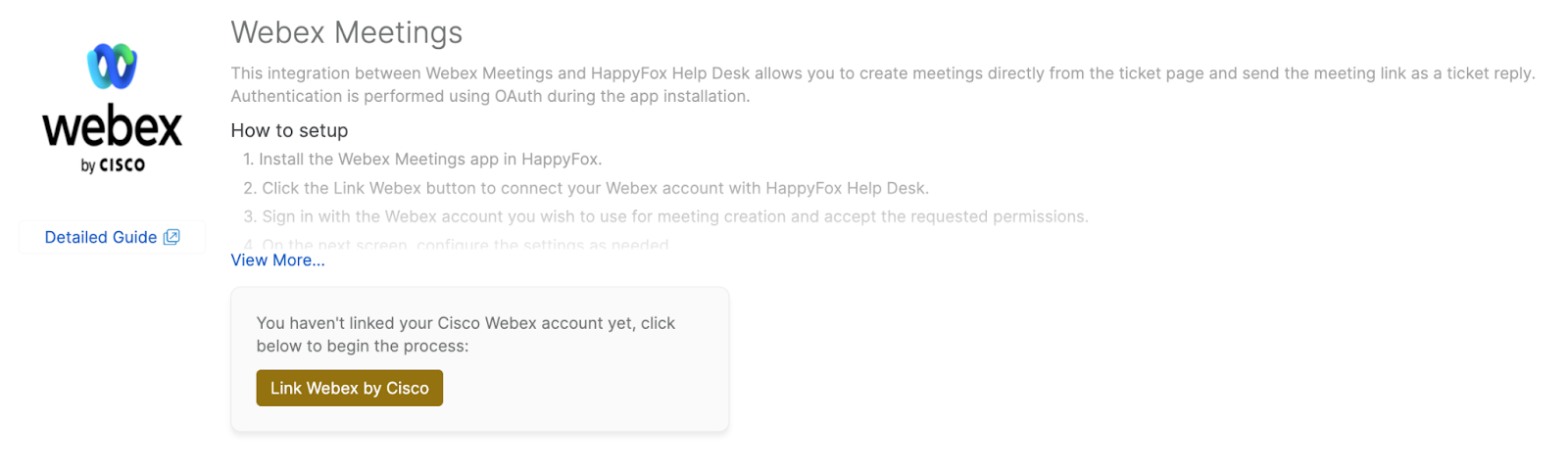
You will be prompted to Link Webex with your account. Click the button to proceed.
-
Sign in with your Webex account and allow the required permissions for Webex
-
Once permissions are granted, you will see a confirmation that Webex has been successfully installed.
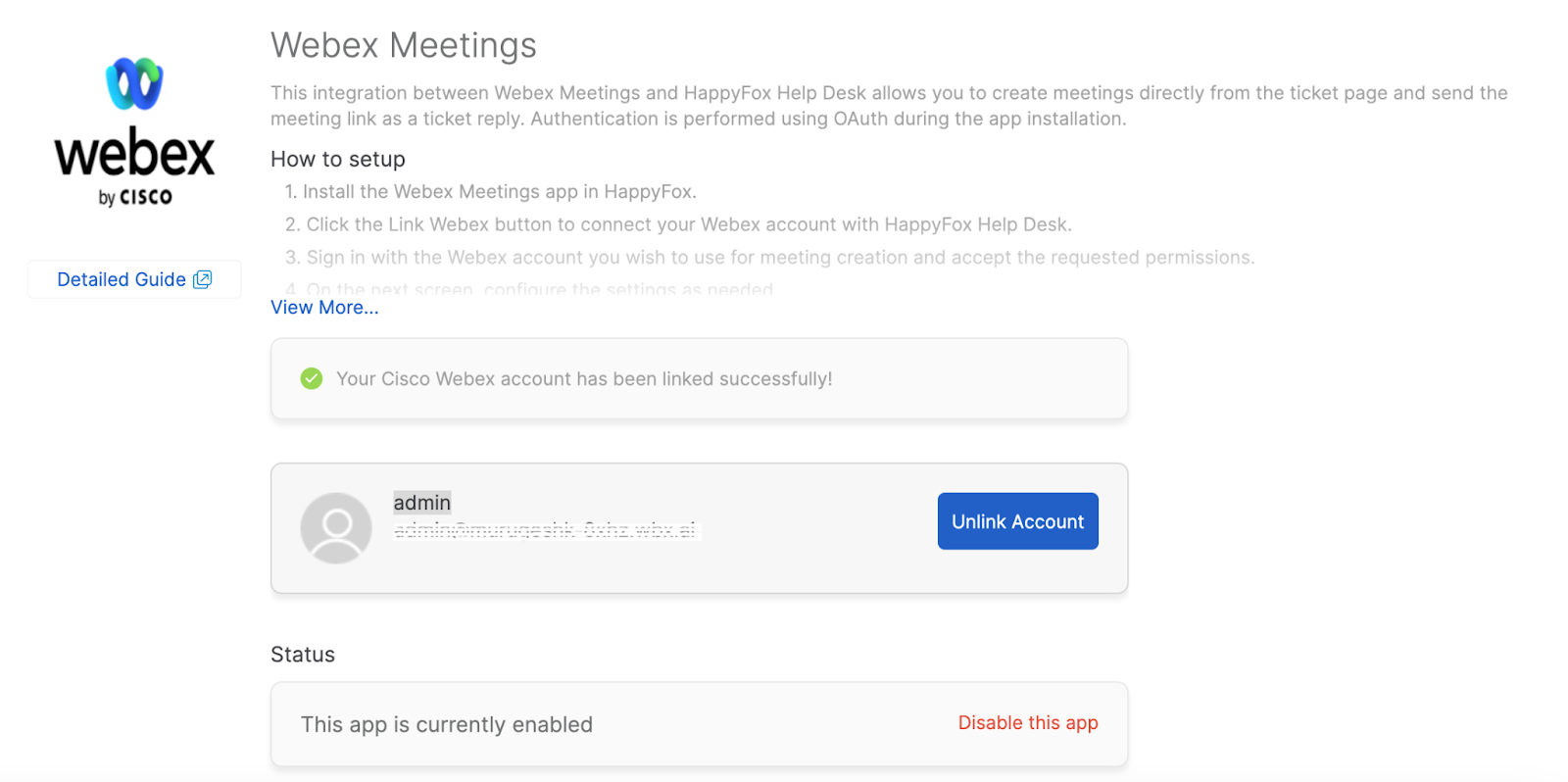
With Webex successfully linked, agents can now generate meeting links directly from within a ticket.
How to Add a Meeting Link to a Ticket:
To add a Webex link to a ticket, follow these steps:
-
Open the ticket where you want to add the meeting link.
-
In the right pane, under the Webex section, there will be an option at the top that says "Generate Webex Meeting." Click on this text link to generate a meeting link.
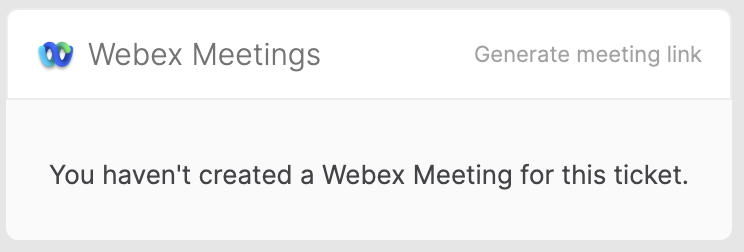
Note: Meeting links are unique and tied to both the ticket and the agent generating the link. Each agent accessing a ticket must generate their own meeting link as needed.
-
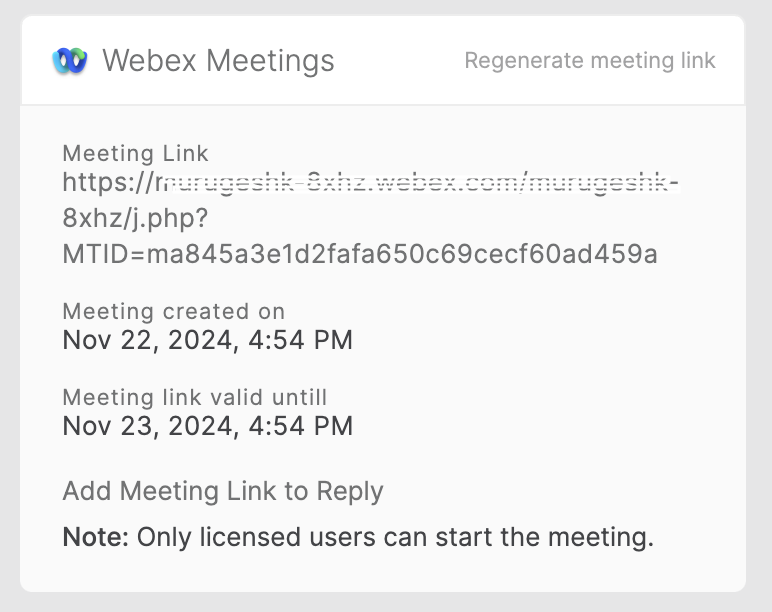
After clicking, the system will create a meeting and display the Webex link along with the timestamps for when the meeting was created and when it will expire.
-
If a meeting has already been created, agents will have the option to "Regenerate Webex Meeting" if necessary.
-
To include the meeting link in the ticket reply, click "Add meeting link to the ticket reply." This will automatically insert the generated meeting link into the reply editor.
Note: Only the agents with active license will be able to start the meeting
Frequently Asked Questions:
-
Who can perform the OAuth authorization for Webex integration?
Only admin users with the following privileges can perform OAuth authorization: -
Can I regenerate a new Webex link for an existing ticket?
Yes, once a meeting has been generated, agents will have the option to "Regenerate Webex Meeting" if they need to create a new link for the same ticket.
-
Can any agent generate and join Webex meetings through this integration?
No, only agents with an active Webex license can generate and join Webex meetings. During link generation, the integration checks if the agent's email ID in HappyFox corresponds to an active license in Webex.
-
How are Webex meeting links managed for tickets?
Meeting links are unique and tied to both the ticket and the agent generating the link. Each agent accessing a ticket must generate their own meeting link if needed.
-
Will the Webex link expire after the meeting?
Yes, the meeting link will expire 24 hours after creation. Once expired, the "Add meeting link to the ticket reply" option will be disabled.
Click Here to understand the actions and its use cases offerred in webex integration