Knowledge Base Articles can be exported to a CSV file from the HappyFox Help Desk using the Export Button available in the Knowledge Base module.
You can export Knowledge Base articles to a CSV file in HappyFox Help Desk by using the Export button available in the Knowledge Base module.
Steps to Export Knowledge Base Articles:
-
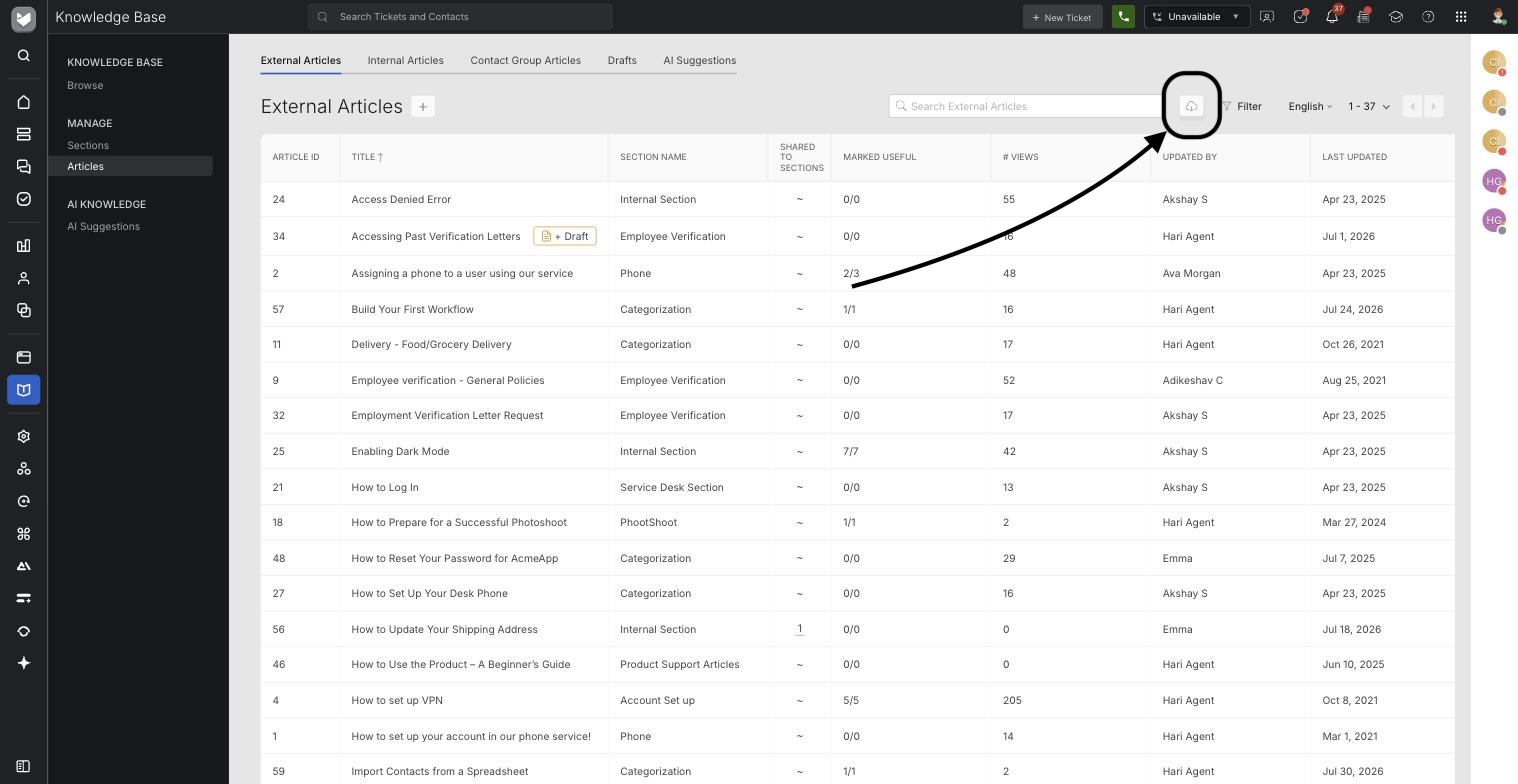
Navigate to the Knowledge Base Module: Go to Knowledge Base → Articles.
-
Select the Article Type: On the Article List page, choose the article type you want to export: External Articles, Internal Articles, or Contact Group Articles.
-
Export the Articles: Click on the Export icon to begin exporting all articles from the selected article type.
-
Once the export is initiated, the CSV file will be generated in the background. When the file is ready, it will automatically download.
Note: If there are a large number of articles, the export process might take some time. Only published articles can be exported. Draft articles cannot be included in the export.
-
The export file will be named based on the article type and the time it was generated (e.g., "External_Articles_Sep-01-2024.csv").
A sample screenshot of the Export file is shown below for reference:

Report Overview:
The exported CSV file contains the following fields:
-
Article ID: The unique identifier of the article.
-
Title: The article's title.
-
Section Name: The section to which the article belongs.
-
Marked Useful: The ratio of users who found the article useful.
-
Views: The number of views the article received.
-
Updated By: The agent who last updated the article.
-
Last Updated At: The date and time when the article was last updated.
-
Content: The article content.
-
Tags: Tags associated with the article.
-
Created By: The agent who created the article.
-
Created At: The date and time when the article was created.
-
State: The current status of the article (e.g., published).
-
Language: The language used in the article.
Frequently Asked Questions:
- Who can export articles from the Knowledge Base module?
Only agents with the Manage Knowledge Base Sections and Articles permission can see and use the Export button. This can be configured in Manage → Roles and Permissions → Managerial → Knowledge Base (KB)
- Can agents export all Knowledge Base articles?
Agents can only export the articles accessible to them based on their permissions (articles associated with their categories). To export all articles from the Knowledge Base, both the View KB sections & articles of unassociated categories and Manage Knowledge Base Sections and Articles permissions must be enabled