This article covers how to set up and maintain a Multilingual Knowledge Base with HappyFox. Currently, HappyFox Multilingual KB supports 14 different languages. Know the list of languages supported here.
Applicable Plans: ✖️ Mighty ✔️ Fantastic ✔️ Enterprise ✔️Enterprise Plus
Multilingual KB Setup:
- Navigate to Main Menu > Manage > Languages

- Specify the primary language for your Knowledge Base. Primary Language acts as a primary key for your articles. All article translations are mapped to the primary language article. In other words, you cannot create content in any language but your primary language. You can only translate primary language's content to other languages.
Note: Primary Language once chosen cannot be changed. Exercise extreme caution while finalizing your primary language.
Once the primary language is chosen, you can add additional languages to your Multi-lingual KB. Check "Enable" checkbox adjacent to the language name to make the language available for article/section translation. Check "Visible in Support Center" to make the language visible in the Support Center (Visible to end-users).

- In the list of languages shown, HappyFox currently supports adding a maximum of 5 languages excluding the primary language.
- Users can control whether they wish to show a particular language in the Support Center pages. This is particularly useful when the multilingual content is being worked on or translated and only upon completion needs to be shown in the Support Center pages. For example, Nederlands is not selected here in Support center view. This will hide Nederlands from the Support Center drop down.
- Once the content for Nederlands is ready, you can check it to make the Nederlands drop down option available.
Section Translation:
- Having sections for the different languages you've selected, is mandatory before adding translated articles to those sections.
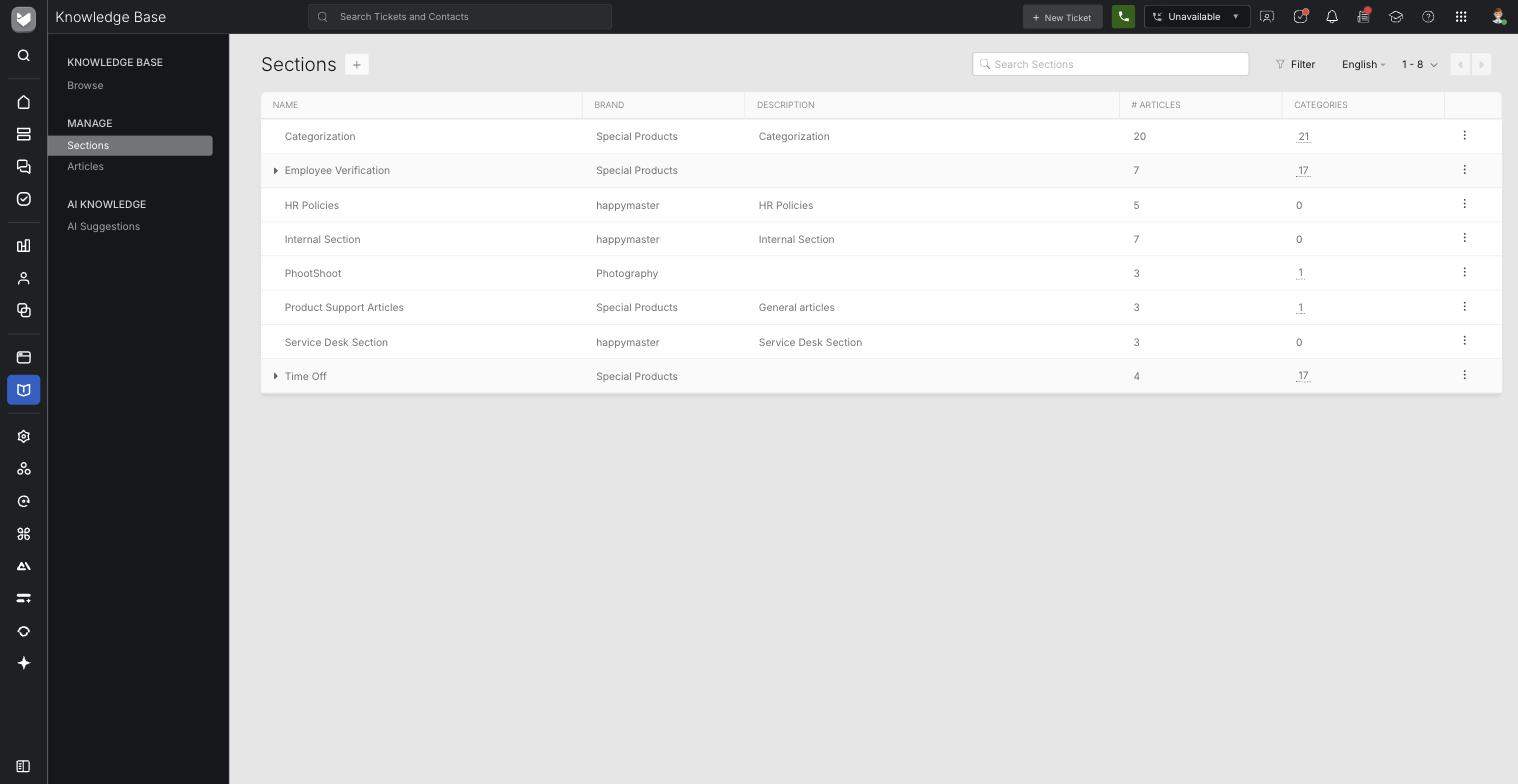
- Go to Knowledge Base >> Sections to view the list of sections you have.
- Click on the desired section to open its preview slider.
- Click "Translate" on the top right of the slider.
- Specify the Language you want the section to be translated into and click "Start".
- In the face-box that appears, Enter the Section name in destination language, and click Create Translation.
- Translating sub sections - When user tries to translate a sub-section of any section and the parent section does not have a translation (in that language) yet, then the user will be shown a sort of wizard inside a face-box to translate the parent section first and then the sub-section. This applies for any level of sub-section that may be present in an account.
- To see the list of section translations for a particular language, switch the language dropdown to the destination language - located on the top right of the sections list page.
Article Translation:
- The articles in the knowledge base can be accessed in the Knowledge Base >> Articles page.
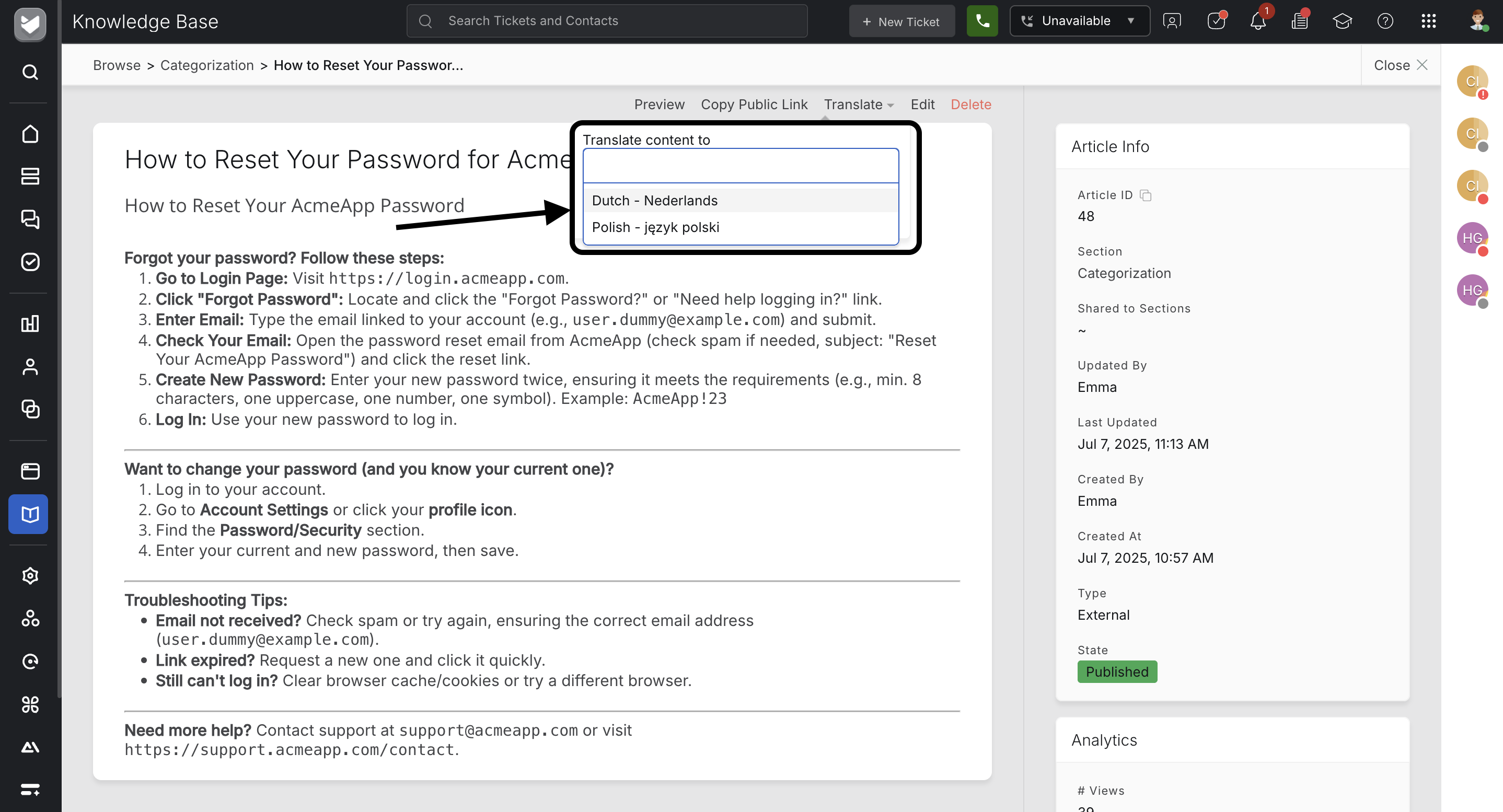
- Navigate to the desired article details page. Click "Translate".
- Specify the Language you want the article to be translated into and click "Start".
- When you click on adding a new translation for an article, the user will be shown a page where the new translation can be added along with the reference of the existing article in the primary language, shown on the side.
- The article translation can be created in this manner and saved.
- If a user tries to translate an article into a language where the section/sub-section does not have a translation in that language, the user will be prompted to complete the section/sub-section translation first before doing the article translation. Once this is done, the section/sub-section translation will be saved and the user can proceed to translate the article.
- Editing articles and translations - To edit an article's translation, navigate to the corresponding translated article's details page and click "Edit Translation".
- Tags and Attachments for articles - The tags and attachments of an article are valid across translations of the same article. So, if you’re editing tags or attachments in any article, this will apply to the other translated articles too. The tags and attachments can only be edited in the primary language article. Views and useful/not useful counts are kept separate for each article and its translations. If you'd like to provide multilingual attachments, you can attach more than one files for each article. This way the viewer gets to choose the one they like to download.
Swtiching Language in Browse:
● Landing page (Knowledge Base >> Browse)
● Select the language from the drop down on top right.

● Translated Section, Subsection and Article names will be shown here.
Switching Language in Support Center:
○ The list of languages chosen to be made visible in the Support center is shown as a drop down in the top right in the support center pages. Users can switch between the languages available and the sections/sub-sections/articles which are translated will be shown to the user.

○ The support center is loaded by default with the primary language that is set up.
○ On clicking into the Section, Sub section and articles are listed in the relevant language.