Apart from using the HappyFox server email address to send out replies, you can configure custom SMTP for all the outgoing emails. Setting up an SMTP ensures all your email transactions happen using your own email server and is never marked as SPAM in your recipient's inbox.
To configure SMTP,
-
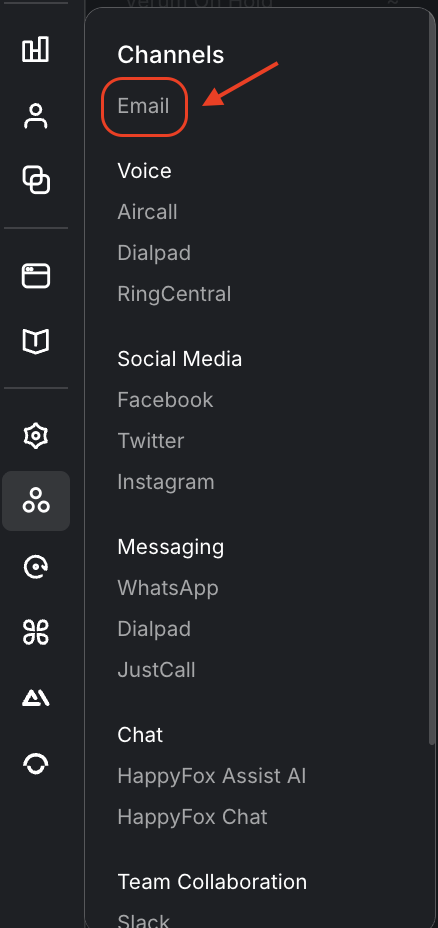
Go to Main Menu (sidebar) >> Channels >> Email.
-
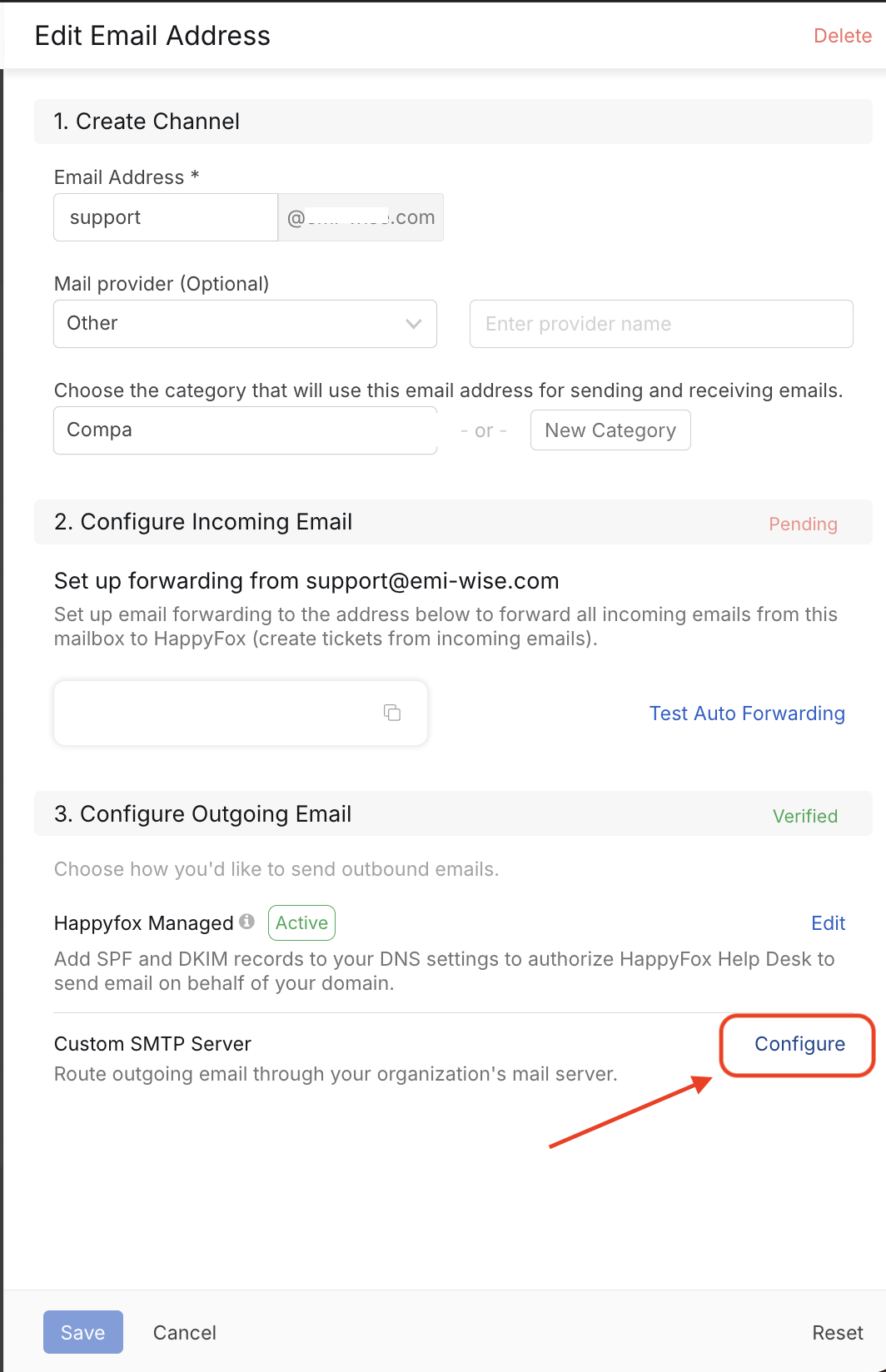
Open the email channel and click Configure under Custom SMTP Server

-
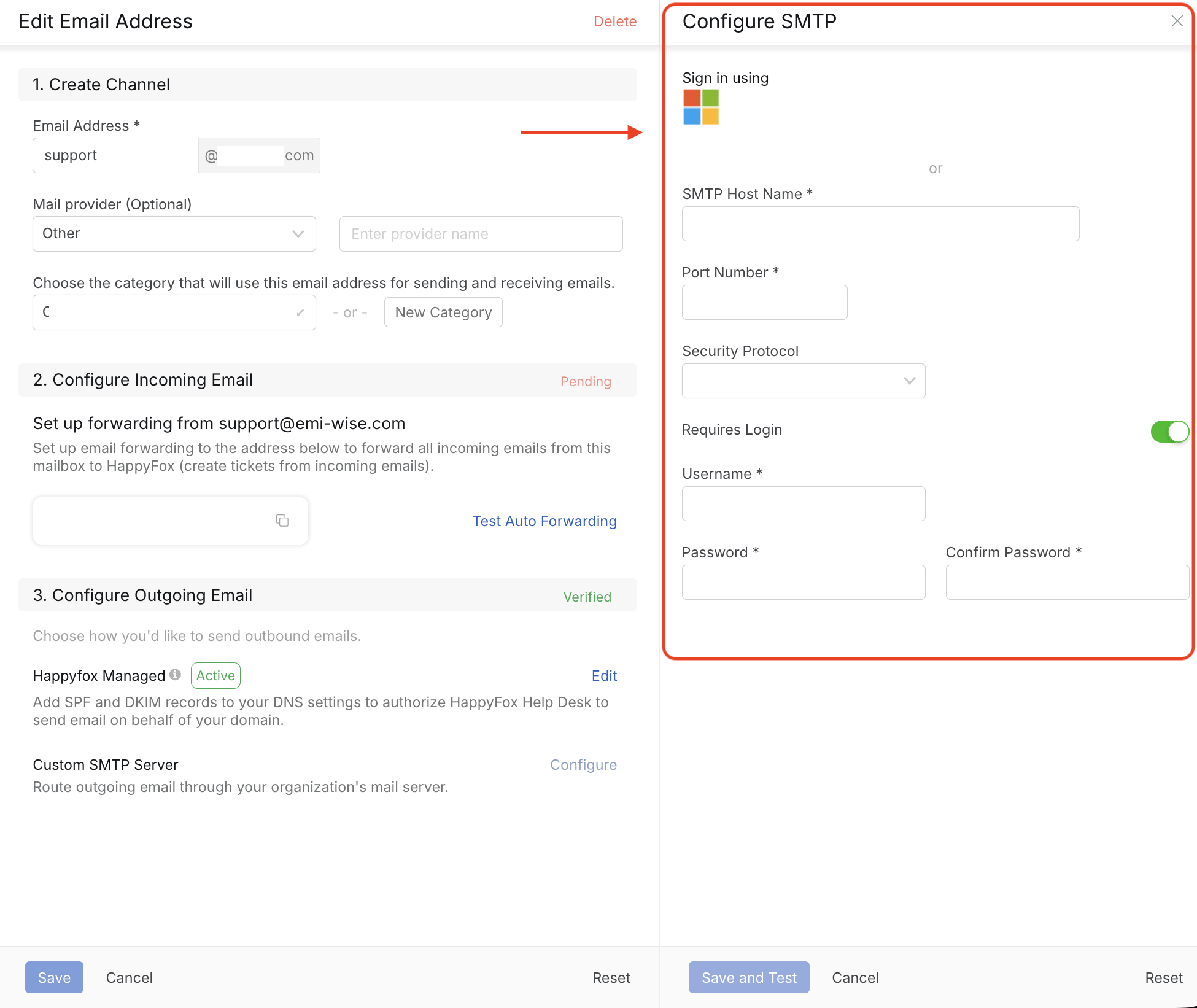
Fill in the SMTP form with your server credentials and save it.
Related Articles
Click here to know on how to configure Microsoft Office 365 SMTP setup for Email Channels?