Domain ownership verification confirms that you control the domain before HappyFox Help Desk sends email on your behalf. It is a standard step in outgoing email setup.
Applicable plans: All plans except Basic.
What you will do
You will add a TXT record to your domain's DNS. A TXT record is a small piece of text that proves to HappyFox you control the domain. It does not affect email delivery or any other domain functionality.
Where to find your DNS settings
DNS records are managed in one of two places:
- Your domain registrar: the company where you purchased the domain (e.g., GoDaddy, Namecheap, Google Domains).
- A separate DNS provider: if you pointed your domain's nameservers to a third party (e.g., Cloudflare, AWS Route 53).
Not sure which one to use?
Log in to your domain registrar and check the nameserver settings for your domain. If the nameservers point to a third party (e.g.,
ns1.cloudflare.com), manage your DNS records at that provider instead. When in doubt, ask your IT administrator.
Quick links for adding TXT records by provider:
Add the TXT record
1. Go to Channels > Email > Email Addresses tab in HappyFox Help Desk.
2. Under Configure Outgoing Email, select "Configure" for HappyFox Managed.
3. Find the Domain Ownership section and copy the TXT record value shown. It will look like a unique code.
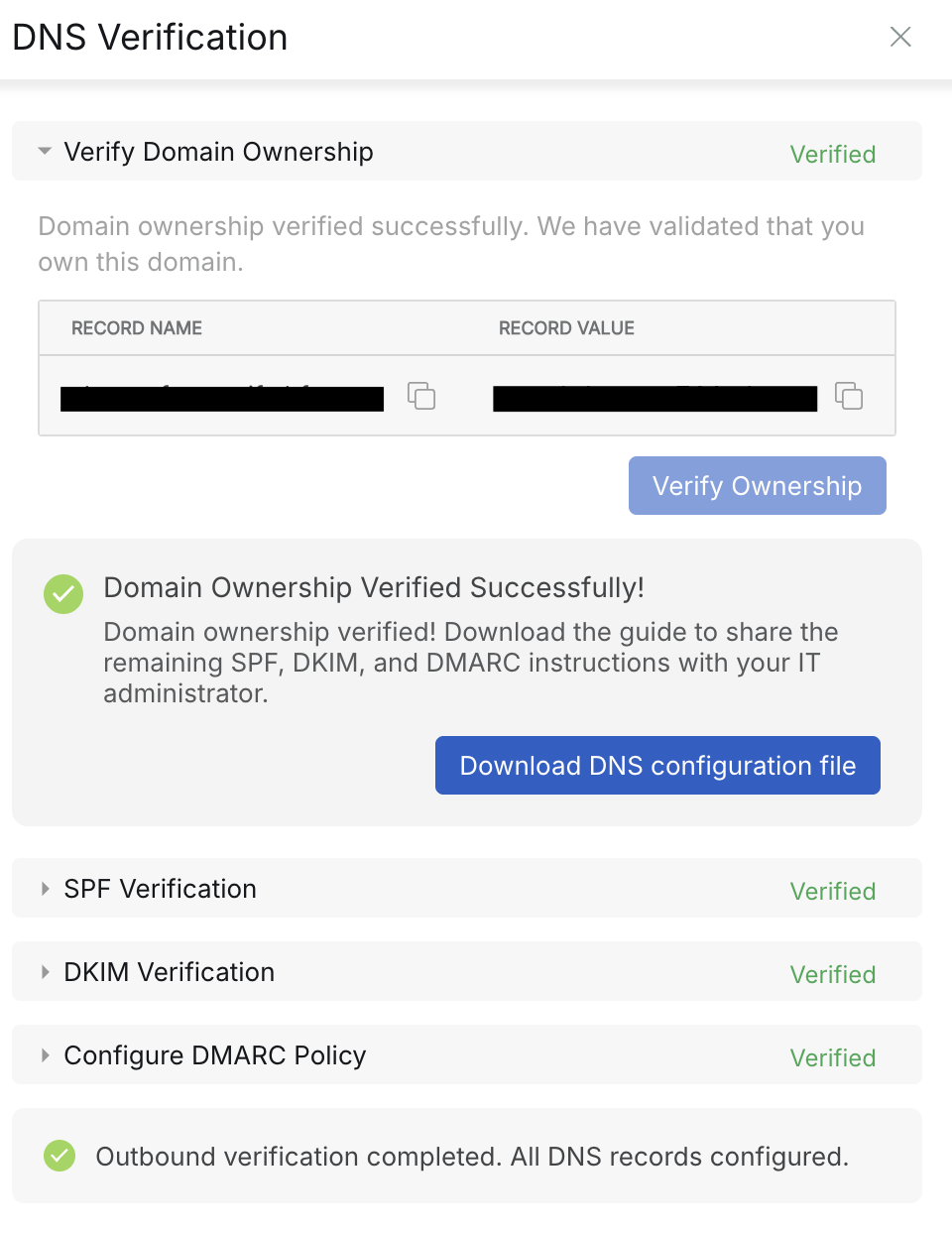
4. Log in to your DNS provider.
5. Create a new TXT record with these settings:
| Field | What to enter |
|---|---|
| Type | TXT |
| Name / Host | The value shown in HappyFox. If your provider auto-appends your domain, enter only the subdomain portion (the part before .yourcompany.com) |
| Value / Content | The full code copied from HappyFox. Paste it exactly with no modifications. |
| TTL | 3600, or leave as Default if no TTL field is shown |
6. Save the record.
Wait for DNS propagation, then verify
DNS changes take time to become active globally. This typically takes a few minutes to a few hours, but can take up to 48 hours.
- Return to HappyFox.
- Go to the channel's Domain Ownership section.
- Click Verify Ownership.
Verification failed? The record may not have propagated yet. Wait at least 30 minutes and try again. If it still fails after several hours, double-check:
- The Name/Host value matches exactly what HappyFox shows
- The Value/Content is pasted in full, with no characters missing or added
- You saved the record in your DNS provider
You can confirm whether the record is publicly visible using MXToolbox TXT Lookup.