SPF records authorize HappyFox Help Desk to send email on behalf of your domain. Without them, replies from HappyFox may be flagged as spam or rejected by recipients' mail servers.
Applicable plans: All plans except Basic
What is SPF?
SPF (Sender Policy Framework) is a DNS record that tells receiving mail servers which servers are authorized to send email on behalf of your domain. Without it, email sent by HappyFox on your behalf may be flagged as spam or rejected outright. Learn more about SPF
SPF verification is part of the DNS Verification panel, which opens when you select HappyFox Managed as your outgoing delivery method. Two DNS records are required: one TXT record and one CNAME.
Where to find your DNS settings
DNS records are managed at either your domain registrar or your DNS provider, whichever hosts your nameservers. If unsure, check the nameserver settings at your registrar or ask your IT administrator.
Quick links by provider:
Step 1: Get the record values from HappyFox
- Go to Channels > Email > Email Addresses tab.
- Click the channel you are configuring.
- Under Configure Outgoing Email, select "Configure" for HappyFox Managed.
- Open the DNS Verification section and expand SPF Verification.
- HappyFox shows the exact values to enter for both records. Copy each value carefully without modifying it.
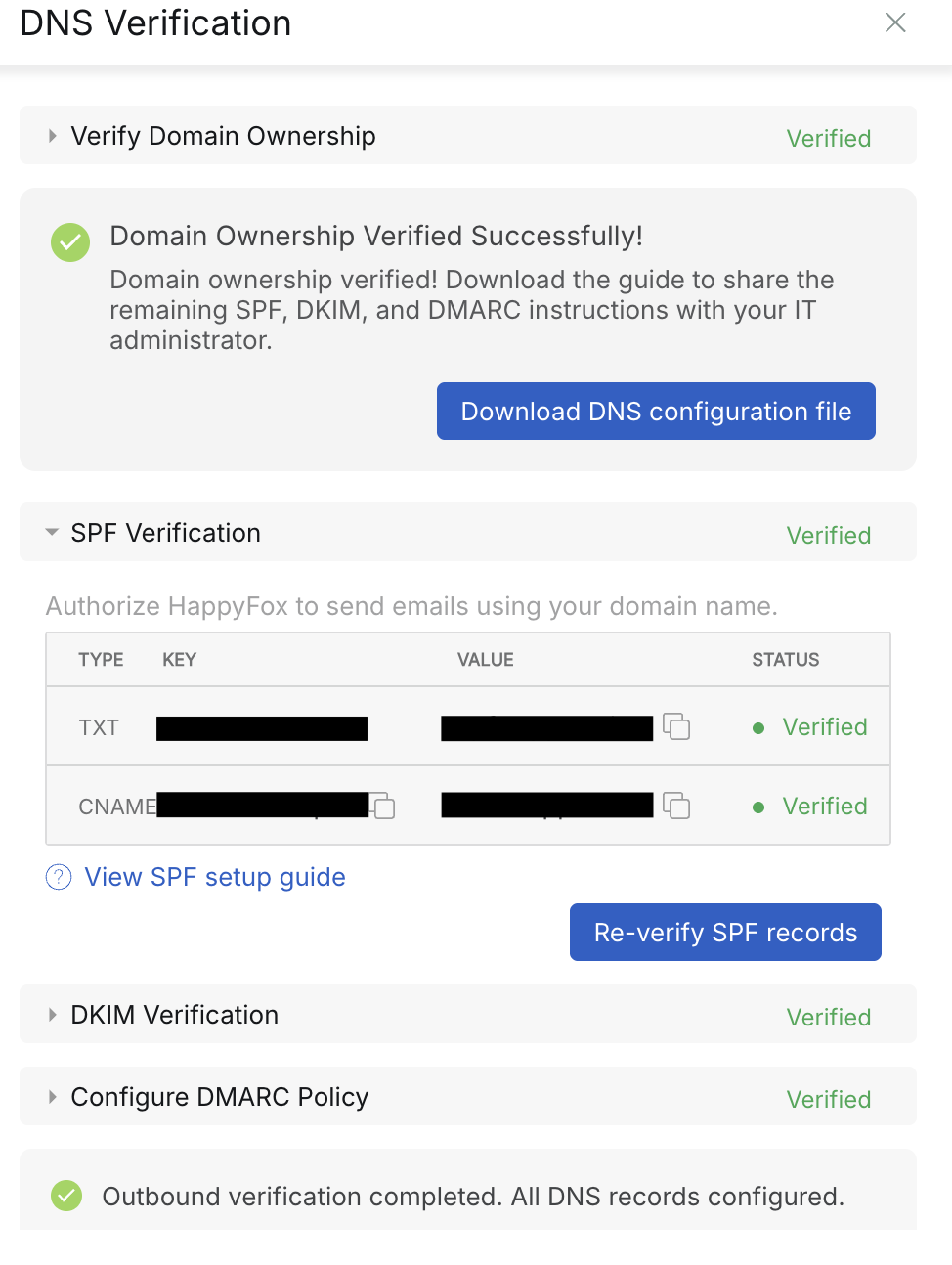
Step 2: Add the 2 records in your DNS provider
Add each record one at a time:
| Record | Type | Name / Host | Value / Content | TTL |
|---|---|---|---|---|
| Root domain | TXT | @ or your root domain (e.g., yourcompany.com). @ is shorthand for your root domain - most providers accept it. If yours does not, type the root domain directly. | As shown in HappyFox | 3600 or Default |
| Alignment | CNAME (Cloudflare users: set to DNS only, not Proxied) | As shown in HappyFox | As shown in HappyFox | 3600 or Default |
Warning: Already have an SPF record on your root domain? DNS only allows one SPF record per domain. An SPF record is a TXT record that begins with
v=spf1. If you already have one, do not create a second one. Having two SPF records breaks email delivery entirely.
Instead, merge HappyFox's SPF value into your existing record by adding HappyFox'sinclude:statement to it.
Example:Before (your existing record):
v=spf1 include:_spf.google.com ~allAfter (with HappyFox added):
For US hosted HappyFox accountsv=spf1 include:_spf.google.com include:spf.happyfox.com ~allFor EU hosted HappyFox accounts
v=spf1 include:_spf.google.com include:spf.happyfox.net ~all
Save each record after adding it.
Step 3: Verify in HappyFox
- Return to the DNS Verification section in HappyFox.
- Click Verify SPF Records.
DNS propagation can take up to 72 hours. If verification does not pass immediately, wait a few hours and try again.
You can check whether your SPF records are publicly visible using MXToolbox SPF Lookup.
Once SPF passes, continue with DKIM Verification.