Track questions your buyers ask when they first explore a category, compare products, or validate a choice. AEO assigns each prompt a buyer journey stage and collects answers across the brand’s enabled engines.
Organization owners and Editors can add prompts for brands they can manage. Check the remaining organization prompt allowance before adding a batch.
Use suggested prompts
- Go to Home, or open Prompts > Add prompt > Suggest prompts.
- Select a suggested category or describe your buyers, use cases, or competitors in the message field.
- Review the suggested questions and buyer journey stages.
- Select Track beside an individual question or Track all to add the suggestions together.
Write a prompt
- Open Prompts > Add prompt > Write a prompt.
- Enter the question in Prompt.
- If AEO finds similar prompts, review the matches and decide whether the question adds coverage.
- Select Track prompt. Exact duplicates of tracked prompts are excluded.
Import prompts from a CSV file
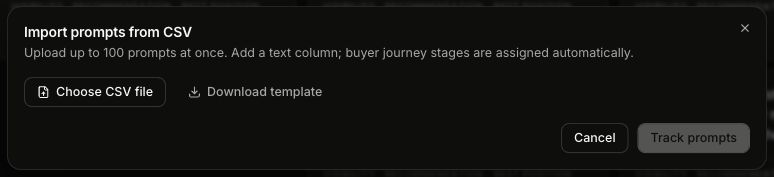
Use a column named text with one question per row and up to 100 prompts per file.
- Go to Prompts and select Import CSV. Select Download template if you need a sample file.
- Select Choose CSV file and upload your file.
- Review the preview after AEO checks the rows. Fix invalid text and select the prompts you want to track, up to your remaining allowance.
- Select the Track button showing the selected count. Review the result and any collection warning, then select Done.
If the import needs attention, use the row status or file message to decide what to fix.
| What you see | What to do |
|---|---|
| Already tracked | Keep the existing prompt. |
| Duplicate in the file | Leave the duplicate excluded or edit it into a distinct question. |
| Similar prompts | Review the matches and select the row if it covers a useful variation. |
| Invalid prompt or failed check | Edit the question and wait for AEO to check it again. |
| Too many selected prompts | Clear some selections to stay within your allowance. |
| File cannot be read or parsed | Check the text column and CSV quoting, or use the template. Split files with more than 100 prompts. |
Confirm the prompts were added
Check that the questions appear in Prompts. AEO normally queues collection for newly tracked prompts and can include them in a paid weekly scan that is about to run. If the result warns that collection couldn’t start, first confirm the prompts were saved. Then check what’s blocking collection.