When agents directly receive customer emails and forward them to HappyFox, Outlook/Office 365 does not always include a consistent differentiator tag. Consequently, HappyFox may create tickets on behalf of the agent rather than the customer.
This article details how to add a specific forwarding signature in Outlook so that HappyFox correctly recognizes forwarded emails and creates tickets on behalf of the customer.
Why Does This Happen?
To automatically create tickets for the original sender, HappyFox relies on standard text patterns/tags that mark an email as "forwarded." Outlook and Office 365 mail clients do not always apply a consistent tag pattern when emails are forwarded manually or via automated forwarding rules.
Adding a standardized signature exclusively to your forwarded emails ensures consistent ticket creation without interruptions.
Setup Instructions
Follow these steps to create and apply the required forwarding signature in Outlook:
Step 1: Open Signature Settings
-
Open your Outlook client or Outlook on the Web (O365).
-
Go to Settings (or File > Options > Mail in the desktop app).
-
Select Signatures.
Step 2: Create the Forwarding Tag Signature
-
Create a New signature and name it something recognizable (e.g.,
HappyFox Forwarding Tag). -
In the text field, add the designated tag/signature pattern required for your HappyFox account.
Recommended Text Pattern:
---------- Forwarded message ---------(Ensure the tag matches the exact pattern configured in your HappyFox mail parser settings.)
Step 3: Apply the Signature Only to Forwards
-
Under Choose default signature (or Signature Defaults):
-
For New Messages: Keep your standard signature or select (None).
-
For Replies/Forwards: Select your newly created
HappyFox Forwarding Tagsignature.
-
-
Save your changes.
Key Considerations
-
Apply Selectively: Ensure this signature is configured strictly for Forwards so your standard outgoing emails are not tagged as forwarded messages.
-
Team Consistency: All agents who forward customer emails directly to HappyFox must apply this signature to prevent misattributed tickets.
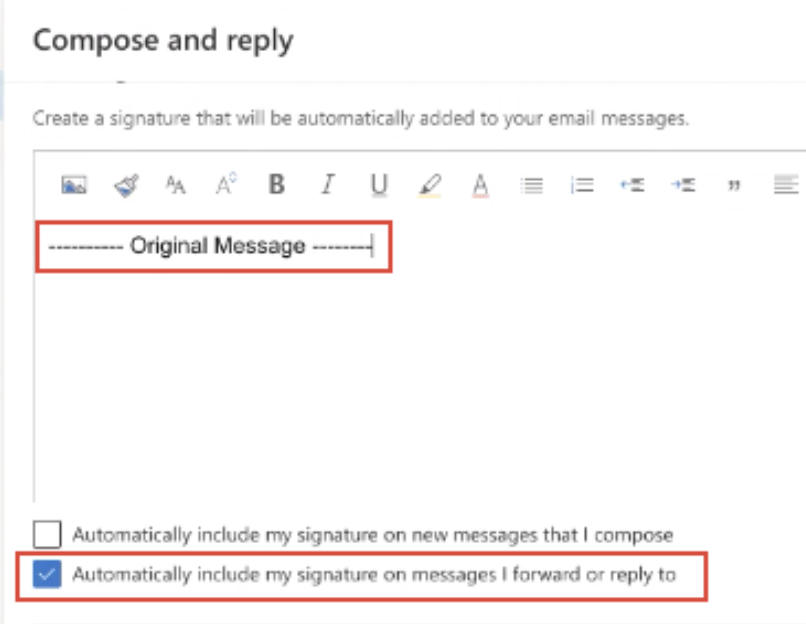
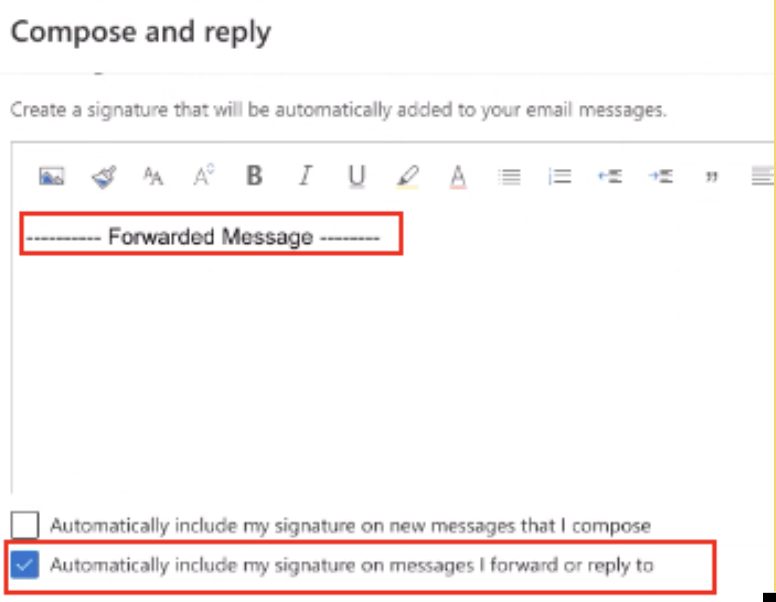
These screenshots are from an Outlook mailbox.