Agents can view tickets from categories they are not directly associated with by enabling a specific permission. The "Show basic info for tickets inside unassociated categories" permission allows agents to review tickets from other categories beyond their assigned ones. This ticket list is visible at the contact level from the contact information page.
How to Enable Cross-Category Ticket Visibility
- Navigate to Manage → Roles and Permissions
- Select the Agent Role
- Under Ticket-Level Permissions, enable "Show basic info for tickets inside unassociated categories"
- Save the changes
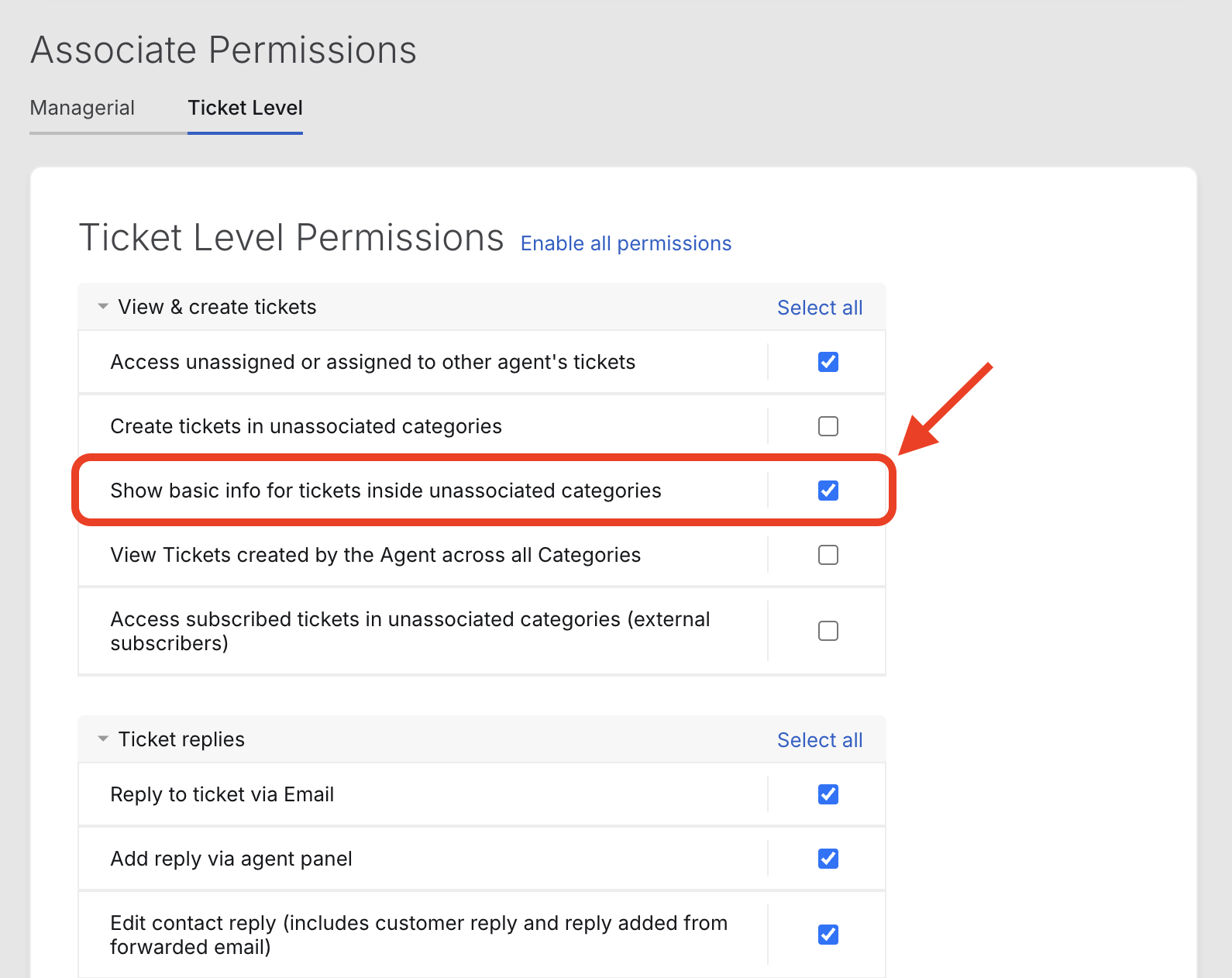
This permission provides agents with broader ticket visibility across the helpdesk system while maintaining appropriate access controls.