


 159
159
Atlassian has deprecated OAuth 1.0 for Jira Data Center. To keep your HappyFox ↔ Jira integration working without interruptions, you will need to upgrade your authentication to OAuth 2.0.
Note: Do Not Click on Unlink or Reauthorize before completing all the steps of the Auth upgrade in sequence as per the procedure mentioned below. Doing so may lead to irreversible data loss.
This upgrade is a one-time reauthorization and will not affect your existing Jira setup, mappings, or linked issues.
Who This Applies To
This article is relevant only for existing HappyFox users who previously connected to Jira Data Center using OAuth 1.0.
If your integration was already set up using OAuth 2.0, no action is required.
What Changes With OAuth 2.0?
Once you complete the reauthorization:
-
Ticket ↔ Jira issue syncing works normally
-
Linking and unlinking existing Jira issues continues as usual
-
All existing Jira links and configurations stay intact
-
No data migration or reconfiguration is needed
In short, your integration behaves exactly the same with updated authentication.
Steps to Upgrade to OAuth 2.0 (Data Center)
Step 1: Create an OAuth 2.0 Application Link in Jira
- In Jira, go to Settings → Jira Apps → Integrations → Application Links.
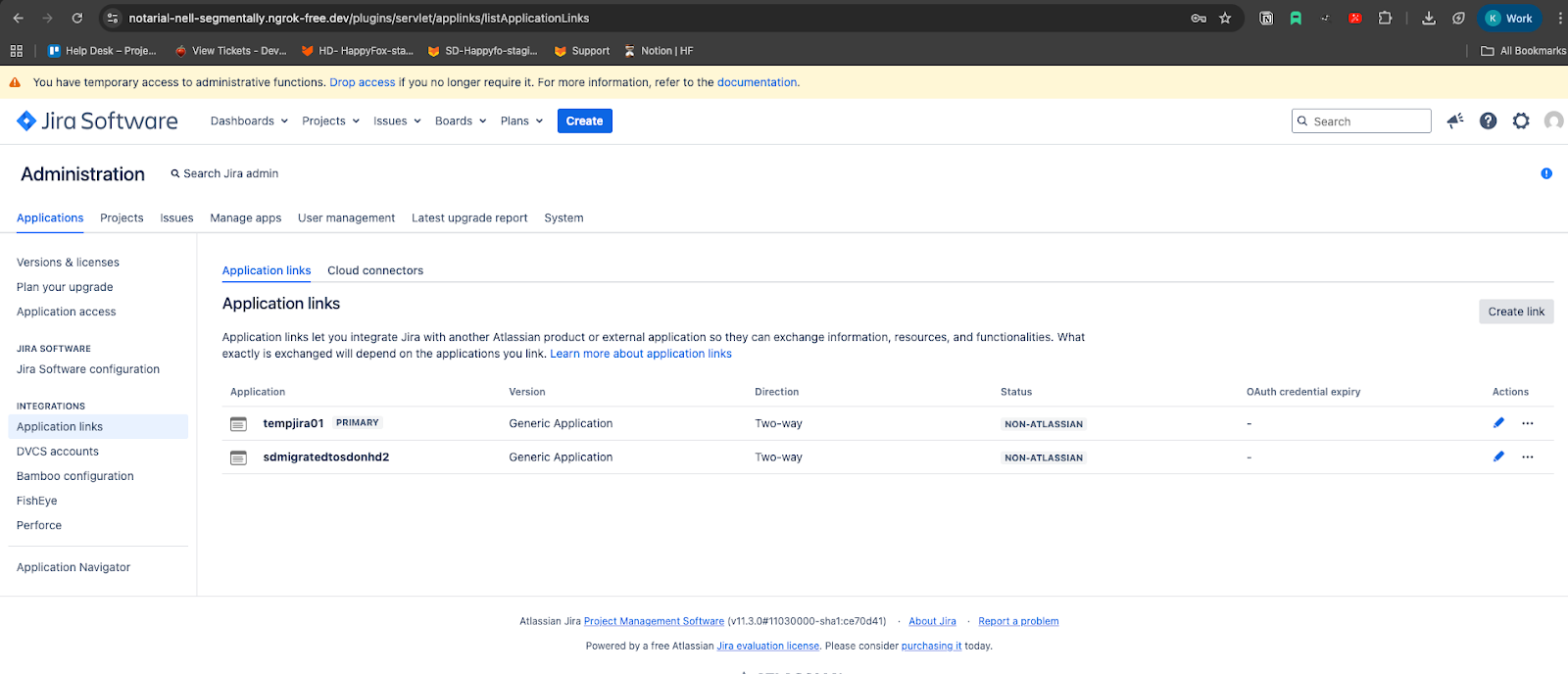
- Click Create Link.
- Enter:
- Name: any identifiable name
- Redirect URL: copy this from the HappyFox Jira App Manage page
- Scope: set to Write
- Name: any identifiable name
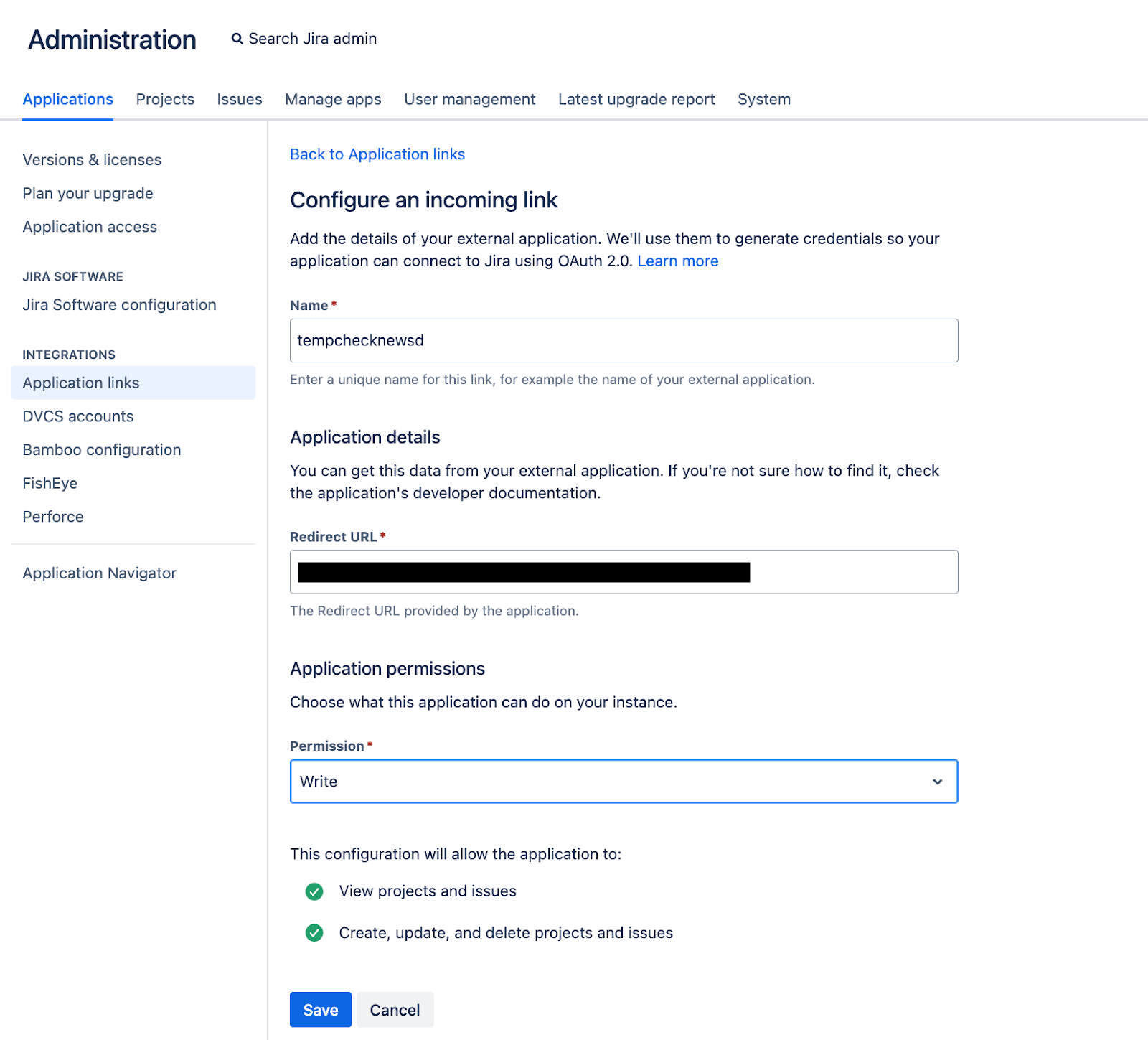
- Click Save.
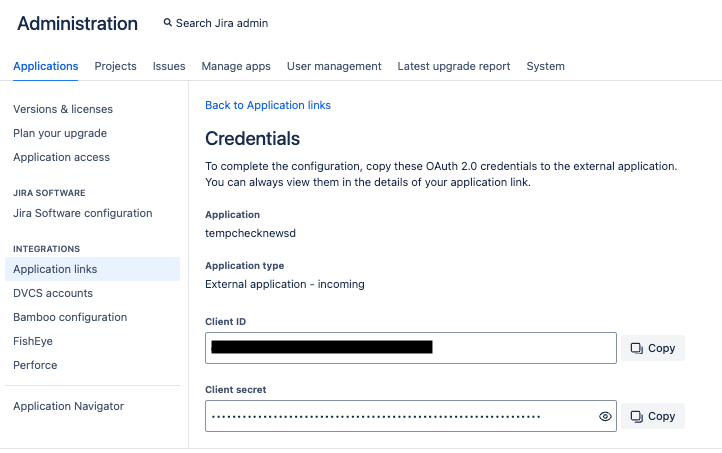
Jira will show:
- Client ID
- Client Secret
Step 2: Update HappyFox with Your New Credentials
- Open All Apps → Jira → Manage in HappyFox.
- Paste the Client ID and Client Secret.
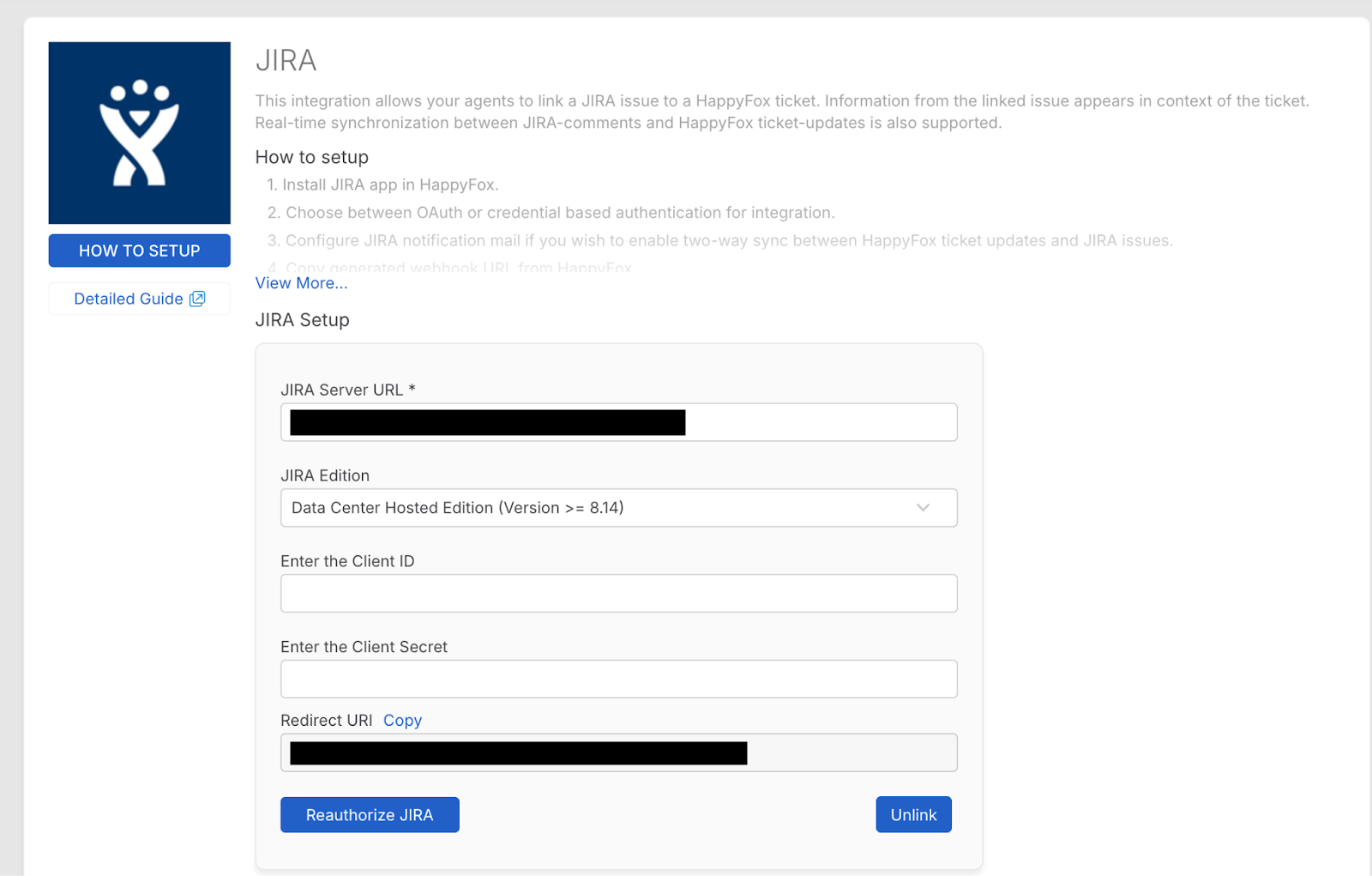
- Click Reauthorize Jira.
Step 3: Approve Access
You will be redirected to Jira’s Grant Access screen.
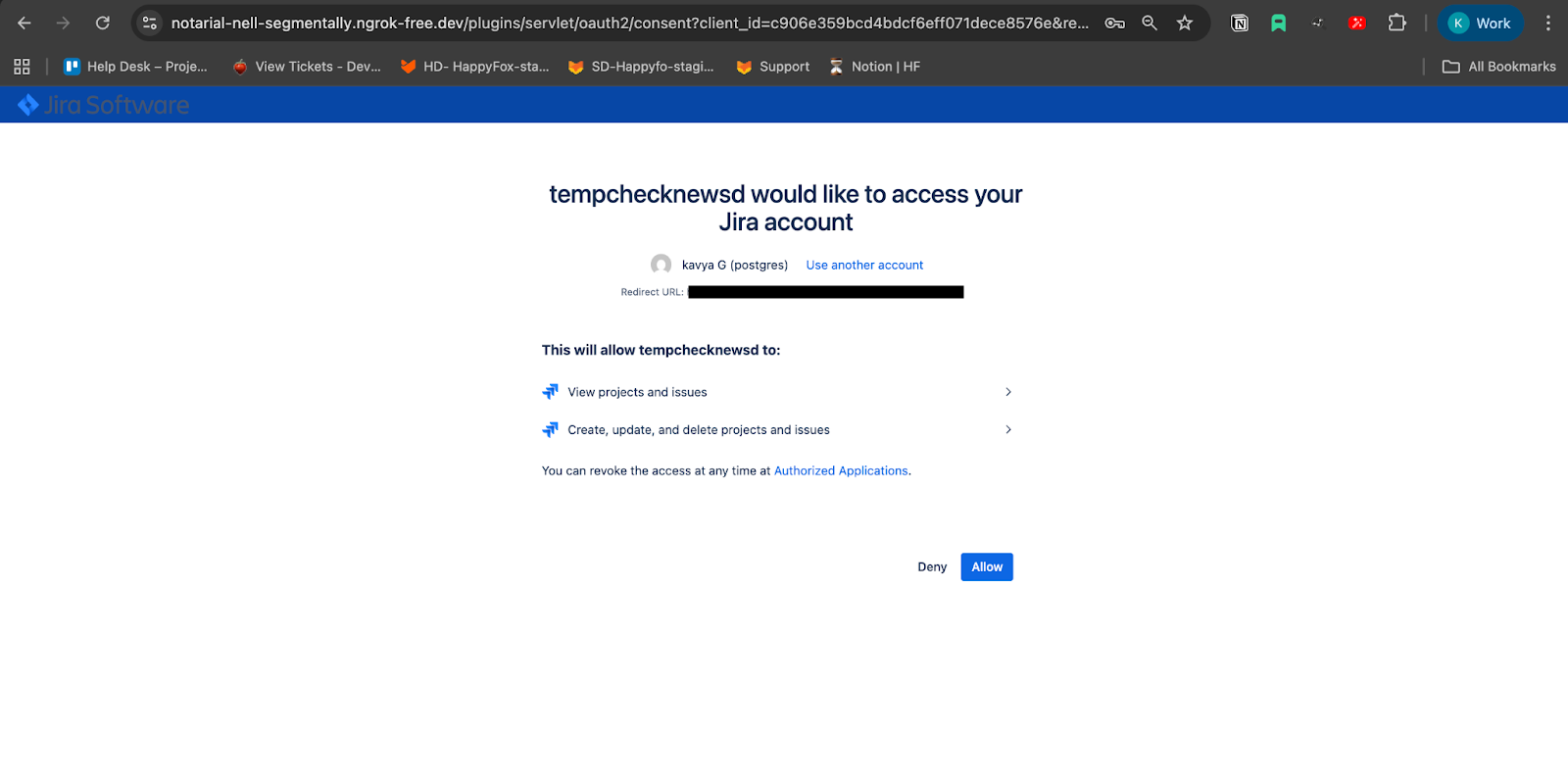
Click Allow.
Your Jira Data Center integration will now be fully upgraded to OAuth 2.0.
After the Upgrade
- All ticket settings remain intact
- All Jira issue links continue to work
- No data migration or reconfiguration is needed
Your existing integration continues to function normally now with the updated authentication method.

