Instagram Integration with HappyFox Helpdesk enables seamless communication between businesses and their customers by converting Instagram interactions into support tickets. With this integration, agents can efficiently manage customer inquiries and comments directly within the Helpdesk platform.
Applicable Plans: ✔ Team ✔ Pro ✔ Enterprise Pro ✔ All Unlimited agents plan
Key Features:
-
Direct Message Support: When a customer sends a direct message to the connected Instagram business account, a ticket is automatically created in HappyFox Helpdesk. Any response from the agent within the Helpdesk will be sent as a reply on Instagram.
-
Comment Management: Comments on posts from the connected Instagram business account will generate tickets in HappyFox Helpdesk. Agent responses in the Helpdesk will be posted as replies to the Instagram comments.
-
Message Redaction: If a customer unsends a direct message from the Instagram mobile app, the content will be redacted in the corresponding Helpdesk ticket, ensuring data consistency.
-
Two-Way Synchronization: Any replies to direct messages or comments made from Instagram will sync with the corresponding HappyFox Helpdesk ticket, ensuring complete visibility for agents.
Linking an Instagram Business Account to a Facebook Page:
Before setting up the Instagram integration, ensure that your Instagram business account is linked to a Facebook Page, as we will be using Facebook login to connect to your Instagram Business Account. Follow these steps
-
Log into your Facebook account.
-
Navigate to your Facebook Page.
-
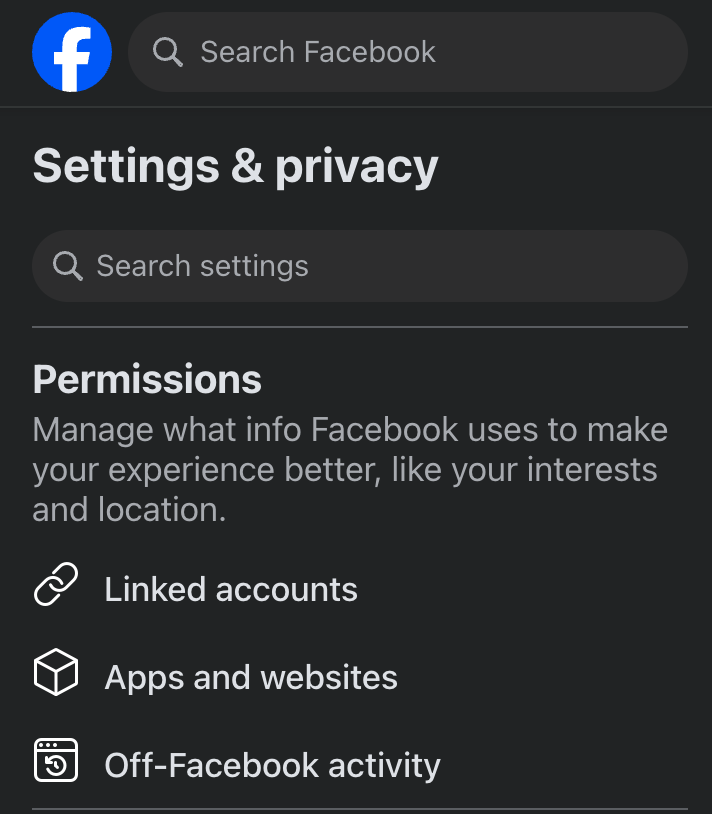
Click on Settings in the left-hand menu.
-
Select Linked Accounts or Instagram from the settings menu.
-
Click Connect Account and log into your Instagram Business Account.
-
Follow the prompts to complete the linking process.
-
Once linked, your Instagram Business Account will be associated with the Facebook Page, allowing you to proceed with the HappyFox integration.
Installing Instagram Integration:
Follow these steps to install and configure Instagram integration with HappyFox Helpdesk:
-
Log into your HappyFox Helpdesk account.
-
Hover over the HappyFox logo in the left navigation bar.
-
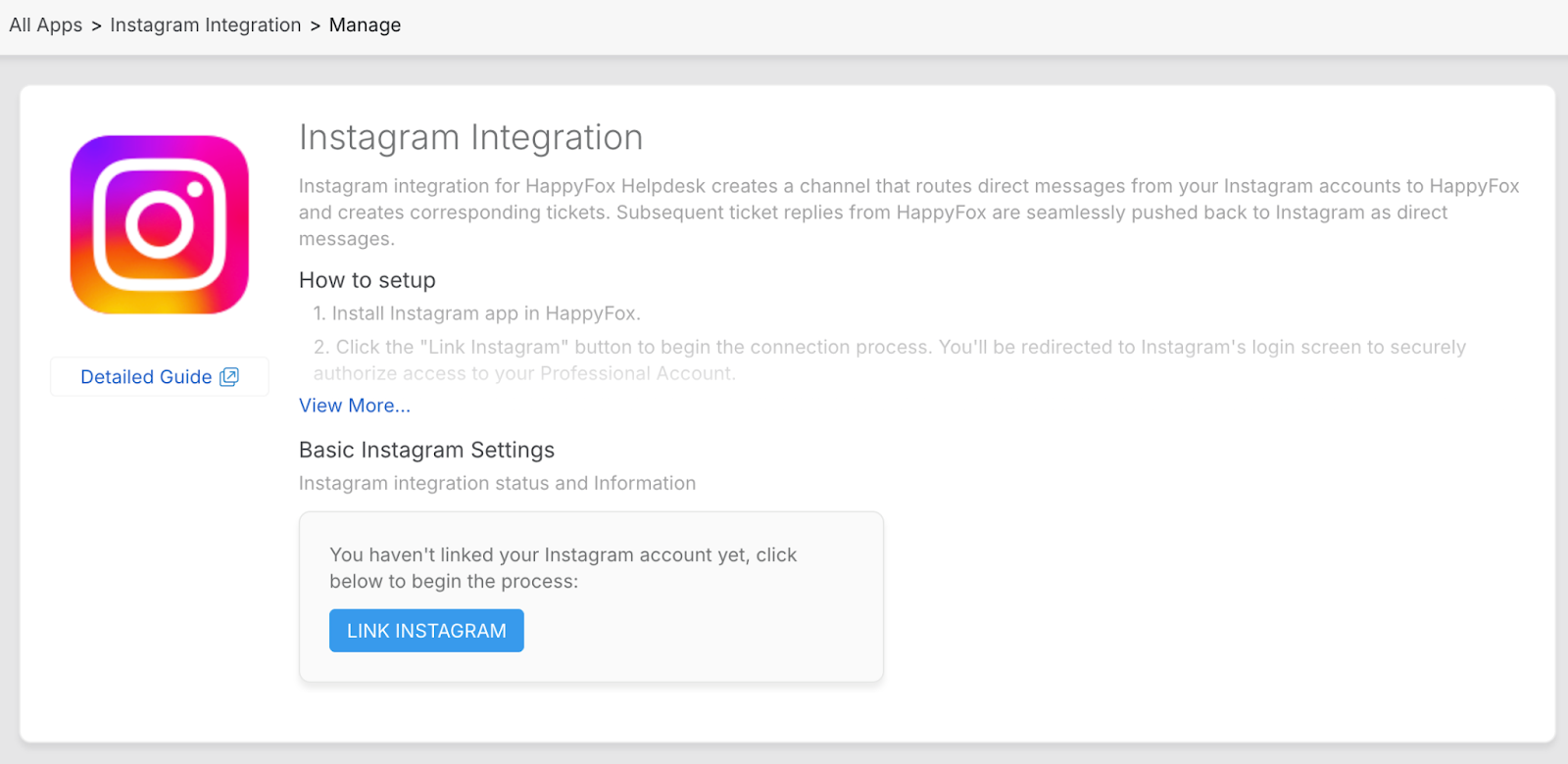
Navigate to Social Media > Instagram Integration and click Install.
-
Click the Link Instagram button.
-
You will be redirected to log into your Facebook account.
Note: Since we are connecting with an Instagram business account through Facebook login, ensure the following prerequisites are met:-
The Instagram account should be a Business Account.
-
The Instagram Business Account should be linked to a Facebook Page.
-
-
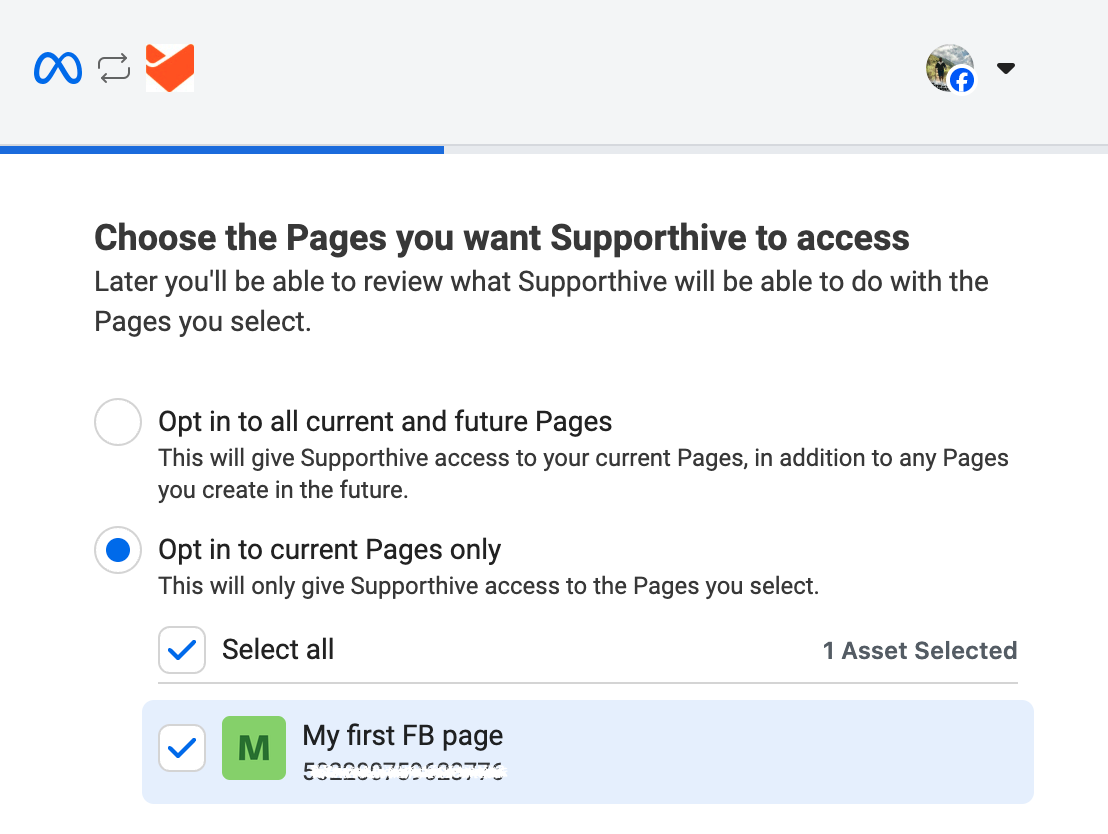
Choose the Pages you want HappyFox to access and click Continue.
-
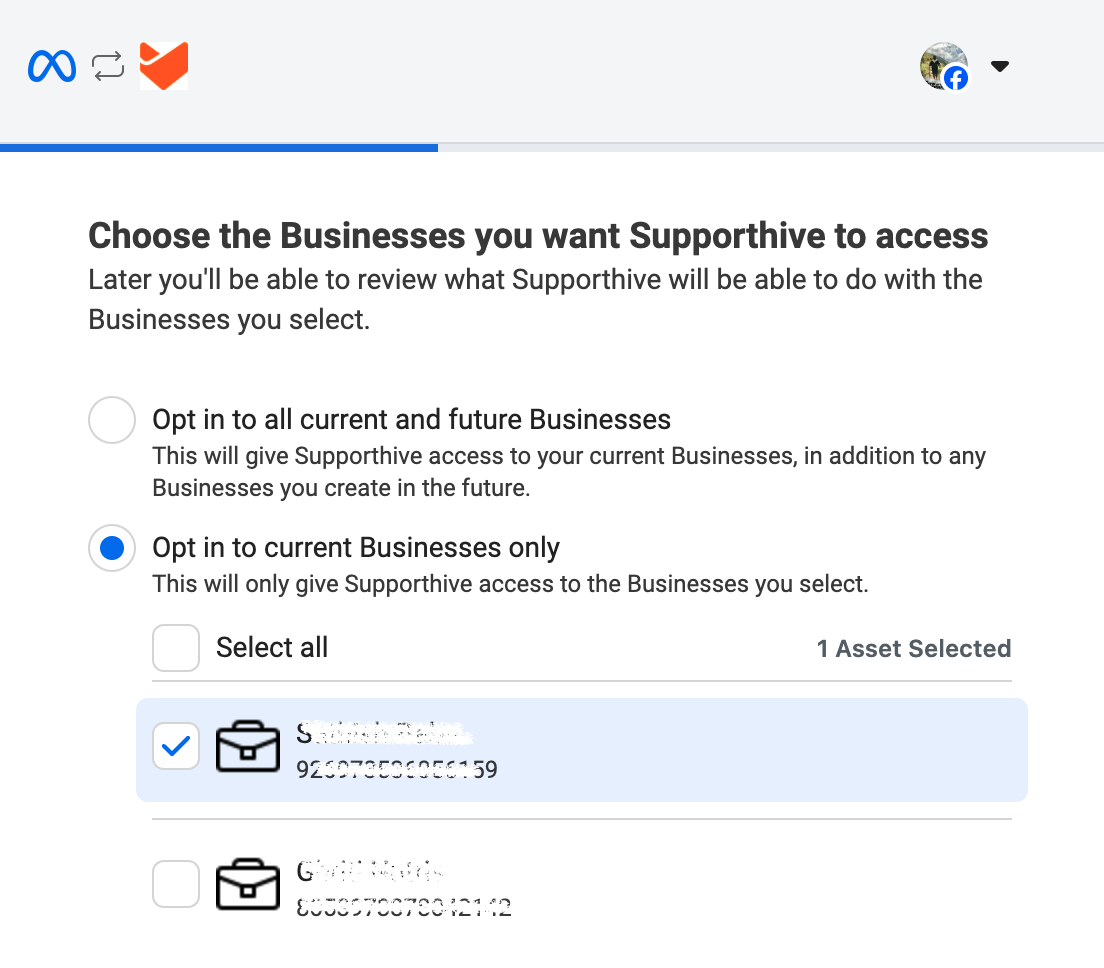
Choose the Businesses you want HappyFox to access and click Continue.
-
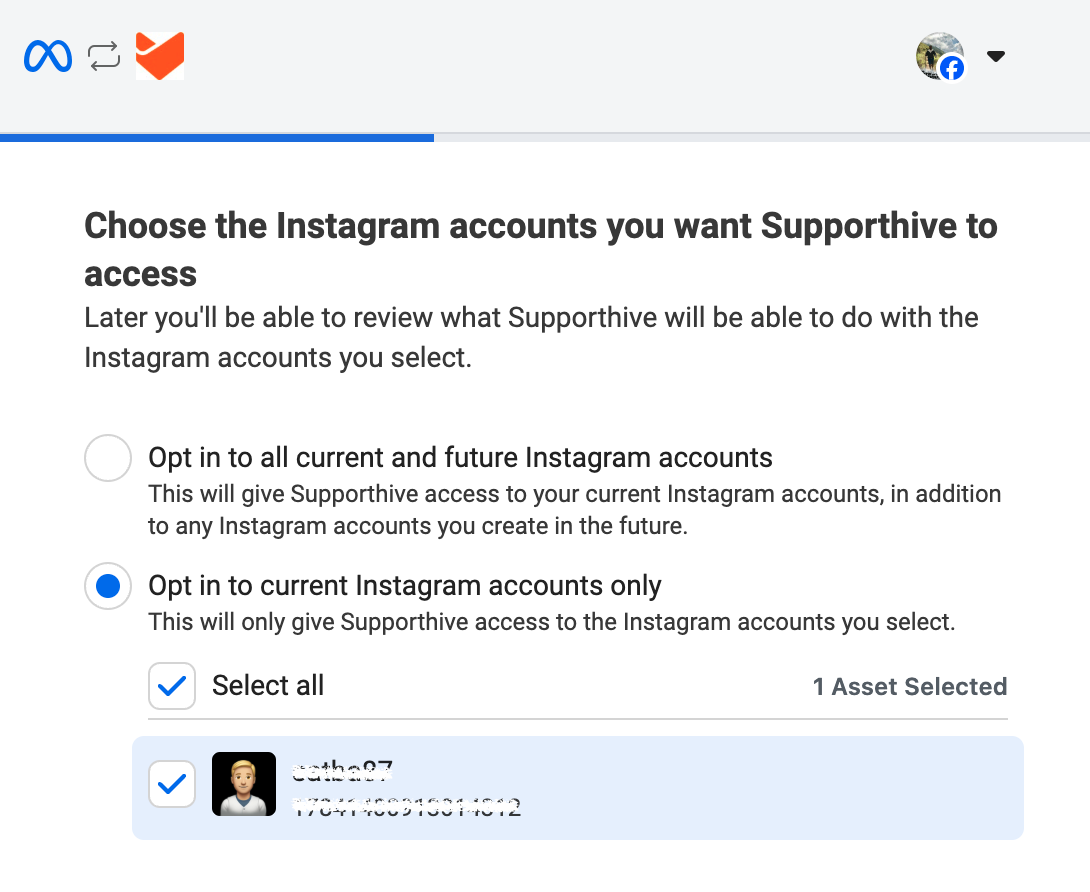
Choose the Instagram accounts you want HappyFox to access and click Continue.
-
Review HappyFox’s access request and click Save.
-
Click Got It to return to the Instagram Integration app page.
-
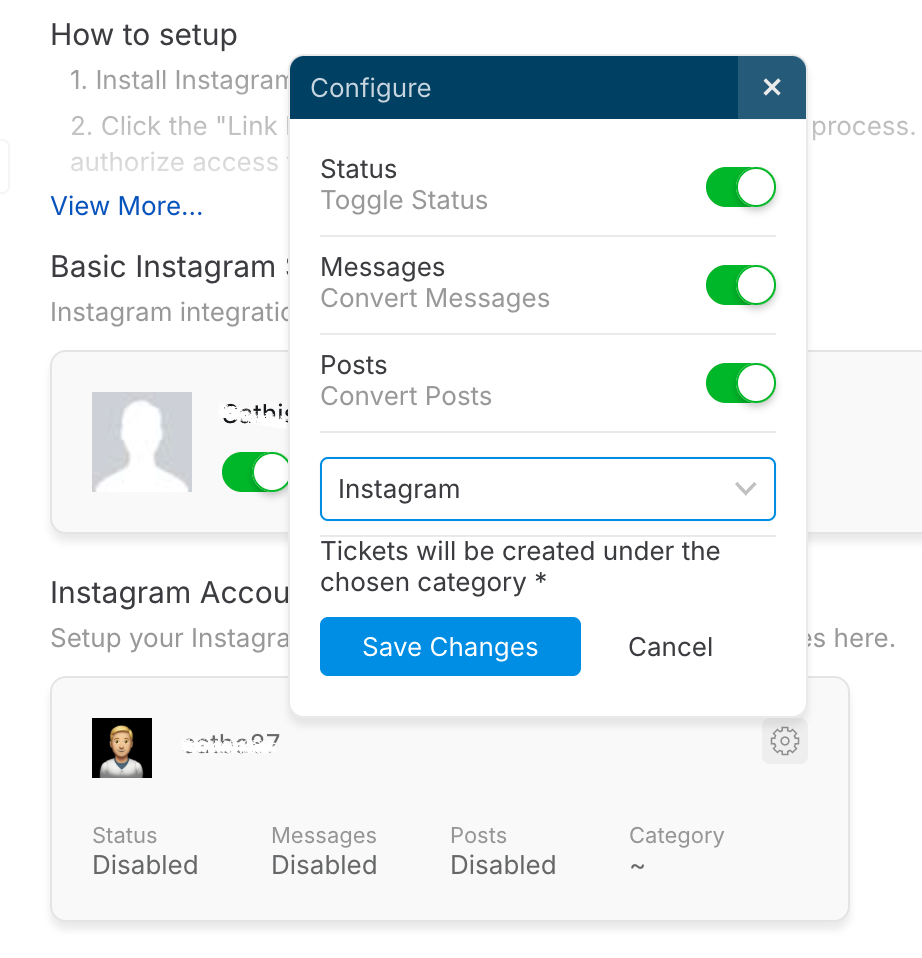
Click the Settings (Gear) icon next to the connected Instagram account.
-
Enable toggles for Status, Messages, and Posts.
-
Map the account to a category from the dropdown menu.
-
Click Save Changes.
Note:
To ensure you receive Instagram direct messages (DMs) in HappyFox, you need to set HappyFox as the default routing app in your Instagram account settings.
Setting HappyFox as Default Routing
- Log in to your Instagram Professional or Business account.
- Go to Settings → Privacy → Messages.
- Under Connected Tools, find Default Routing.
- Select HappyFox from the list of connected apps.
Instagram Direct Message to Helpdesk Ticket Creation Flow:
-
Ensure that Status, Messages, and Posts are enabled in the Instagram integration settings within HappyFox Helpdesk.
-
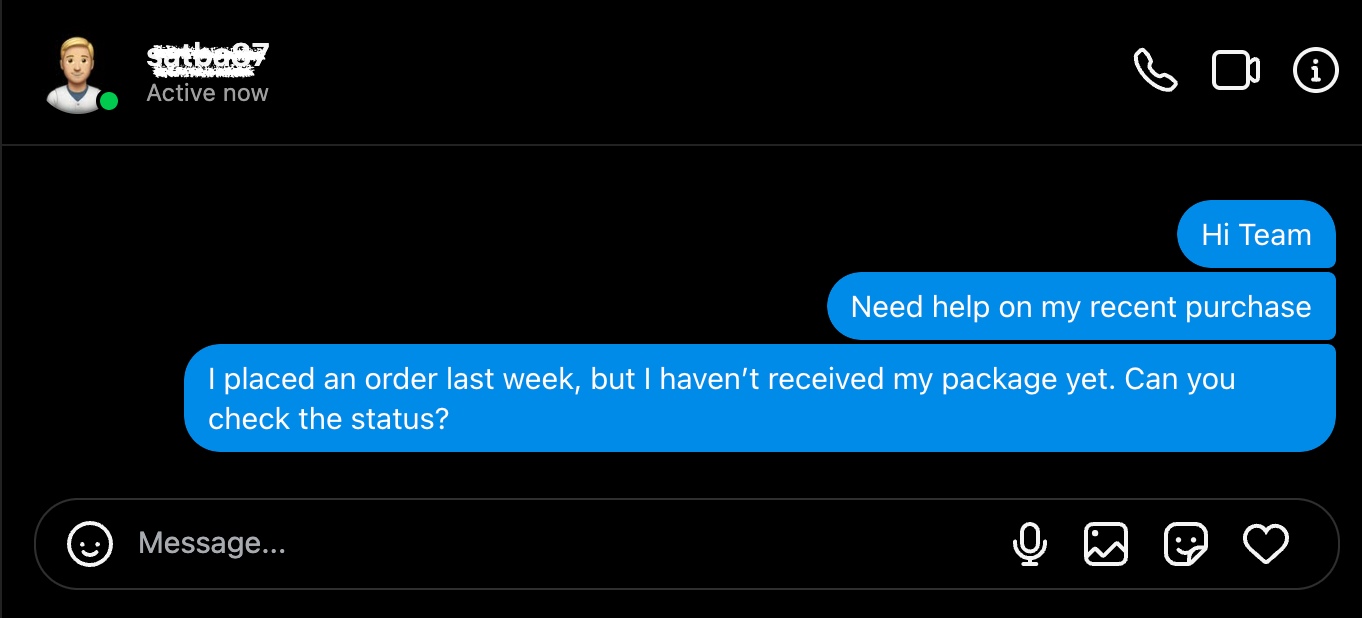
When a customer sends a direct message to the connected Instagram Business Account, a corresponding ticket is created in HappyFox Helpdesk.
Note: Only messages from users who aren't agents, will be handled as tickets.
-
To view the ticket:
-
Click on the Menu in the top-left corner of HappyFox Helpdesk.
-
Select Tickets to access the Ticket Listing page.
-
-
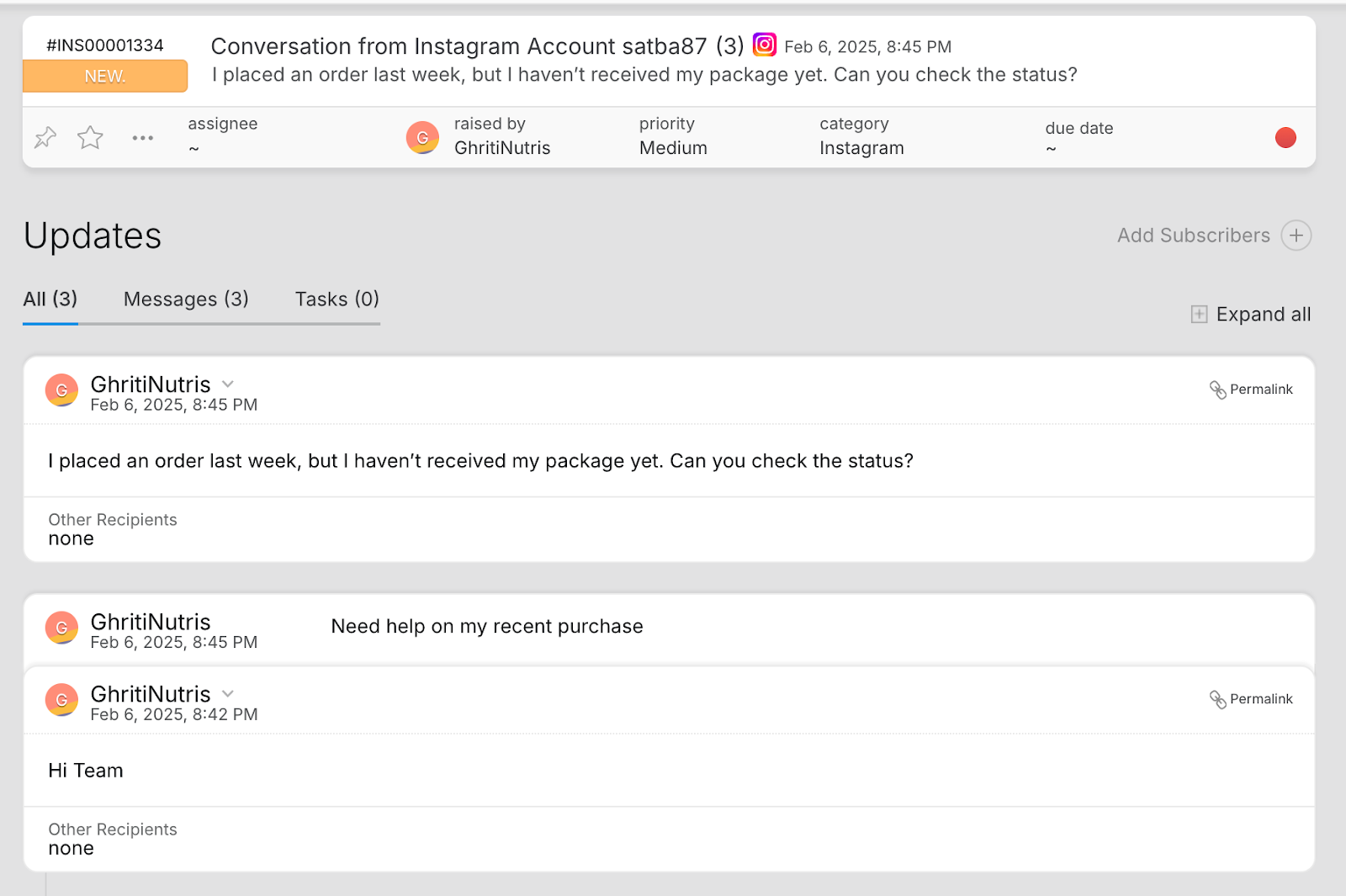
A new ticket will be created for the direct message from the contact. If there is an existing ticket for the same customer, the new message will be added as an update to the existing ticket instead of creating a new one.
-
To reply to the customer's message:
-
Open the ticket.
-
Click the Reply link at the bottom of the ticket detail page.
-
Add your response and click Add Reply.
-
-
The reply will be sent as a direct message response on Instagram.
-
Any further messages from the customer will be captured in the same ticket, maintaining a unified conversation thread.
-
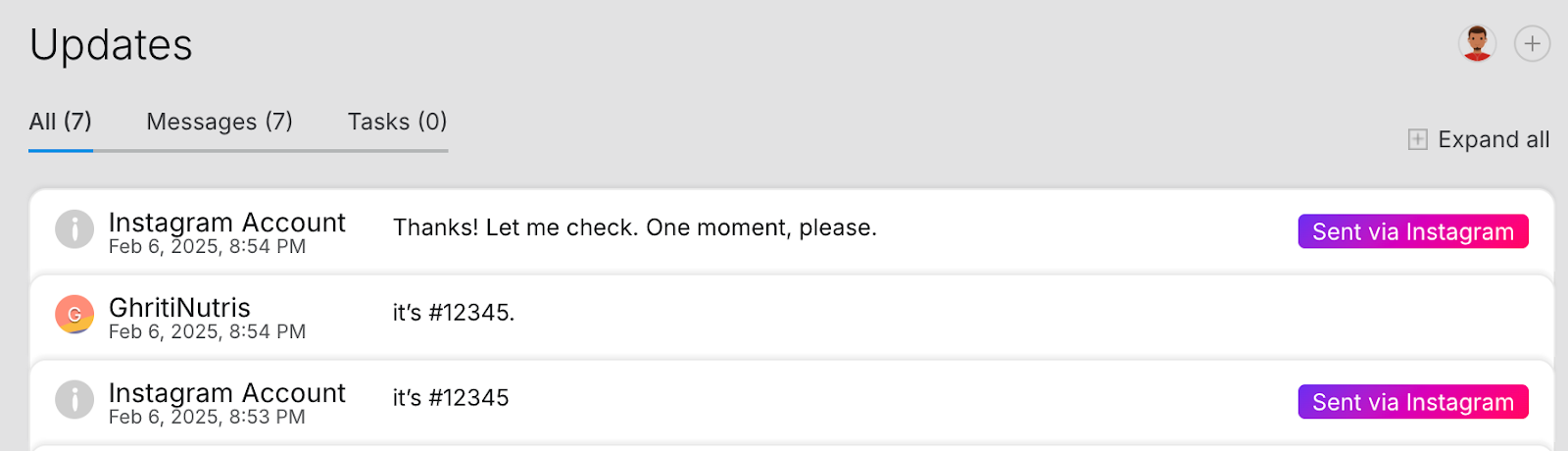
If a message is replied to directly from the Instagram business account, the same message will be synced with the HappyFox ticket with a label "Sent via Instagram".
Redacting Unsent Messages:
If a message or attachment is unsent from Instagram, it will be redacted in the HappyFox Helpdesk ticket, and the label "This message has been unsent" will be displayed to indicate that the content is no longer available.
Steps to Unsend a Message on Instagram:
-
The unsend feature is currently supported only in the Instagram mobile app.
-
From the Instagram end-user account, unsend a message or attachment recently sent to the Instagram business account.
-
In the HappyFox Helpdesk ticket, the unsent content will be removed, and the label "This message has been unsent" will be displayed.
Instagram Post Comment to Helpdesk Ticket Creation Flow:
-
When a comment is added to a post from the connected Instagram Business Account, a corresponding ticket is created in HappyFox Helpdesk.
-
To view the ticket:
-
Click on the Menu in the top-left corner of HappyFox Helpdesk.
-
Select Tickets to access the Ticket Listing page.
-
-
A new ticket will be created for the comment from the contact. If there is an existing ticket for the same customer, the new comment will be added as an update to the existing ticket instead of creating a new one.
-
To reply to the customer's comment:
-
Open the ticket.
-
Click the Reply link at the bottom of the ticket detail page.
-
Add your response and click Add Reply.
-
-
The reply will be posted as a comment response on Instagram. You can add a thread reply to a comment by clicking on the arrow icon at the left bottom of the ticket thread.
-
If a comment is replied to directly from the Instagram business account, the same reply will be synced with the HappyFox ticket with a label "Sent via Instagram".
Reauthorize Flow:
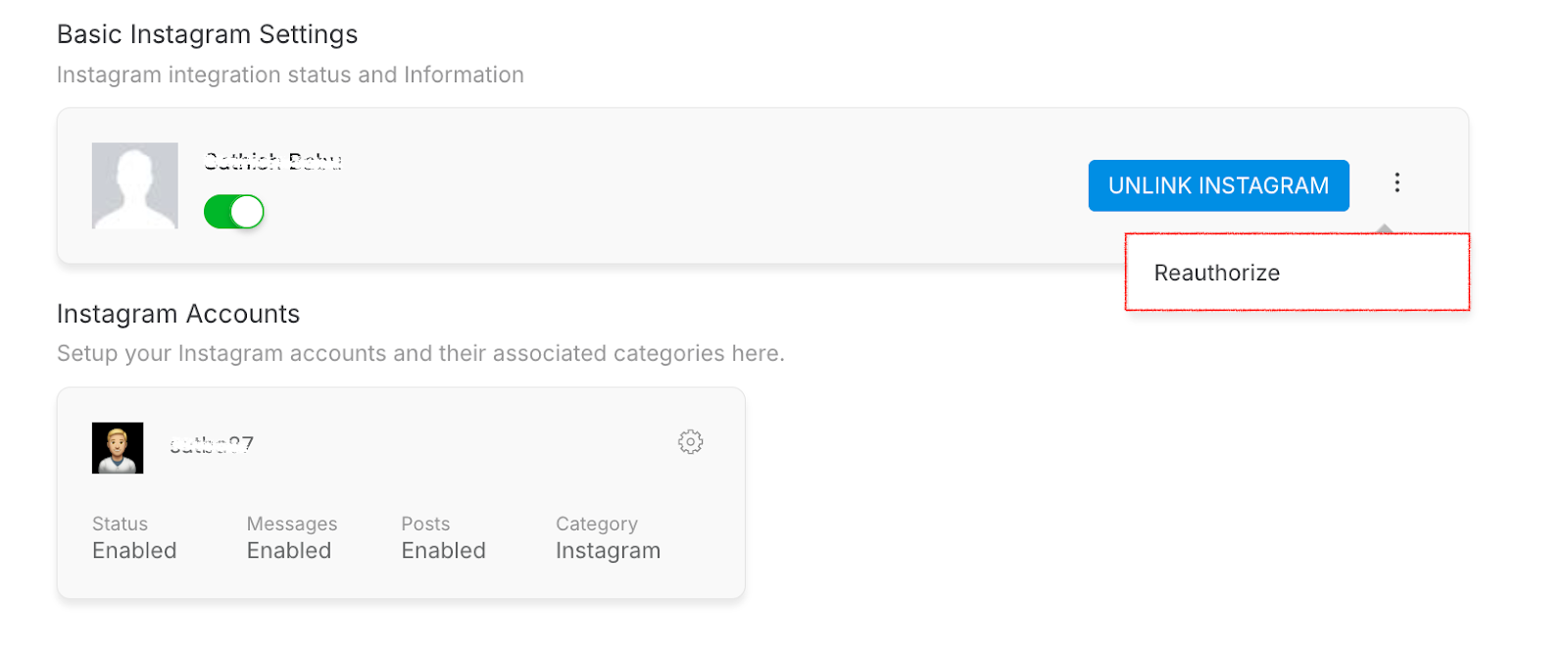
To add an additional Instagram business account from the same linked Facebook page, the agent can navigate to the integration page, click on the three-dot menu next to the "Unlink Instagram" button, and select "Reauthorize" to add the newly added Instagram business account.
Frequently Asked Questions:
-
Will replies sent from Instagram directly be visible in HappyFox Helpdesk?
Yes, any reply sent directly from the Instagram business account (either to a direct message or a comment) will sync with the corresponding HappyFox ticket and be labeled as "Sent via Instagram."
-
What happens if a customer unsends a message on Instagram?
If a message or attachment is unsent from Instagram, it will be redacted in the HappyFox Helpdesk ticket. A label stating "This message has been unsent" will appear to indicate the content is no longer available.
-
How does HappyFox Helpdesk determine if a new ticket should be created or updated?
When a customer sends a direct message or comments on a post, a new ticket will be created if no existing ticket is found for the same customer. If a ticket already exists, the new message or comment will be added as an update to that ticket.
-
Can I respond to Instagram comments with a thread reply?
Yes, you can reply to Instagram comments as a thread by clicking on the arrow icon at the bottom left of the ticket thread in HappyFox Helpdesk.
-
How many Instagram accounts can I connect to HappyFox Helpdesk?
The number of Instagram accounts you can connect depends on your plan:
- Team: 1 account
- Pro: 2 accounts
- Enterprise Pro: 3 accounts
- Unlimited Agents: 5 accounts
-
How do I unlink an Instagram business account from HappyFox Helpdesk?
To unlink an Instagram business account:
- Go to the Instagram Integration page in HappyFox Helpdesk.
- Click on Manage Page next to the connected Instagram account.
- Click the Unlink Instagram button.