We’re excited to introduce a new feature designed to enhance agent productivity tracking and improve operational efficiency in our HappyFox Help Desk. You can now track the time agents spend on a ticket in seconds, providing more detailed and accurate reporting of agent activity.
Enhanced Time Tracking
Granular Time Reporting: With this enhancement, you can track agent time spent on tickets not just in minutes but also in seconds. This allows for a more precise assessment of agent activity.
Enabling the Feature
For New Accounts: If your account was created on or after September 2024, you can easily enable time tracking in seconds.
-
Navigate to Account Settings.
-
Select Feature Settings.
-
Toggle on the option for "Track Time Spent on Tickets in Seconds."
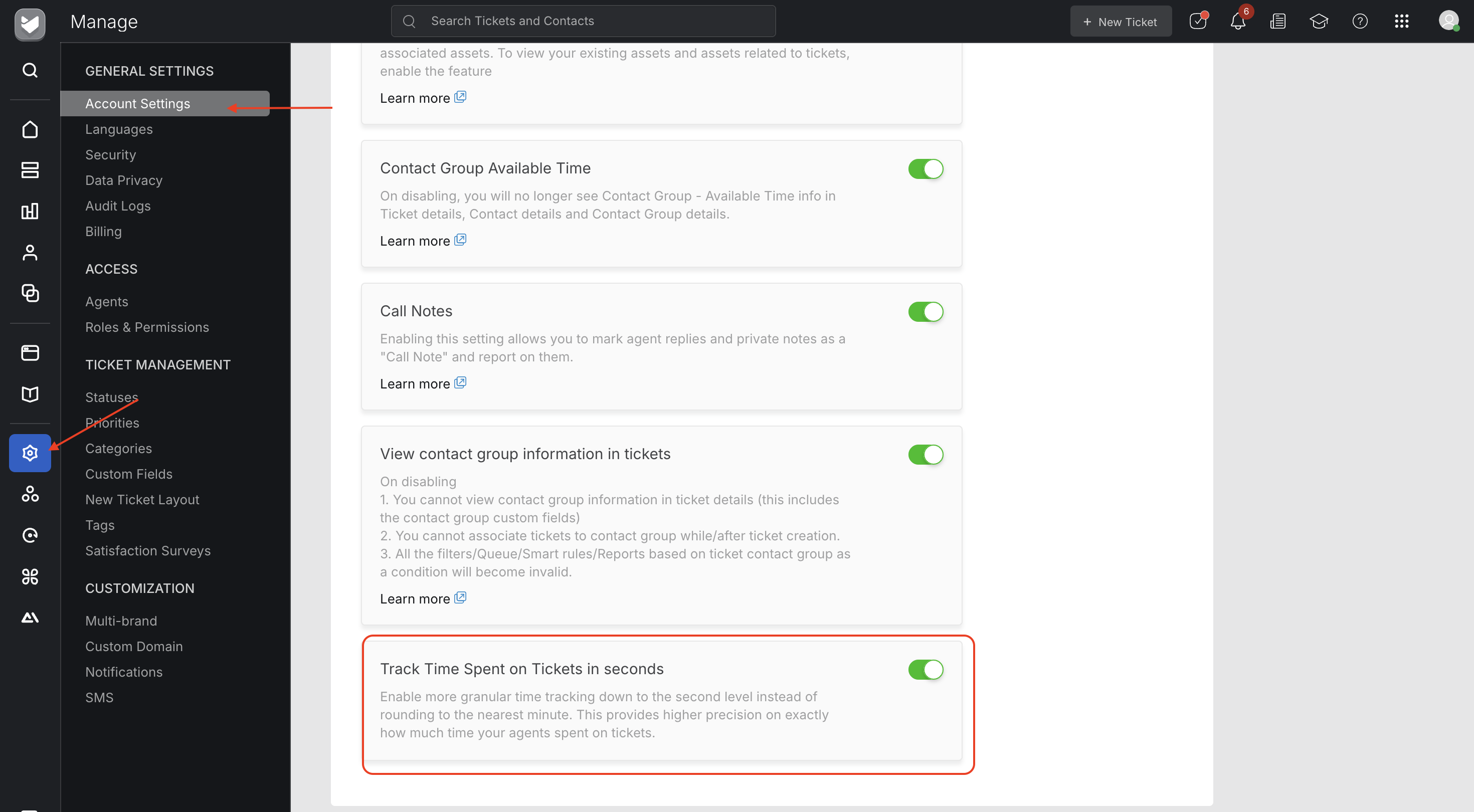
For Existing Accounts: If your account was created on or before August 2024, please reach out to our support team ([email protected]) to enable this feature.
Entering Time Spent
Once the "Track Time Spent on Tickets in Seconds" feature is enabled, agents can log their time spent on a ticket in the following ways:
-
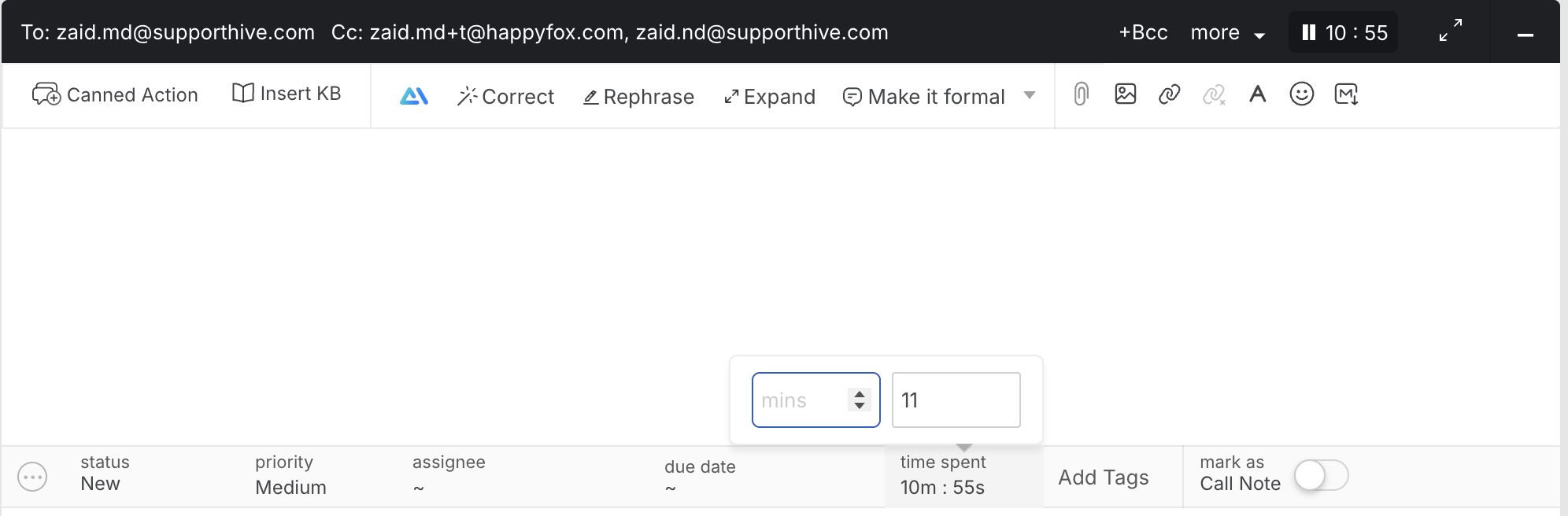
On the Ticket Detail Page: When replying to the ticket or adding a private note, you can input the time in a Minute: Seconds format.
-
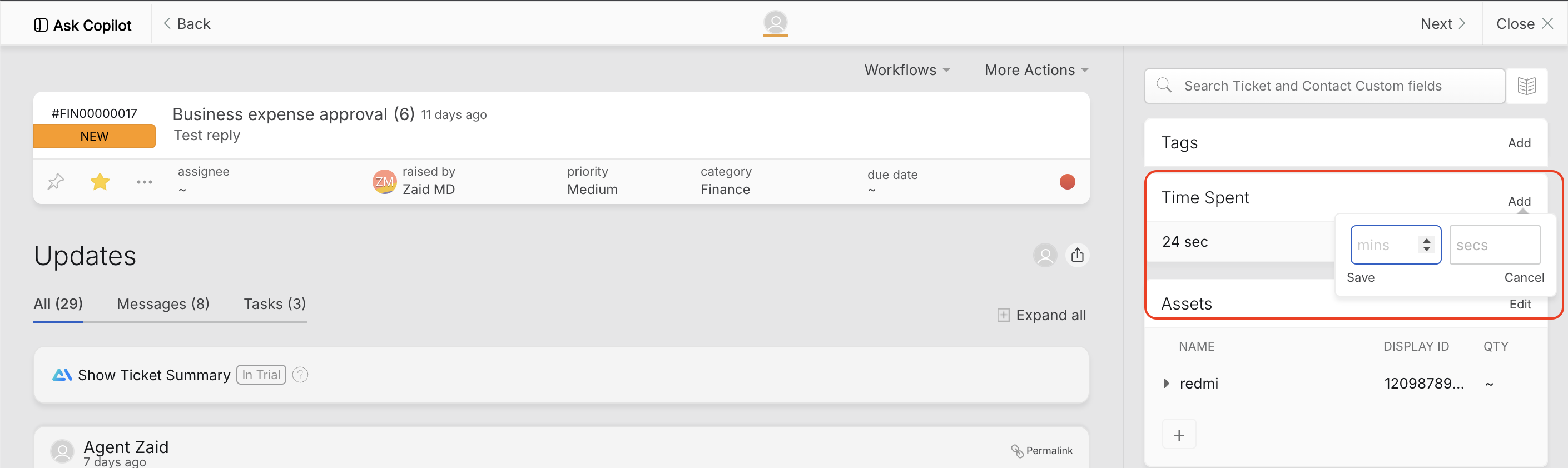
Using the Time Spent Component: Located in the right pane of the ticket detail page, agents can also enter the time spent in seconds directly.
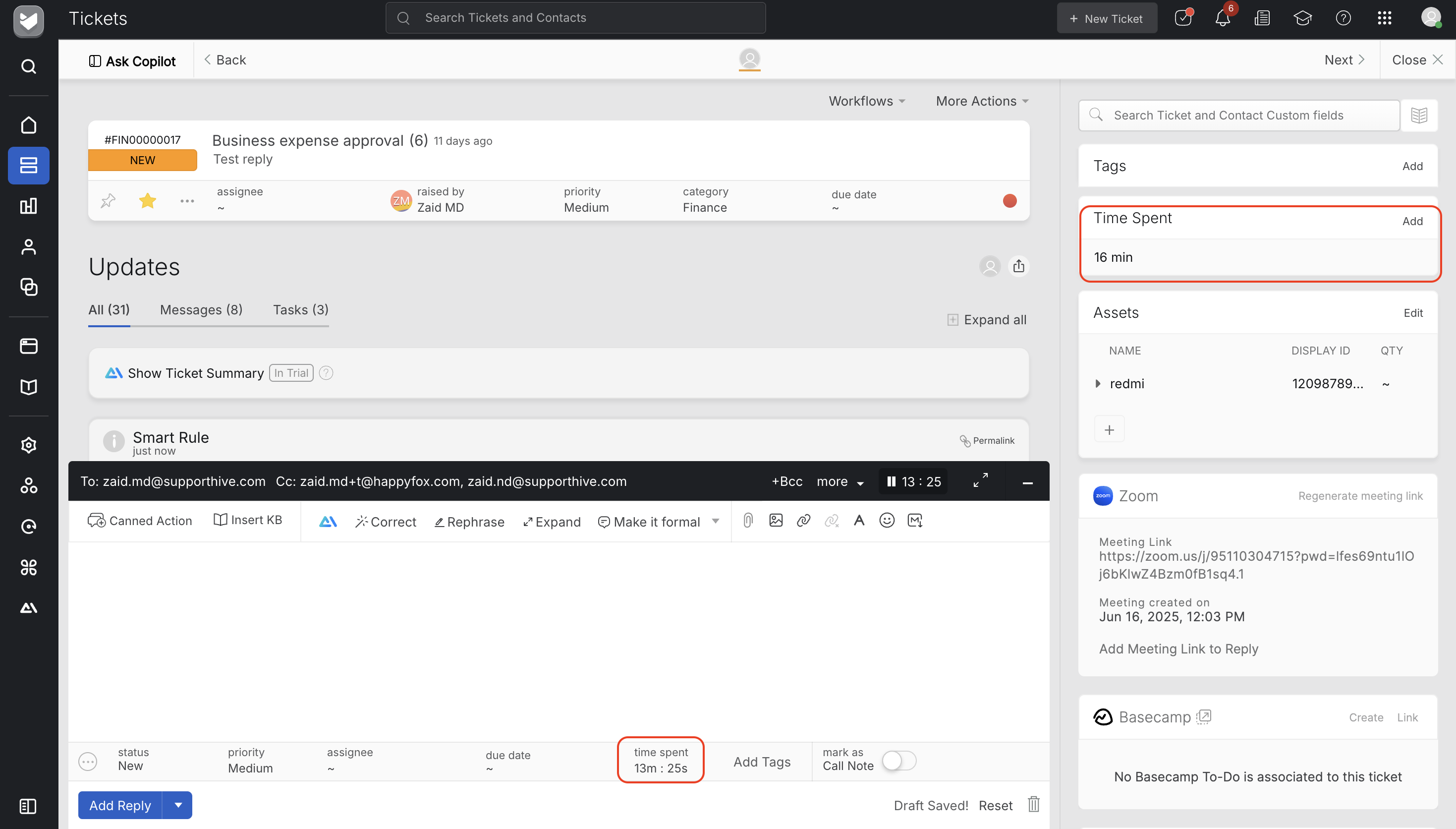
The time spent information will be displayed in various locations throughout the system:
-
The Time Spent activity log on the ticket details page will display time in both minutes and seconds.
-
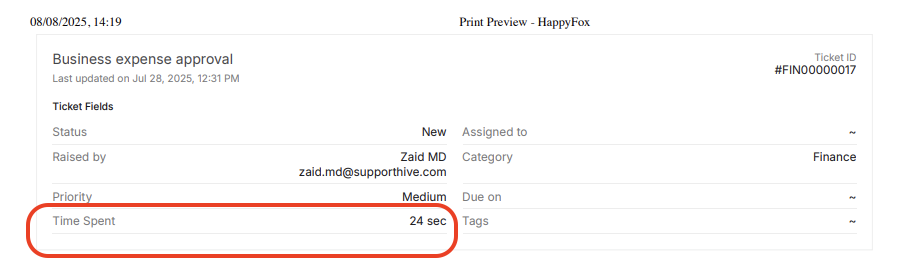
The printed ticket will reflect the time value in minutes and seconds for easy reference.
-
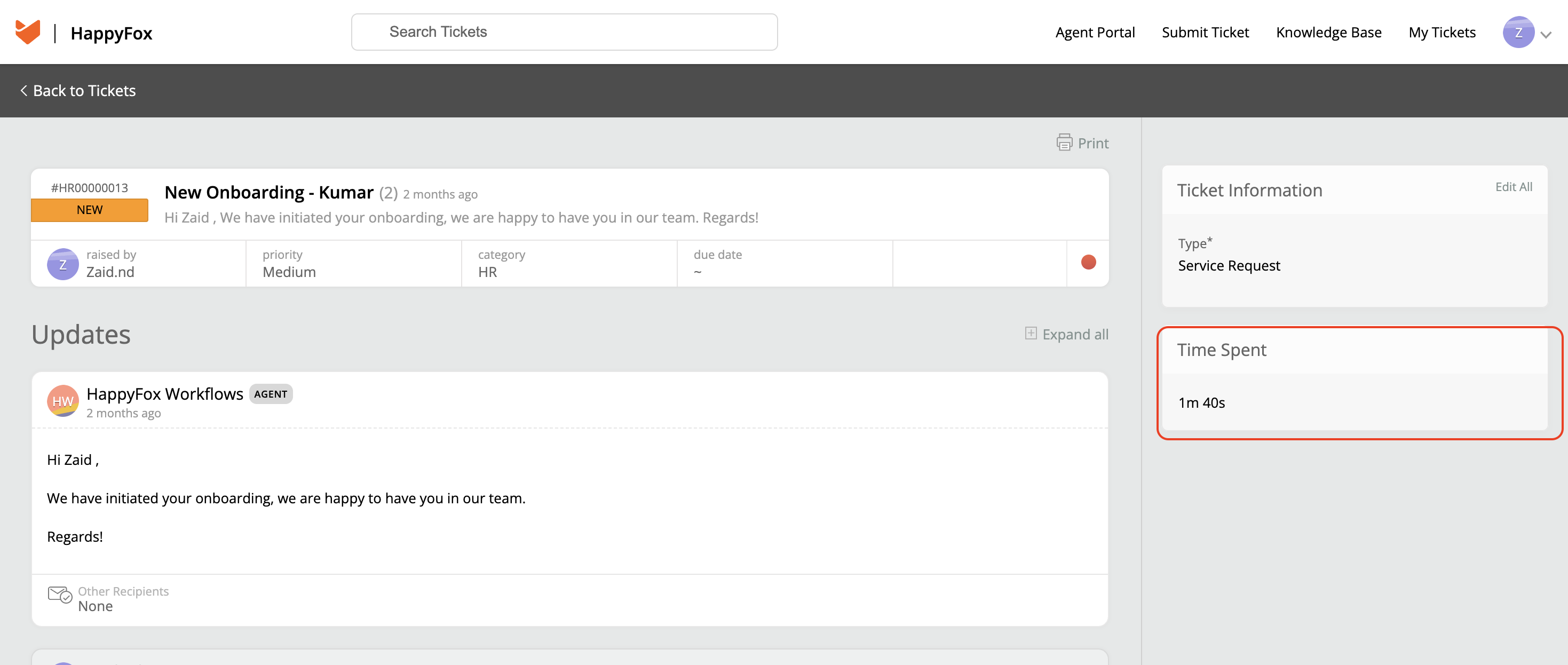
The Contact Portal will also show the Time Spent component in both formats
-
Notifications, satisfaction surveys, and canned actions will utilize the `{time_spent}` merge field to display the time in both minutes and seconds.
-
An entry will be recorded in the audit logs whenever the feature is enabled or disabled.

-
The Customer Activity view will present the Time Spent value in seconds.
-
In exported ticket data reports, the Time Spent column will display the time value in seconds.
Note: For accounts with the "Track Time Spent in Seconds" feature enabled, the publish API will send the time value in minutes, rounded to the nearest value.
Frequently Asked Question:
- What is the new feature for tracking time spent on tickets?
The new feature allows you to track the time agents spend on a ticket in seconds, in addition to minutes. This enhancement provides more detailed and accurate reporting of agent activity.
- How can I enable the time tracking in seconds feature for my account?
For accounts created on or after September 2024, you can enable the feature by navigating to Account Settings → Feature Settings and toggling ON "Track Time Spent on Tickets in Seconds." For accounts created before this date, please contact our support team to enable this feature.
- How do agents enter the time spent on tickets?
Once the feature is enabled, agents can log their time in two ways:
- On the Ticket Detail Page when replying to a ticket or adding a private note, agents can input the time in a Minute: Seconds format.
- Using the Time Spent Component located in the right pane of the ticket detail page, agents can also enter the time spent in seconds directly.
- Will there be any record of changes to the feature settings?
Yes, whenever the "Track Time Spent on Tickets in Seconds" feature is enabled or disabled, an entry will be recorded in the audit logs to ensure tracking of these changes.
- Can I still see time spent on tickets if I don't enable the new feature?
Yes, you will still be able to track time spent in minutes. However, without enabling the new feature, you won't have the added detail of tracking time in seconds.