Use Manage Availability to review and update HappyFox Messaging agent readiness. This changes availability, not category membership or existing assignments.
Before you start
You need Manage Chatbot permission. The listing includes agents associated with the configured Messaging categories; see category staffing.
Review the team
Open Chatbot administration, then WEB MESSAGING → Manage Availability.
- Name and Email: Identify the agent.
- Bots Associated: Shows the widgets they serve through category membership.
- Last Active: Shows when an Unavailable agent last went Unavailable.
- Agent Status: Shows current Messaging availability.
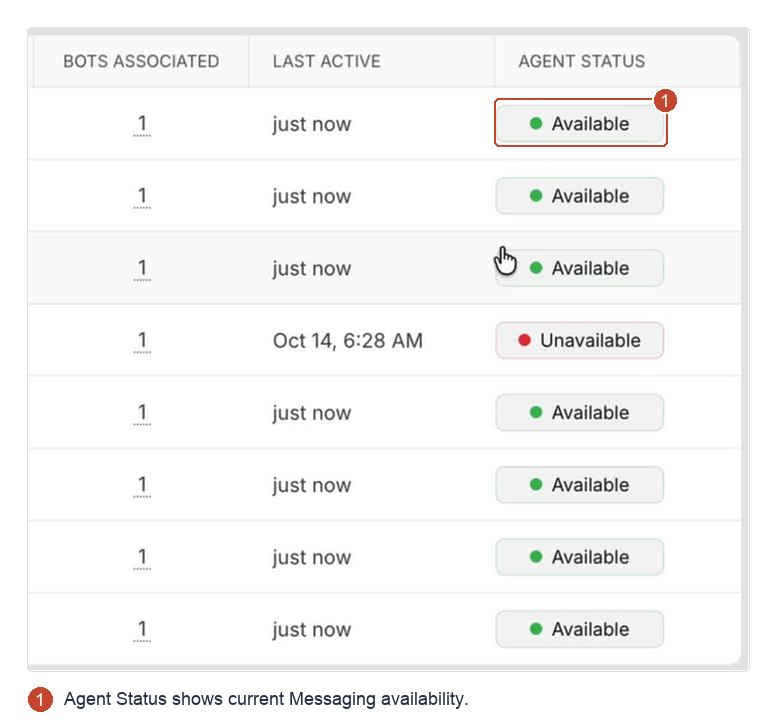
The screenshot uses sample statuses and timestamps.
Update availability
- Select the agent or agents to update.
- Use the availability control to choose Available or Unavailable.
- Confirm Agent Status shows the intended value.
The widget's availability updates too. Changes record the previous status, new status, and who changed it.
Existing conversations stay assigned to their owners. Messaging availability is separate from Help Desk auto-assignment availability, and agents start Unavailable after sign-in.
If the listing shows No agents found, check category staffing and license requirements.