With the NetSuite-Happyfox Helpdesk integration, your HappyFox agents can view open NetSuite invoices associated with a ticket’s customer directly within the Help Desk interface without switching between applications.
Available Plans: Enterprise Pro and starting from Scale in Unlimited Agents Plans
Note: This integration is currently in beta, please reach out to our support in case you face any trouble during installation.
Key Capabilities
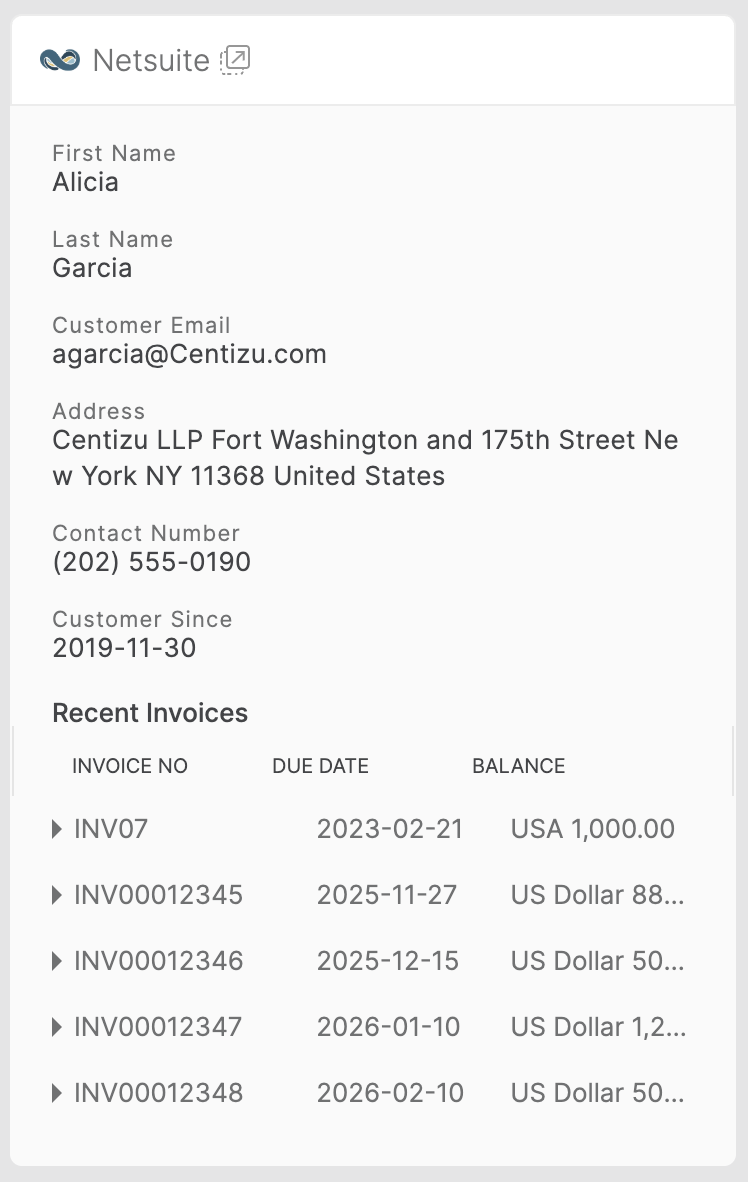
✓ View all open NetSuite invoices associated with the ticket contact.
✓ Access invoice summary details including Invoice Number, Due Date, and Outstanding Balance.
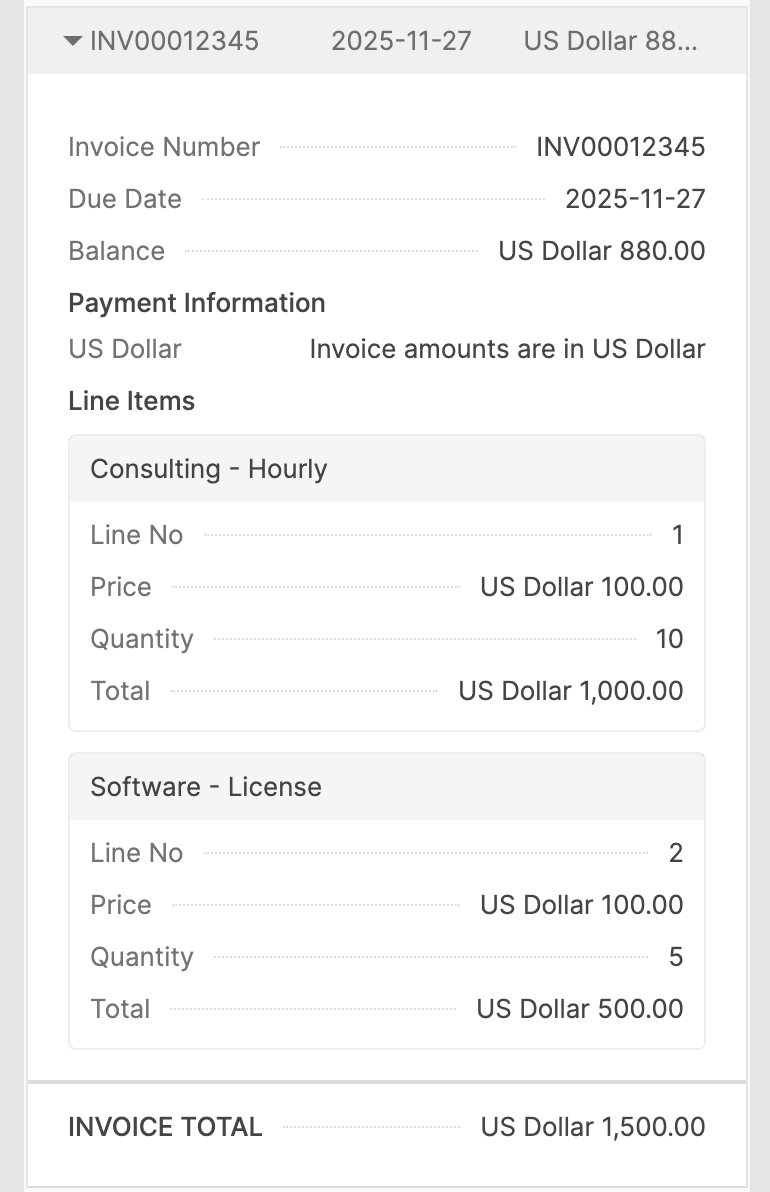
✓ Expand invoices to view line items, totals, and additional invoice information.
✓ Read-only, non-intrusive access to NetSuite data.
Prerequisites
To configure the integration, you will need:
- Your NetSuite Account ID
- Create an Integration Record for HappyFox Helpdesk in Netsuite
- Your NetSuite Client ID
- Your NetSuite Client Secret
- Role with Manage App permissions in HappyFox
Setting Up the NetSuite Invoice Viewer Integration
Step 1: Install the Integration in HappyFox
- Go to Apps → ERP → NetSuite.
- Click Install.
Step 2: Enter Your NetSuite Credentials
Provide the following details when prompted:
- Account ID
- Client ID
- Client Secret
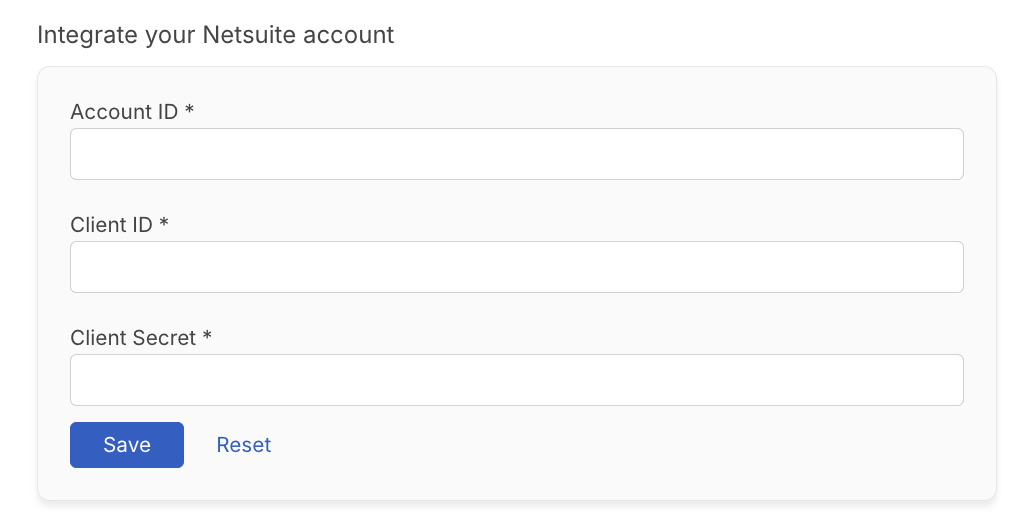
Click Save to complete setup.
The integration activates immediately after saving.
Viewing NetSuite Invoices in HappyFox
After installation, a NetSuite Invoices section becomes available in:
- The Ticket Details page
- The New Ticket creation screen
- The Contact Details page
This section displays all open invoices associated with the NetSuite Customer that the contact belongs to.
Invoice Summary View
All invoices belonging to the customer contact will appear in a collapsible list on the side pane in the Ticket Details page, Contact Details page and during New Ticket Creation.
Expanded Invoice View
Clicking an invoice displays detailed information of that invoice:
Disabling the Integration
To disable the integration at any time, click Unlink Integration on the App Manage page

Disabling the integration removes NetSuite invoice information from ticket views within HappyFox.
You may re-enable it through the Manage page at your convenience.