The HappyFox Helpdesk integration with GitBook enables seamless synchronization of knowledge base articles between the two platforms. This guide outlines the setup process, syncing workflow, and key considerations for using the integration.
Applicable Plans: ✔ Pro ✔ Enterprise Pro & ✔ All Unlimited agents plan
Setting Up the Integration:
The GitBook app will be introduced in the HappyFox Helpdesk Apps page under the Knowledge and Content category.
Authentication via GitBook API:
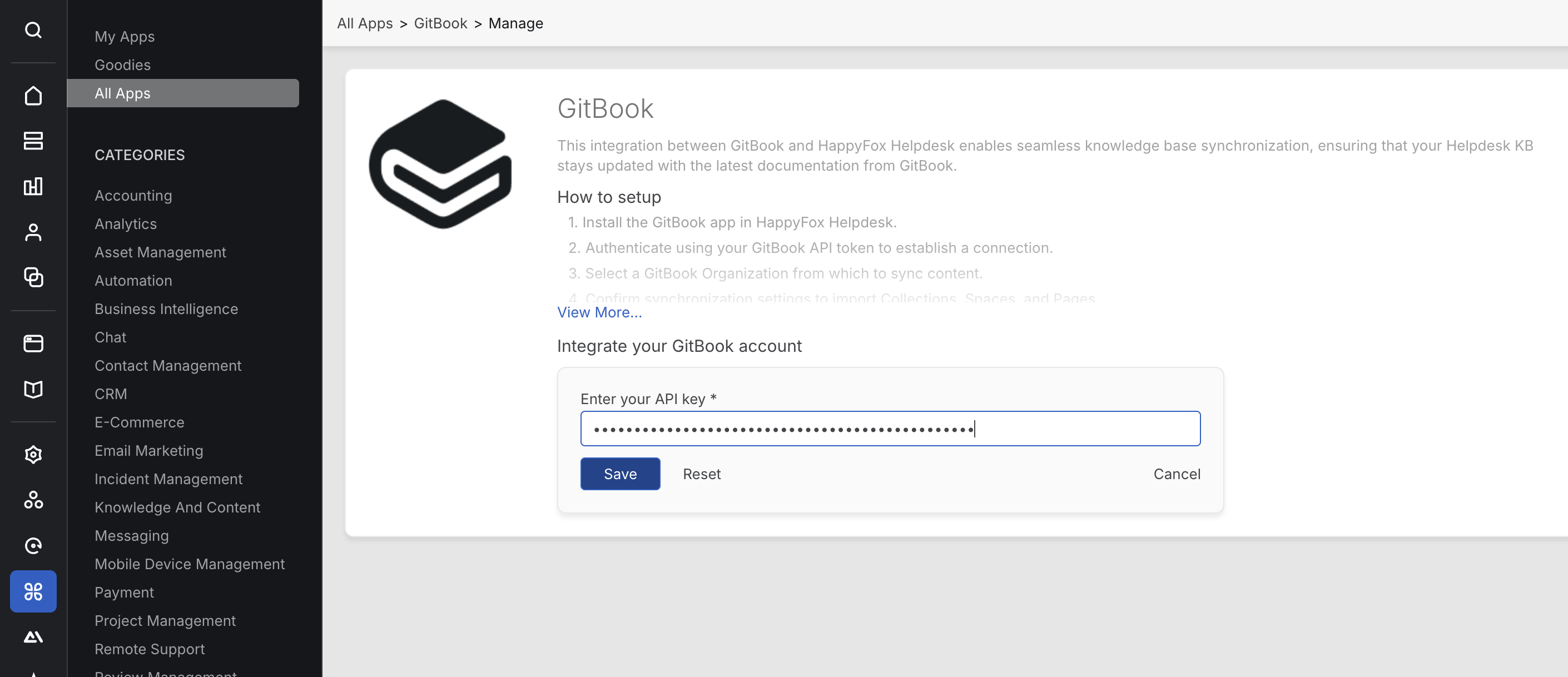
To integrate GitBook with HappyFox Helpdesk, authentication is required via an API key from GitBook. Follow these steps:
-
Navigate to HappyFox Helpdesk, go to Apps, select GitBook, click Install.
-
Enter your API Key from GitBook.
Generating an API Key from GitBook:
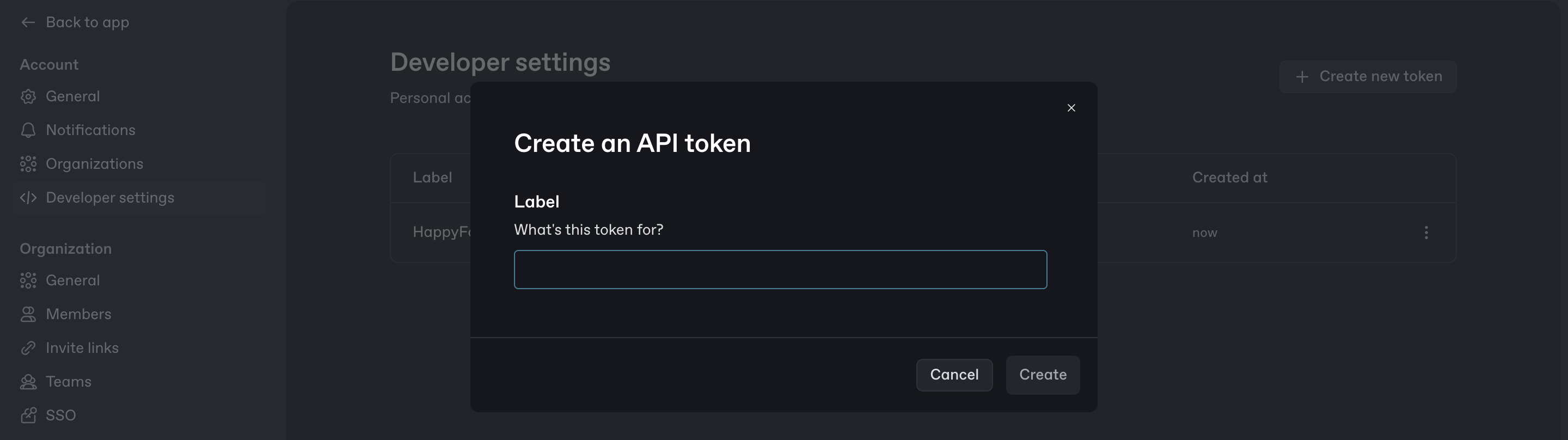
To obtain an API key from GitBook
-
Go to Settings, open Account Settings, and then select Developer Settings.
-
Click on Create New Token.
-
Provide a name for the token and click Create.
-
Copy the generated API key and enter it in the HappyFox GitBook integration page.
-
Save the settings to complete authentication.
Syncing Articles from GitBook:
Once authentication is complete, the Sync Settings sidebar will open. Agents must:
-
Select one or more Organization from the available list.
-
Once an organization is selected, all Collections, Sub-collections, Spaces, Pages, and Subpages from GitBook will be fetched, and corresponding Sections and Subsections will be created in HappyFox Helpdesk.
-
Click Sync Now to start the synchronization process.
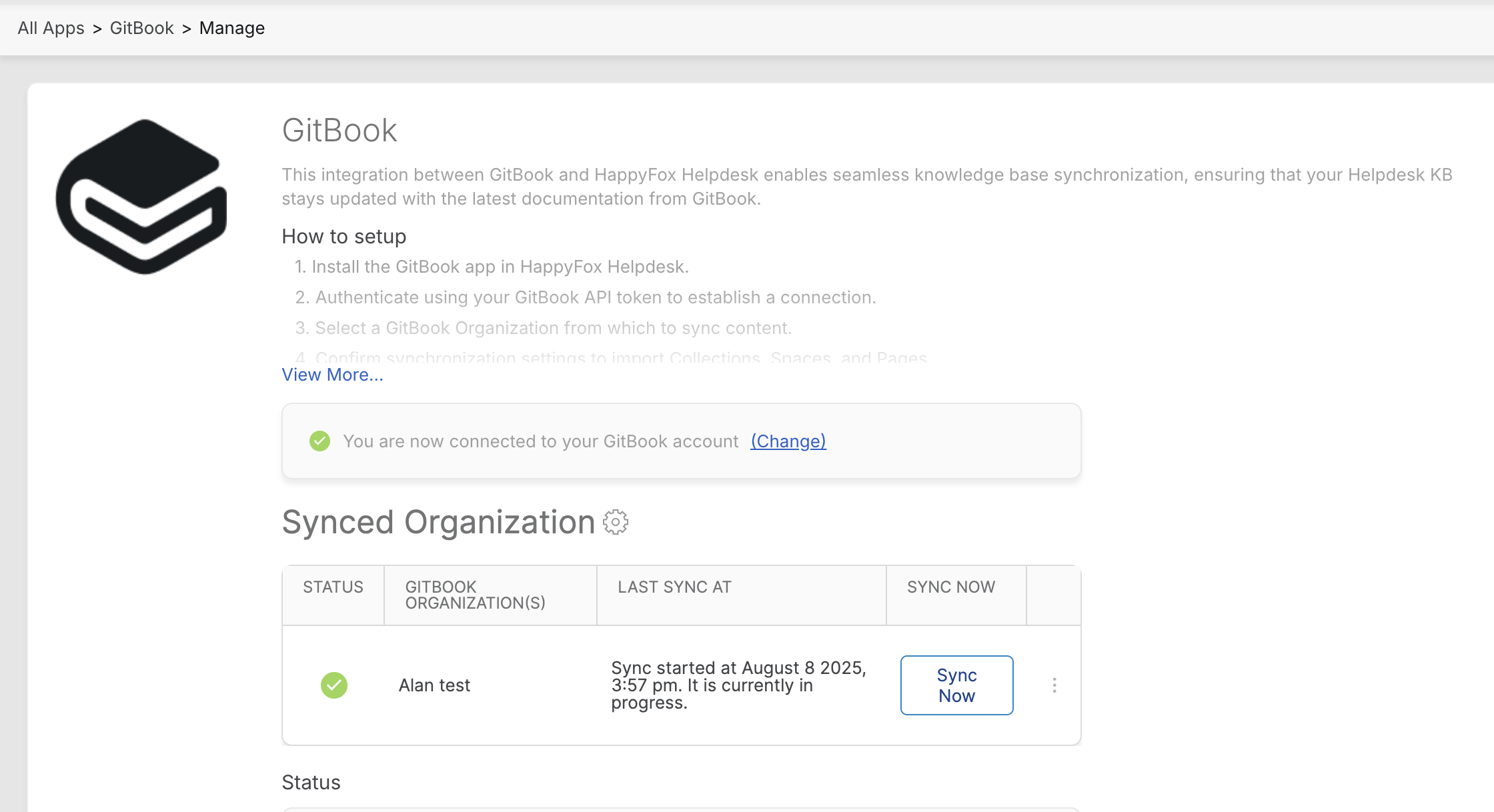
Note: Syncing may take a few minutes depending on the number of articles and sections that need to be created.
Mapping Structure:
-
Collections, Subcollections, and Spaces in GitBook will be created as Sections in HappyFox Helpdesk.
-
Pages and Subpages in GitBook will be created as Articles in HappyFox Helpdesk.
-
If a Page has Subpages, the parent Page will be created as an Article, and a corresponding Section will be created to hold the Subpages as Articles.
Syncing Rules and Restrictions:
-
Only Published Spaces with Public visibility will be synced
-
Unpublished Spaces or Published Spaces with Shared Link or Visitor Authentication visibility will not be synced
-
All synced articles in Helpdesk will be Internal Only and read-only
-
A daily automated sync will update changes from GitBook to Helpdesk
-
Articles deleted in GitBook will now be automatically removed from Helpdesk during the next sync (New)
-
Admins can trigger a one-time sync by clicking the settings gear next to the synced organization and choosing Sync Now
Mapping Sections and Subsections to Categories:
To associate a Section or Subsection with a Category in HappyFox Helpdesk:
-
Navigate to Knowledge Base.
-
Select the Section you want to categorize.
-
Click Edit.
-
Choose the Category to associate with this Section.
-
Click Save to apply the changes.

Note: Subsections will automatically inherit the Category mapping from their parent Sections.
Article Sync Report:
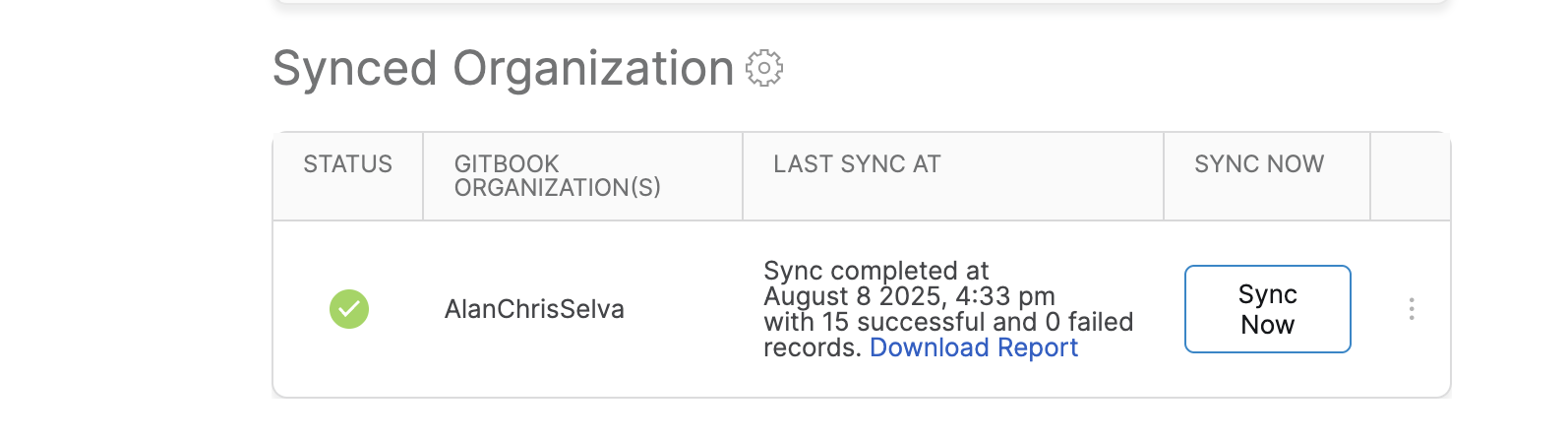
Once the sync is complete, agents can view:
-
Last Sync Details.
-
Number of articles synced.
-
Option to Download Report, which includes:
-
Article title
-
Article ID
-
Type (Created or Updated)
-
Sync result and status
-
Article Editing and Navigation:
-
Synced articles from GitBook cannot be edited within HappyFox Helpdesk.
-
A GitBook icon will appear next to the article title.
-
Clicking the article title will redirect the agent to the corresponding page in GitBook.