NinjaOne is a powerful remote monitoring and management (RMM) solution that provides comprehensive endpoint management, automation, and IT support features. By integrating NinjaOne with HappyFox Help Desk, you can seamlessly synchronize asset details and device statuses with help desk tickets. This integration ensures that your support teams have real-time access to asset information, enabling more efficient troubleshooting, faster resolution times, and enhanced collaboration between IT teams and end-users.
Applicable Plans: ✔ Pro ✔ Enterprise Pro ✔ All Unlimited agents plan
With NinjaOne - HappyFox Help Desk Integration:
-
Sync Devices: Devices managed by NinjaOne are synchronized with HappyFox Help Desk, ensuring up-to-date device information.
-
Associate Tickets with Devices: HappyFox Help Desk tickets can be associated with specific devices from NinjaOne for more efficient tracking and resolution.
-
Associate Contacts with Devices: User contacts are linked to their respective devices, enabling better support and communication.
Steps to Configure NinjaOne Sync:
Permission Alert: You require Manage App Settings managerial permission to install or configure the NinjaOne App for your HappyFox Help Desk account. To successfully integrate NinjaOne with HappyFox Helpdesk, you must also have the "System Administrator" role in your NinjaOne account.
-
Install and log into your NinjaOne account.
- To authorize HappyFox to access and sync asset information, you will need to provide your NinjaOne Region, URL, Client ID, and Client Secret.
- Region: This refers to the unique part of your NinjaOne account URL. For example, if your account URL is https://app.ninjaone.com, the region is app. Similarly, if your URL is https://customdomain.ninjaone.ca, the region is ca. The available regions are: app, us2, eu, oc, and ca.
- URL: This refer to your NinjaOne URL. For example, if you account URL is https://example.ninjaone.com, enter the complete URL (https://example.ninjaone.com) in the URL field.
-
Client ID and Client Secret: These are authentication credentials provided by NinjaOne.
-
To sync assets from their respective applications, you need to grant the following permissions:
-
Offline Access: Allows access to your assets even when you're offline.
-
Read-Only Access: Provides access to monitoring data and your organization's structure without modifying it.
-
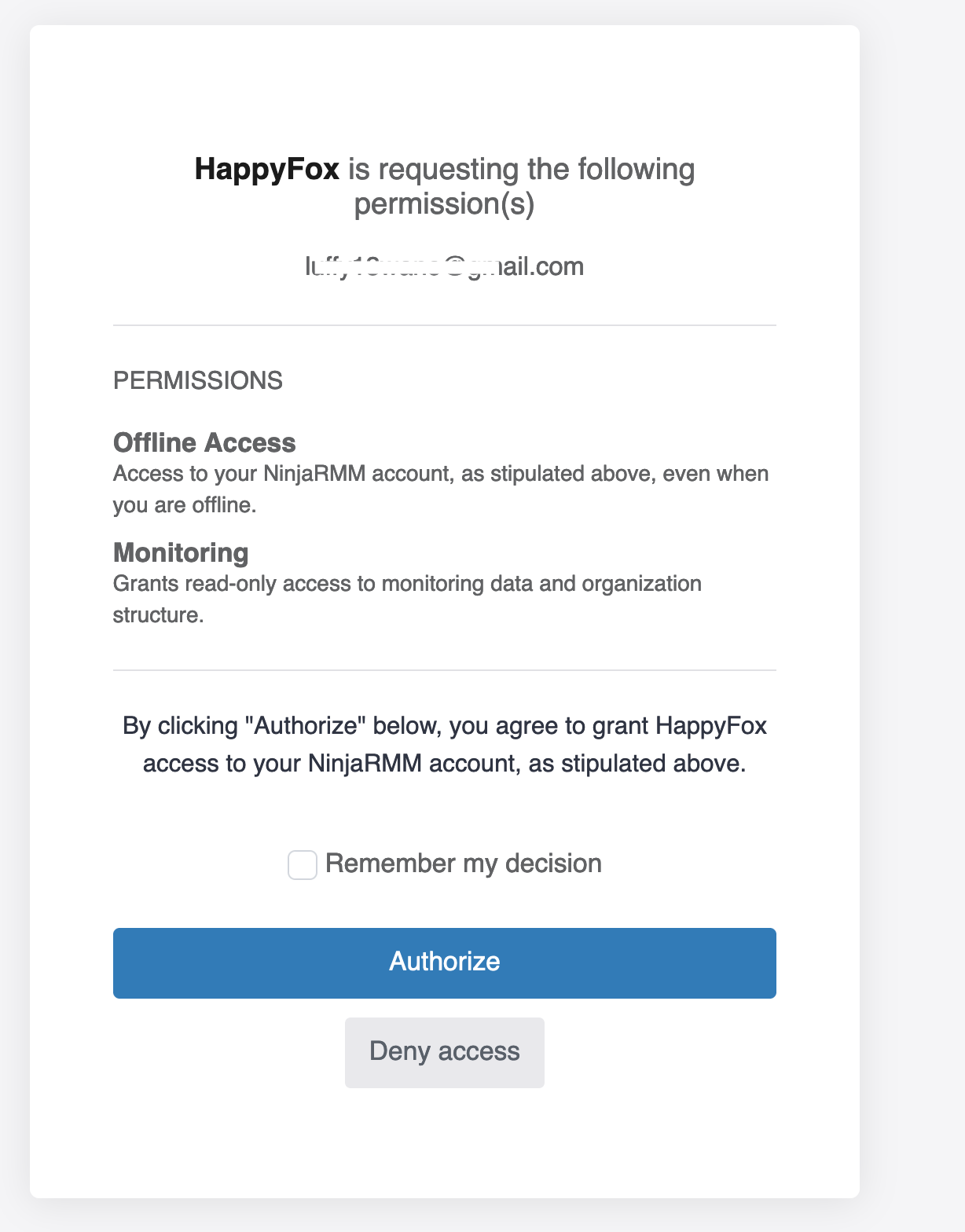
-
Once authorized, you are now connected to NinjaOne.
-
In the next screen, you will notice that asset synchronization is enabled and syncing is in progress.
How to Generate Client ID and Client Secret:
To generate your Client ID and Client Secret in NinjaOne, follow these steps:
-
Go to Administration → Apps → API.
-
Click Add and select Web as the platform.
-
Add the following Redirect URI required for your application:
https://happyfox.com/integrations/helpdesk/ninjaone/oauth-callback/
-
Set the scope to Monitoring and allow grant types as Authorization Code and Refresh Token.
-
The Client ID and Client Secret will be generated for use in HappyFox Help Desk.
Managed Asset Type:
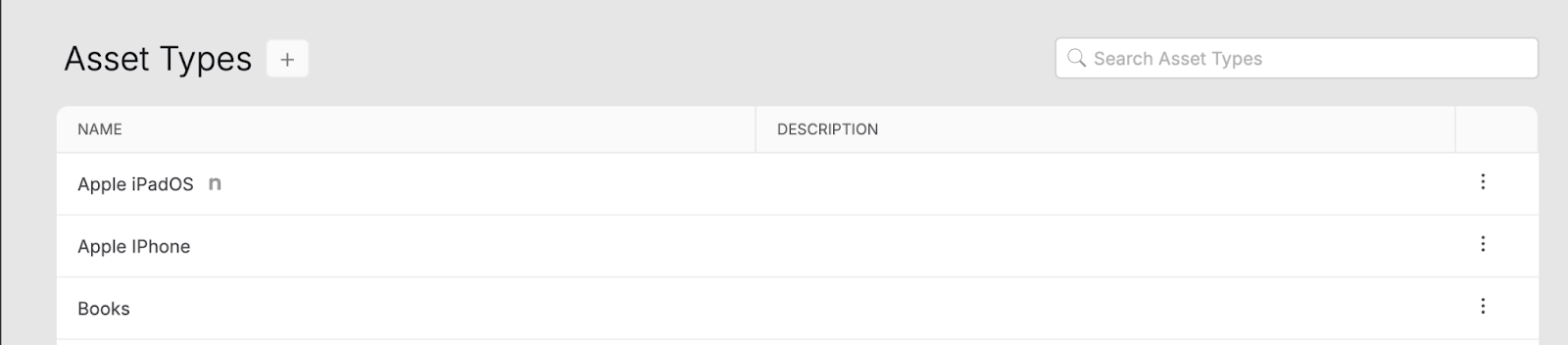
During the asset synchronization process, managed asset types are introduced into your HappyFox Help Desk account.
-
You can access the managed asset types under Asset → Settings → Asset Type.
-
The managed asset types will be accompanied by an icon, indicating the respective asset types created during NinjaOne synchronization.
-
The managed asset types cannot be edited or deleted.
-
You can adjust the contact association, ticket association, and asset quantity on the ticket toggle according to your requirements.
Managed Asset Fields:
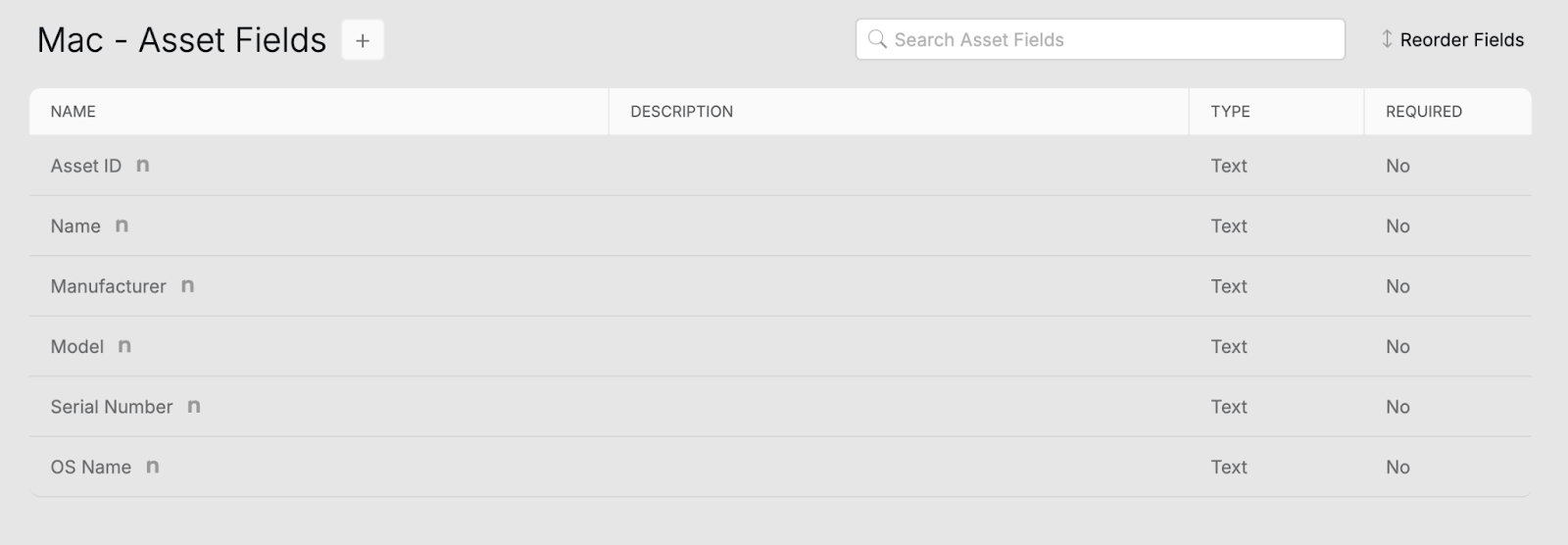
Managed asset fields are added to managed asset types.
-
You can access the managed asset fields under Asset → Settings → Asset Fields.
-
The managed asset fields cannot be edited or deleted.
-
To create a custom field under a managed asset type, click the "+" icon next to the asset type name.
-
Custom fields can be cloned, edited, and deleted as needed.
Managed Asset:
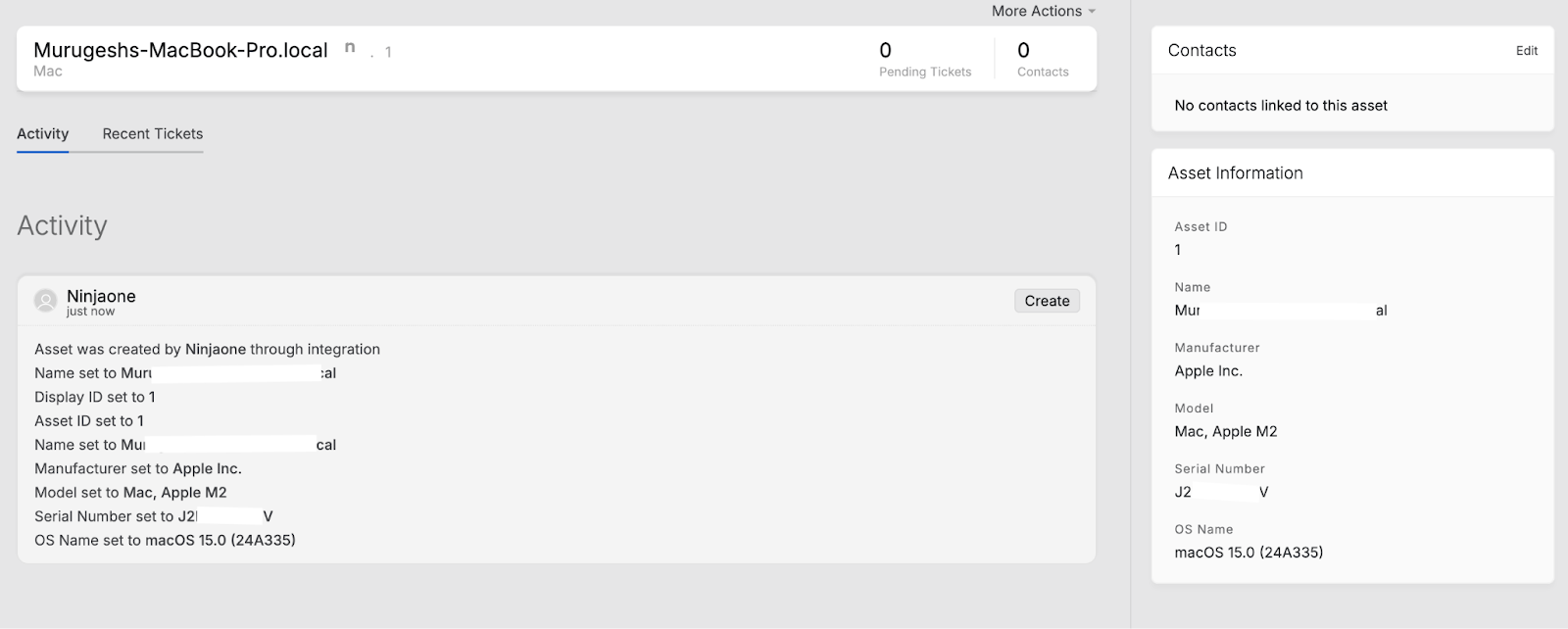
Assets from NinjaOne are automatically synced to their respective managed asset types.
-
You can access the managed assets by navigating to Assets and selecting the desired asset type (e.g., Computer or Mobile).
-
Assets synced from NinjaOne will be accompanied by an icon. Clicking on this icon will redirect you to the asset detail page in NinjaOne.
-
The managed assets can be cloned but cannot be edited or deleted.
-
You can edit, clone, or delete assets manually added.
-
Contacts can be assigned to the asset from the Contact component in the right pane.
-
Tickets associated with the asset can be viewed in the Recent Ticket section.
-
You can manually add assets under the managed asset type.

Manage the NinjaOne App:
-
Clicking "Disable this app" on the NinjaOne Integration page will deactivate the integration, disconnecting the asset sync.

Note: Deleting the synced NinjaOne account or disabling the app on the NinjaOne app management page will not un-sync or remove synced assets from HappyFox Help Desk.
Frequently Asked Questions:
-
What does managed asset mean?
Managed assets are devices that are synced from NinjaOne to HappyFox Help Desk. These assets cannot be edited or deleted from within the Help Desk. However, any changes made to these assets in NinjaOne will be synchronized with HappyFox Help Desk.
-
How often is asset synchronization scheduled?
By default, asset synchronization from NinjaOne to HappyFox Help Desk is scheduled daily at 12:01 am, based on the account's timezone.
-
How do I disable the NinjaOne integration?
To disable the integration, click "Disable this app" on the NinjaOne Integration page.
-
Will disabling the app or deleting the synced NinjaOne account remove the assets from HappyFox Help Desk?
No, deleting the synced NinjaOne account or disabling the app will not un-sync or remove synced assets from HappyFox Help Desk.