The Save as Draft feature enables users to save edited versions of published Knowledge Base articles as drafts without immediately publishing them. This feature is useful for:
- Preparing updates for future changes without making them public immediately.
- Creating seasonal content updates in advance.
- Holding articles that require approvals before publication.
- Conducting major restructuring for extensive articles.
How to Create a Draft from a Published Article
To save an edited version of a published article as a draft:
- Make the desired changes on the Edit Article page.
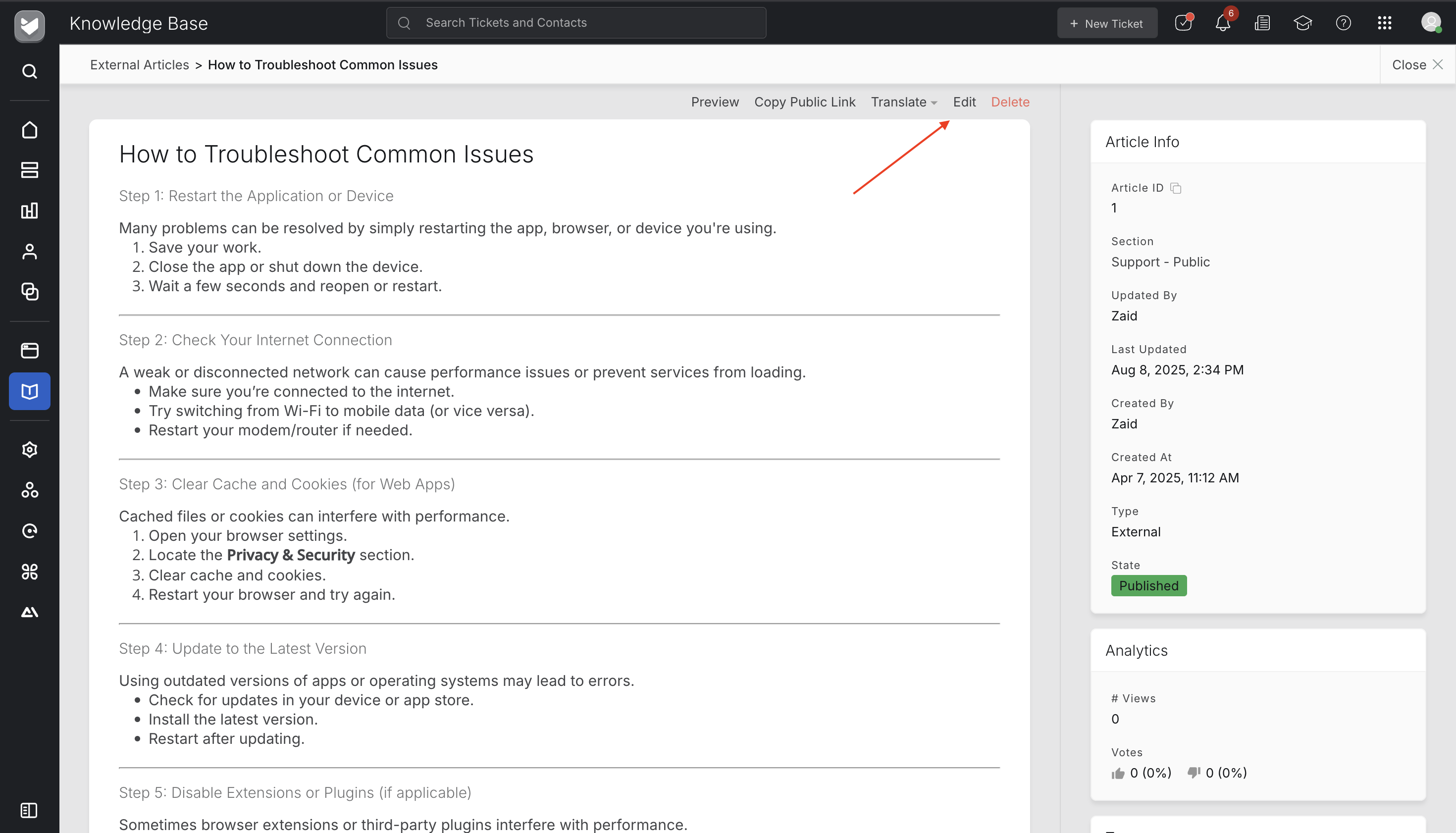
- Click the Save as Draft option.
- After saving, you’ll be directed to the new draft article. A toast notification will confirm that the draft is linked to the published article.
- Once a draft is created for a published article, you cannot create another draft for the same published article.
- The published article will not be impacted by any changes made in the draft article until you publish the changes from the draft.
Accessing and Editing Draft Articles
There are two ways to access and edit drafts of published articles:
Method 1: Through the Published Article Page
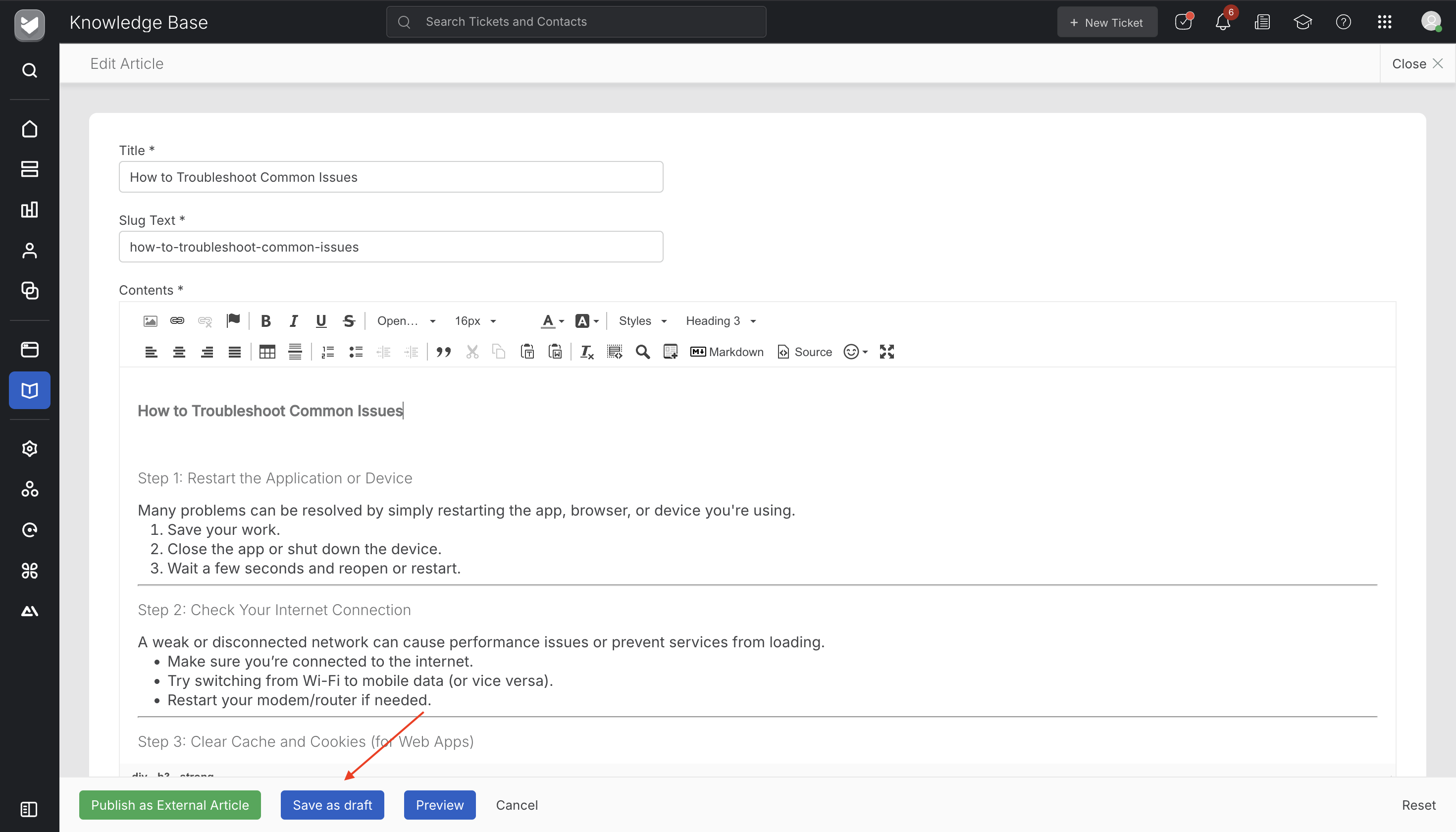
- Navigate to Knowledge Base → Articles → External / Internal / Contact Group Articles.
- Published articles with associated drafts will have a “+ Draft” tag.

- Edit the draft by Selecting Menu → Edit Draft.
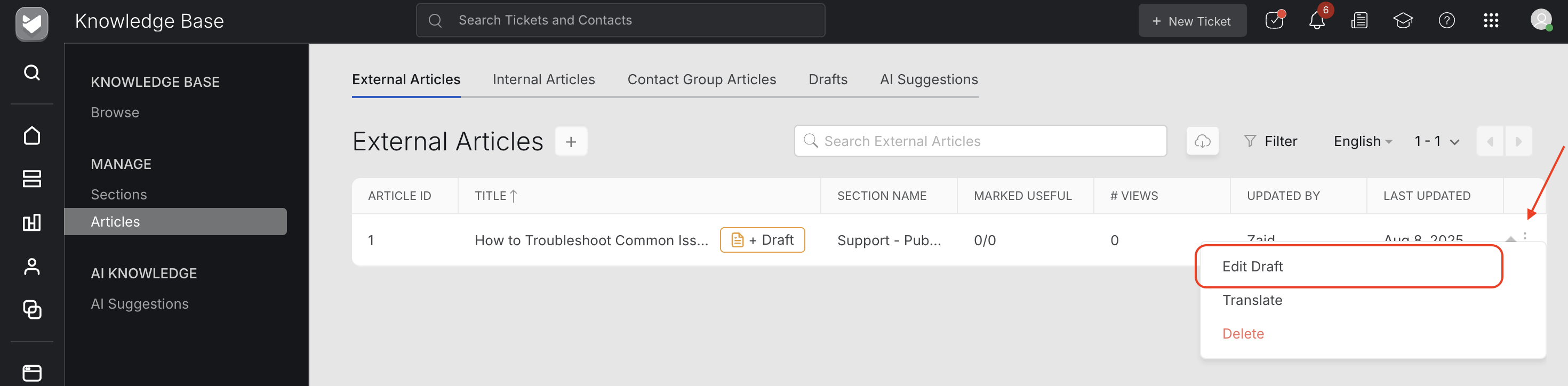
- Clicking the article to view details, then selecting Edit Draft. A toast will confirm that the published article has an associated draft.
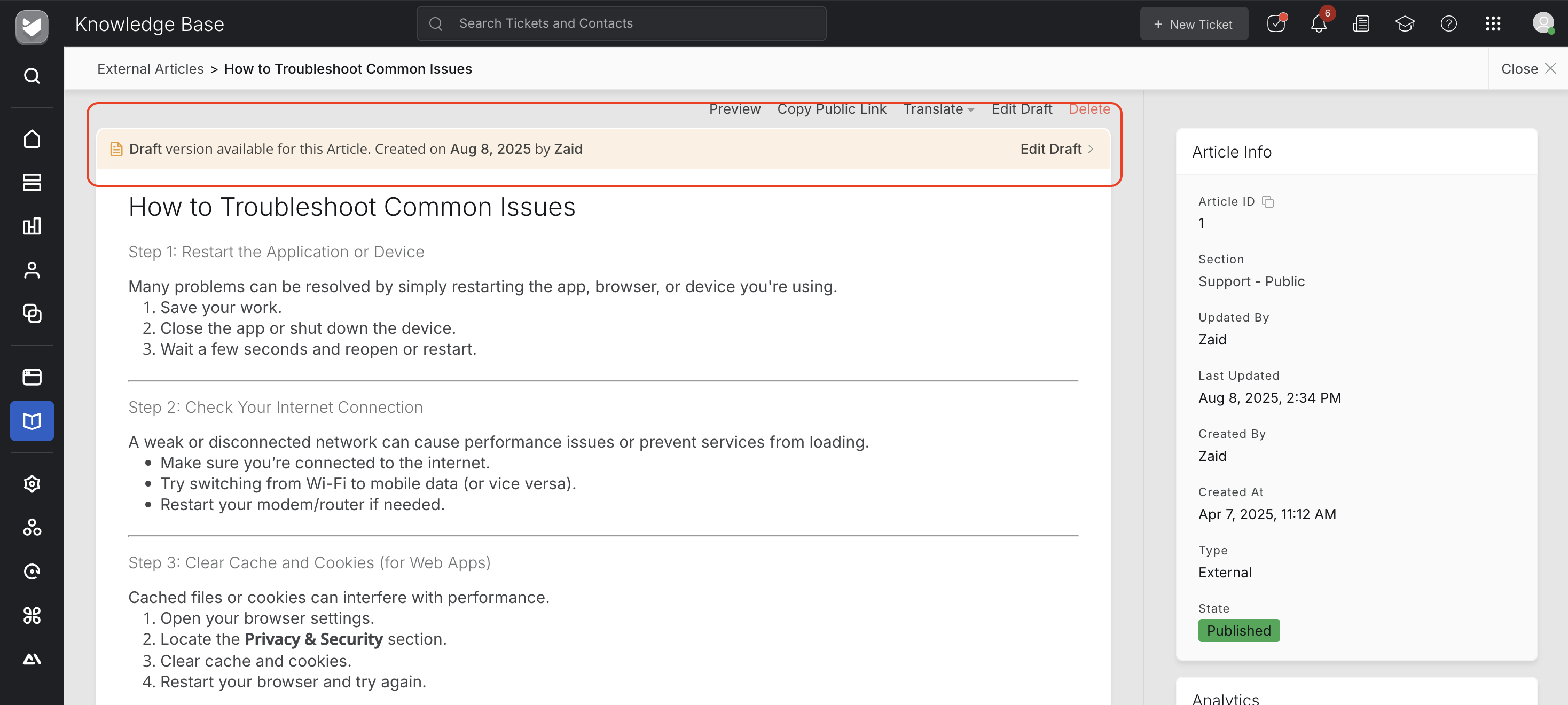
Method 2: Through the Draft Article Page
- Navigate to Knowledge Base → Articles → Draft.
- Draft articles linked to published versions are marked with a green dot.
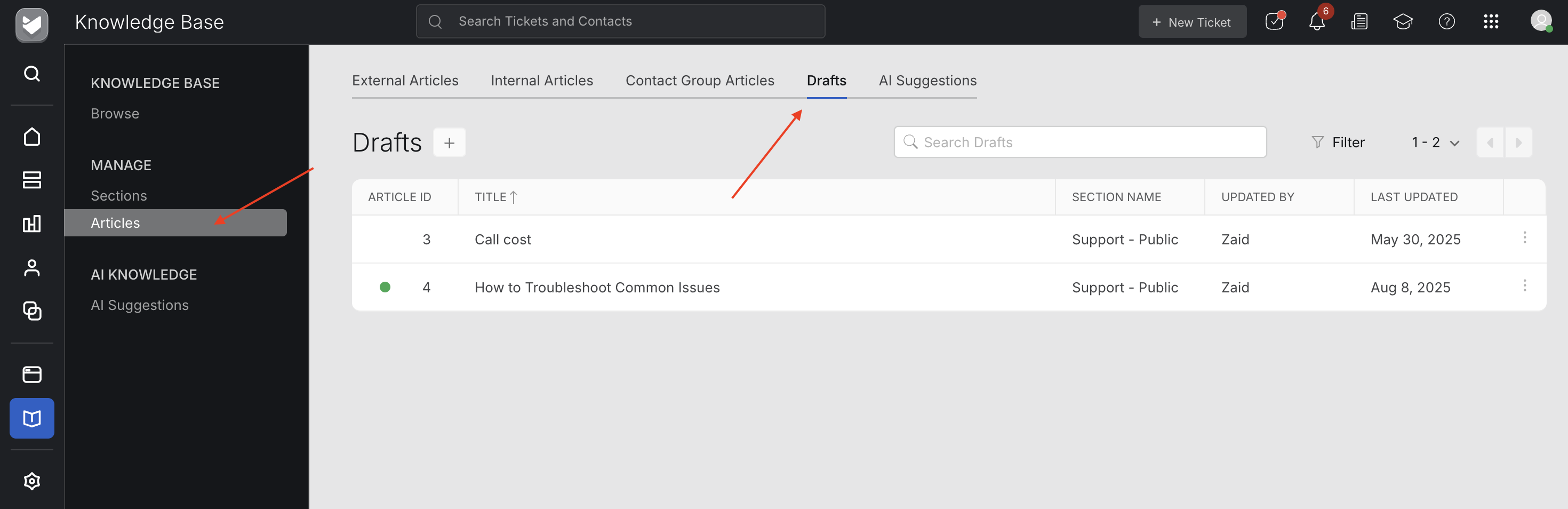
- Access the draft by:
- Selecting Menu → Edit.
- Clicking the article to view details, then selecting the Edit option.
Managing Draft Changes
Once you've made updates to the draft, you can:
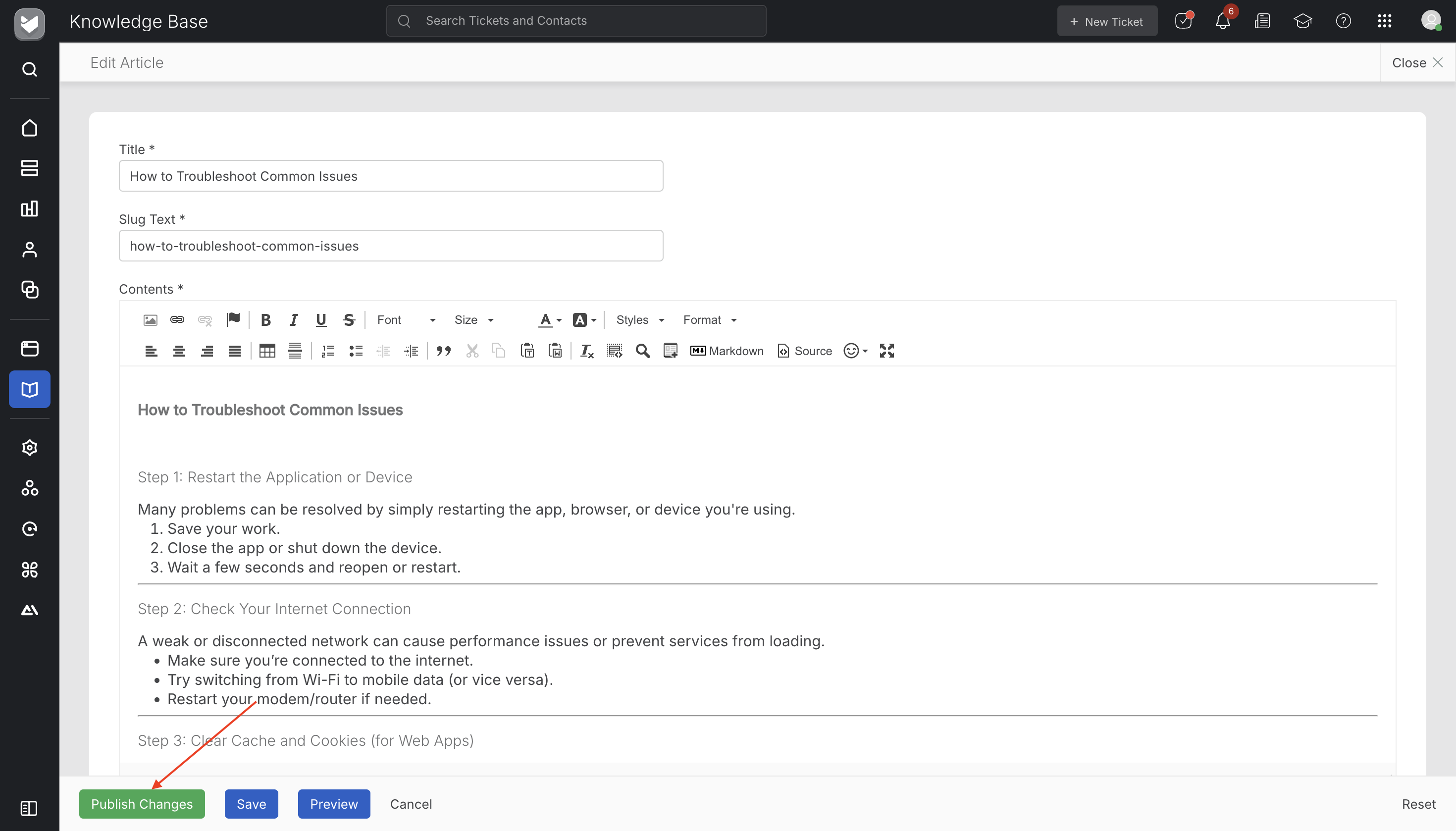
- Publish Changes: This updates the published article with the draft’s content and automatically deletes the draft.
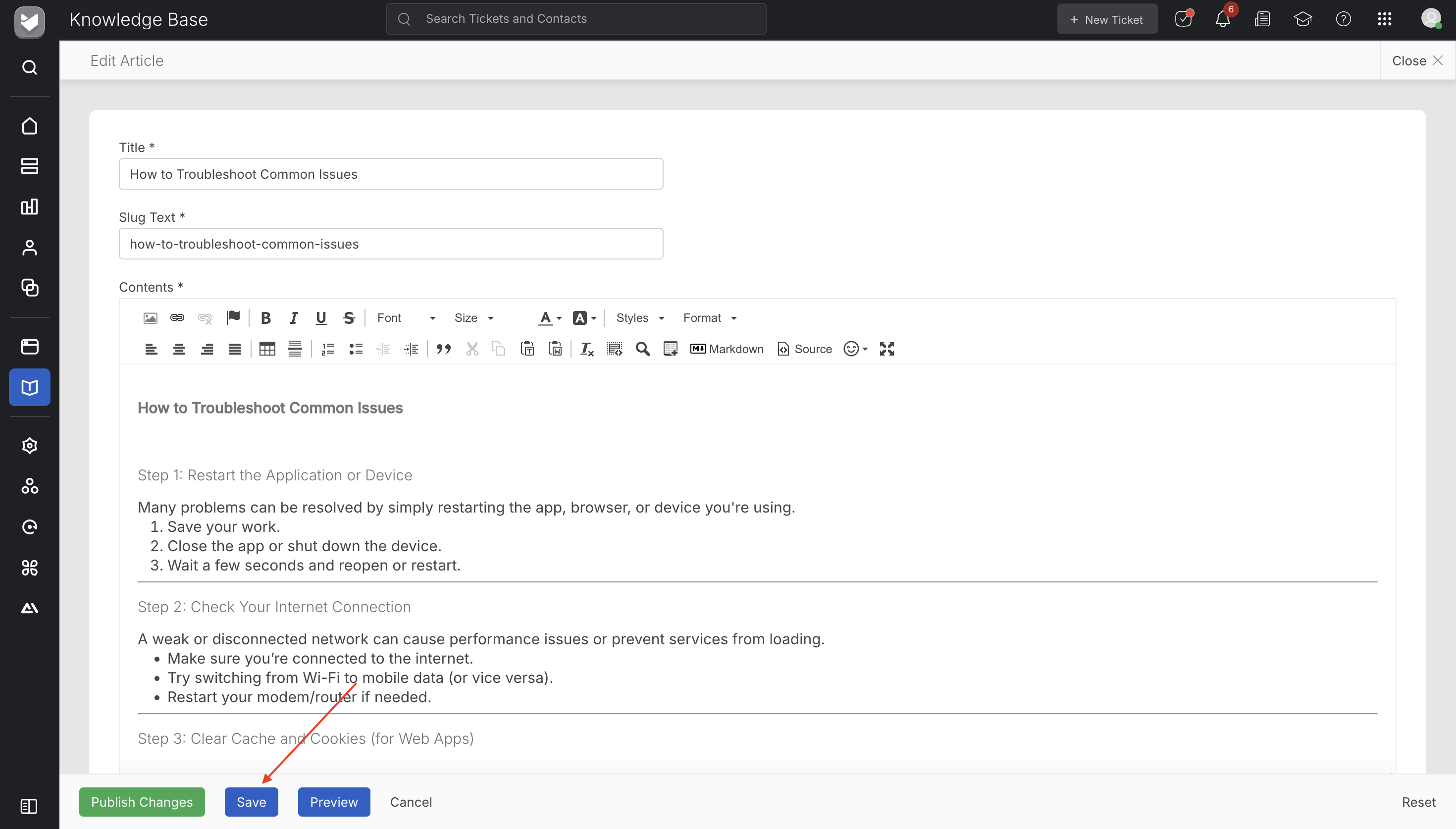
- Save: This preserves the modifications in the draft, keeping the published version unchanged.
This flexible draft feature provides efficient management of article updates and ensures content can be prepared and reviewed before going live.
Frequently Asked Question
-
What is the "Save as Draft" feature?
The "Save as Draft" feature lets you save edits to published Knowledge Base articles as drafts without making changes live. This allows for preparing updates, seasonal content, or restructuring articles without affecting the published version.
-
How do I save a published article as a draft?
To save an article as a draft:-
Go to the Edit Article page.
-
Make your changes, then click Save as Draft.
-
You will be directed to the draft version, and a notification will confirm it’s linked to the published article.
-
-
How do I access a draft of a published article?
There are two ways to access a draft:-
From the Published Article Page: Navigate to Knowledge Base → Articles. Look for articles with a "+ Draft" tag, then select Menu → Edit Draft or open the article details and click Edit Draft.
-
From the Drafts Page: Go to Knowledge Base → Articles → Draft. Linked drafts will be marked with a green dot. Select Menu → Edit or open the article details and click Edit.
-
-
How do I preview the article while it's in draft mode?
-
If the article is still being edited, simply click the Preview button to see your current changes.
-
If the article has already been saved as a draft, click the Preview text link to view how the draft version will appear once published.
-
-
What options do I have after editing a draft?
After editing, you can:-
Publish Changes: Update the live article with the draft content. The draft will be deleted automatically.
-
Save: Keep your changes saved in the draft, leaving the published article unchanged.
-
-
Can I delete a draft without affecting the published article?
Yes, deleting a draft will not impact the live version of the article. It simply removes the unpublished draft.