"Zapier" is a web automation platform that enables businesses to connect hundreds of web apps. It allows you to create microtasks called ‘Zaps’ that allow predetermined actions to run on an app based on a trigger from another app.
For example, if a new row is added on your Google Sheets spreadsheet, a new ticket can be created in your HappyFox helpdesk or vice-versa - that would be a Zap.
Applicable Plans: ✔️ Mighty ✔️ Fantastic ✔️ Enterprise ✔️ Enterprise Plus
Understanding how Zapier Works:
- Sign up for a Zapier account here.
- Visit this page to know more about the list of integrations possible with HappyFox through Zapier.
You can explore the Zapier Catalog for integrations with HappyFox to search familiar/popular web-apps with HappyFox. Pre-built Zaps would look like this:
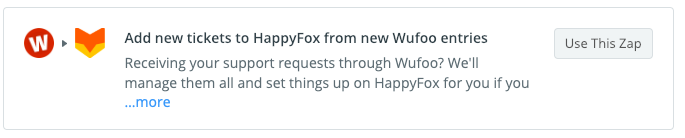
❇️ Note: You can also create your own Zap. Learn more about creating a Zap here.
Zap Creation workflow consists of 3 broad steps:
- Trigger: Changes within an app that would trigger a "Zap Action".
- Filter (Optional): Conditions that would narrow down the scenarios that would execute a "Zap Action".
- Action: Tasks or Changes made to an app after fulfilling trigger and filter criteria.
You can use HappyFox either as a Trigger or as an Action. Learn more about Zapier workflows here.
Steps to create a "Zap" ⚡️:
- Log in to your Zapier Account.
- Choose to create a "Zap" or explore already created ones.
- Click "Create a Zap" on top of the page.
- Choose the App which you want to act as Trigger. For this example, let us choose "HappyFox".
- Connect to HappyFox with your API key and Auth Token. Learn how to generate them here.
- Specify the trigger condition - For this case we have chosen new ticket creation.

- Use Filters to further refine your tickets that are contenders for the trigger condition match. This would help narrow down specific scenarios. Use a combination of match statements, if needed. In this example, we have chosen all tickets which have client name (Contact name) containing the text "Joe".

- Use Actions to define the action you would want to perform on an app. In this case, we have made "Create a Spreadsheet Row" as an action in Google Sheets. You would need to have a valid Google account to link to this Zap.
- Give your created Zap a name and toggle your Zap ON. This completes the setup.

🌟 Tip: To know about how MailChimp Integration with HappyFox works through Zapier, please refer to the document attached.