Use End Conversation when a HappyFox Messaging exchange is finished. The contact can also leave using the widget's leave control.
End the conversation as an agent
Review outstanding questions and send a closing reply or explain the next step first.
- Open the active conversation.
- Select End Conversation in the header.
- Review the confirmation and select End Conversation again.
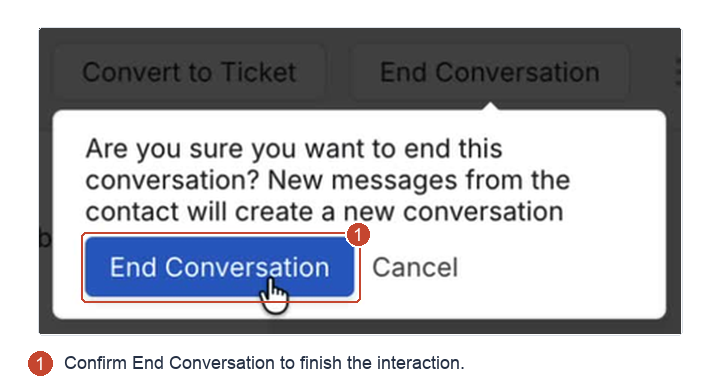
An end marker appears and the composer becomes unavailable for further replies in that exchange. Ending the interaction does not by itself resolve outstanding support work.
When the contact leaves
The leave action ends the agent conversation. HappyFox records a system update showing that the contact ended it. This is different from a contact being inactive while a message waits for delivery.
If you also offer chatbot assistance, the contact can continue with it afterward.
Repeat requests and chatbot context
A later request for an agent starts a new conversation. For a contact who used ChatBot first, the initial handoff includes its transcript. After an earlier agent conversation ends, a repeat handoff includes the chatbot exchange since that ending.
Review the new request and its transcript. Use Recent Tickets when earlier support history matters.
Continue by email
Use Convert to Ticket when your team owes the contact a later update. It creates a new email ticket with the conversation transcript attached to the email. An ended conversation remains a conversation; conversion creates the email follow-up.