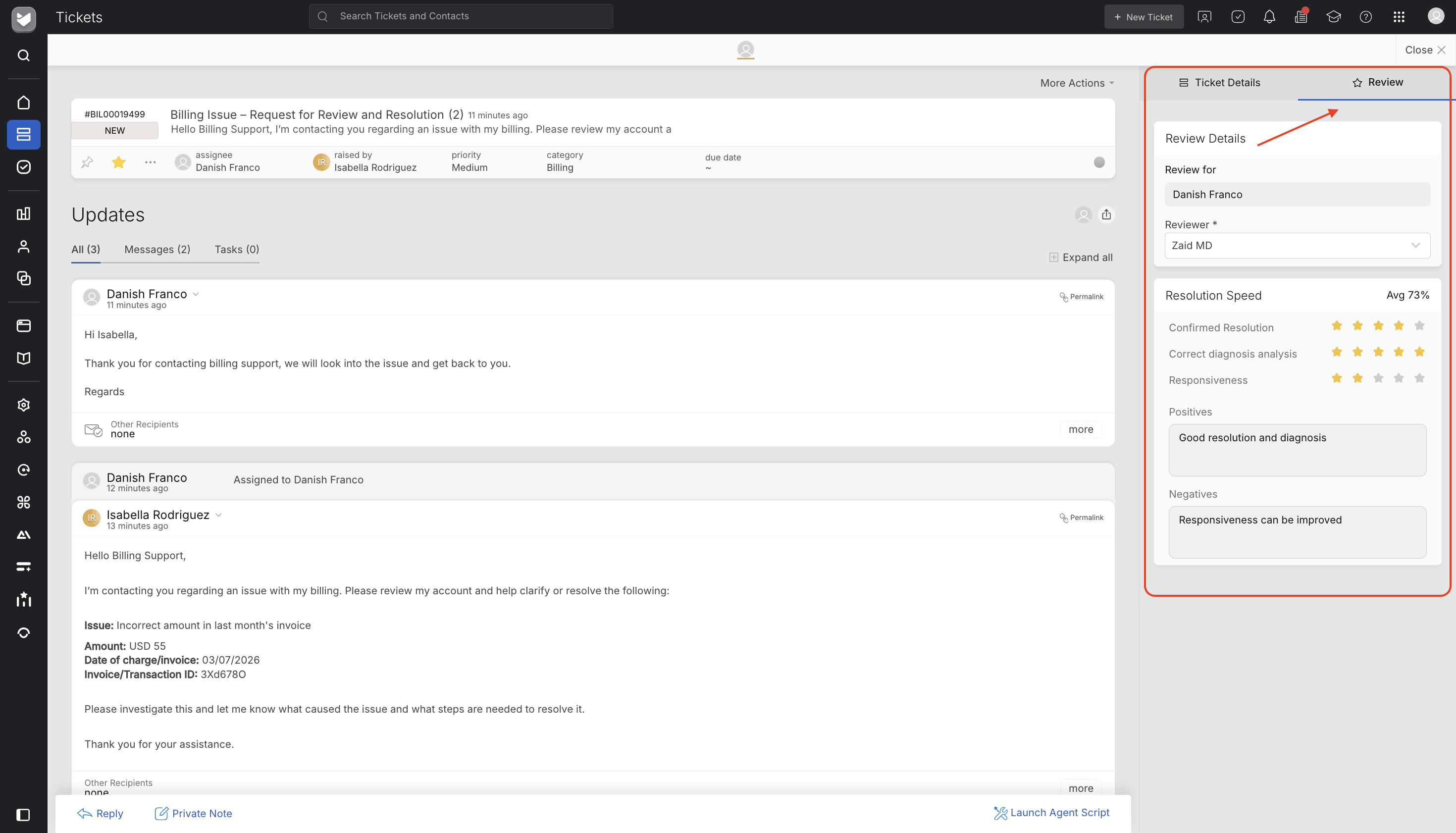
Once a reviewer publishes a review on a ticket you handled, you'll see it right there on the ticket details page, in the right-side panel next to the Ticket Details tab.
What you'll see
- Scorecards — scorecards rated by the reviewer along with it rating and comments if any left
- Who reviewed you — the reviewer’s name who reviewed you
Note: If more than one person reviewed the same ticket, you'll see a dropdown to switch between them — scores are never merged or averaged together.
Getting notified
You'll get an email notification when:
- A review is published on your ticket for the first time, or
- A reviewer later scores a new scorecard.
The notification lists each scorecard's score, and a link back to the ticket.
Note: if you also happen to hold reviewer access yourself, you won't see the agent-side view of your own tickets while you hold that access. It comes back into view if that access is ever removed