


 372
372
The Agent Workload Dashboard in HappyFox Helpdesk gives supervisors and managers a quick snapshot of current agent activity and workload.
It helps you understand how work is distributed across your team at a given moment, so you can make informed staffing and assignment decisions.
This dashboard is designed for better operational visibility.
Applicable Plans: ✔ Pro ✔ Enterprise Pro & ✔ All Unlimited agents plan
This can be accessed from the top right panel on the agent portal.
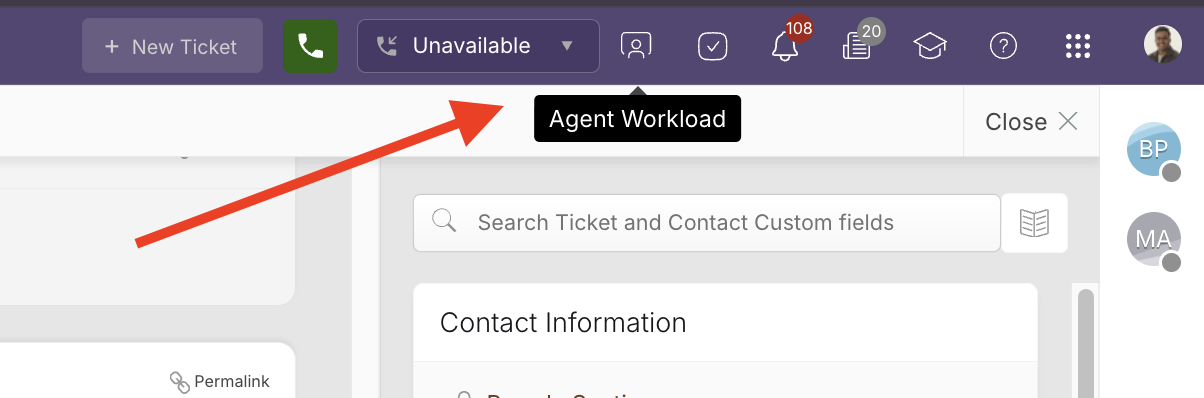
What You Can Do with the Agent Workload Dashboard
Using the Agent Workload Dashboard, you can:
- See which agents are currently logged in
- Check agent availability for auto-assignment (if auto-assignment is enabled)
- View voice channel availability (if voice is enabled)
- Review the number of pending tickets assigned to each agent
- Understand workload distribution across Email, DM, and Voice channels
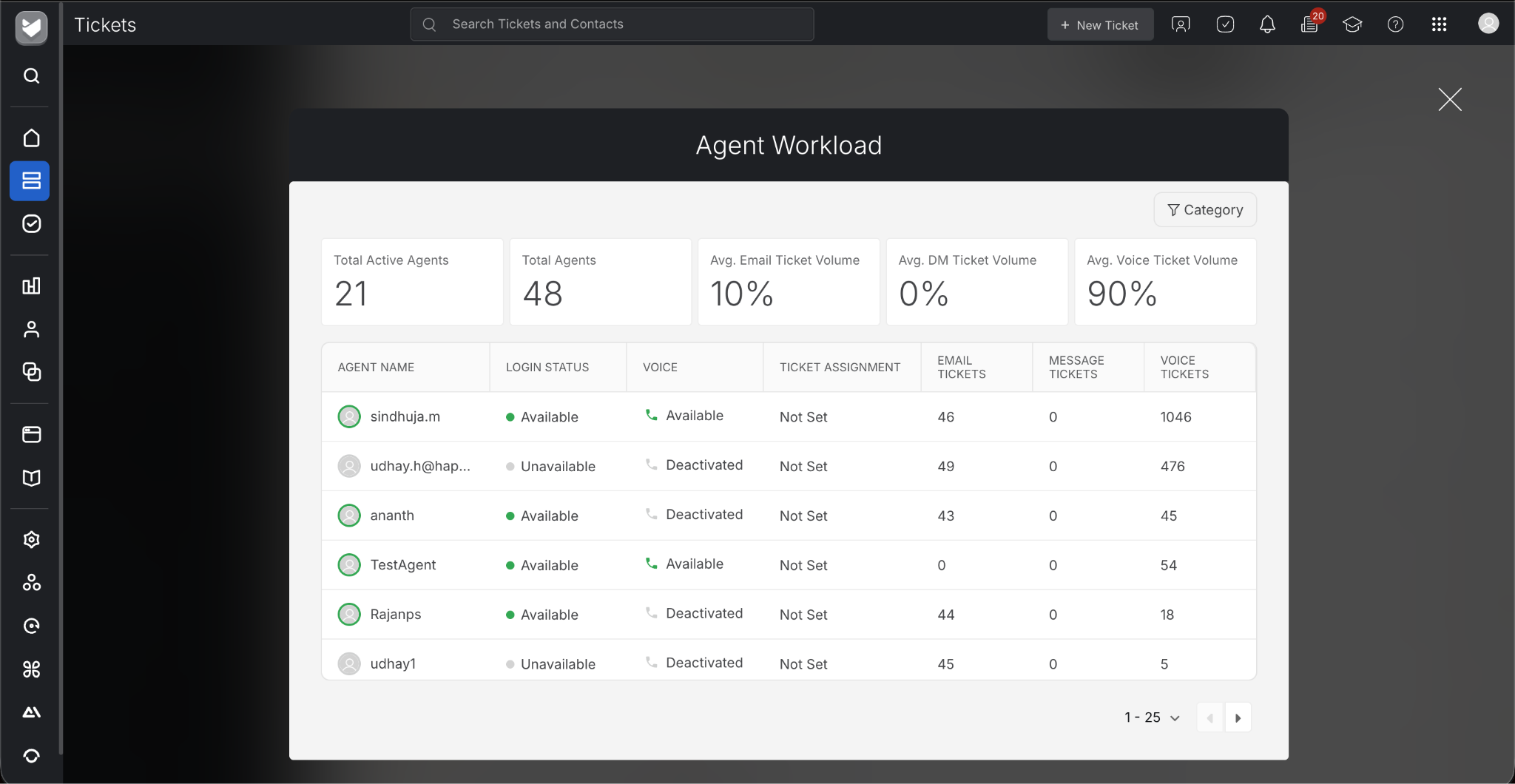
Optionally, you can also make use of category filtering to view Overall Agent Workload details of agents associated with selected categories.
Information Shown for Each Agent
Each agent row in the dashboard displays the following details:
Login Status
Shows whether the agent is currently logged in to HappyFox.
Auto-Assignment Availability
Indicates whether the agent is currently available for auto-assignment.
Voice Availability
Displays whether the agent is available to receive voice calls. This field is visible only if voice functionality is enabled for your account.
Pending Ticket Counts
Shows the number of currently pending tickets assigned to the agent, broken down by channel:
- Email – Tickets from email and other non-messaging sources
- DM – Tickets from social and messaging platforms such as:
- Facebook
- Twitter
- Slack
- Microsoft Teams
- Instagram
- Chat
- Facebook
- Voice – Tickets from voice or phone channels
These counts represent the agent’s current workload snapshot at the time the dashboard is viewed.
Who Can View the Agent Workload Dashboard?
All agents possessing the ‘Manage Agents’ permission will be able to access the Agent Workload Dashboard.
Common Use Cases
- Identifying overloaded or underutilized agents
- Making quick staffing or routing decisions
- Checking team availability during peak hours
- Reviewing workload balance across channels

