


 174
174
The HappyFox - ShipStation integration allows support agents to view order and shipment details for a customer’s recent orders directly within the HappyFox ticket view and helps agents respond faster with accurate shipping updates.
Applicable Plans: ✔️ Team ✔️ Pro ✔️ EnterprisePro ✔️ All Unlimited Agents plans
Required Permissions
To install and manage the ShipStation integration, you must have the "Manage Apps" permission.
Setting Up the ShipStation Integration
Install the ShipStation App in HappyFox
- Log in to your HappyFox Helpdesk account
- Navigate to Apps → E-commerce → ShipStation
- Click Install
- Enter your ShipStation API credentials and save
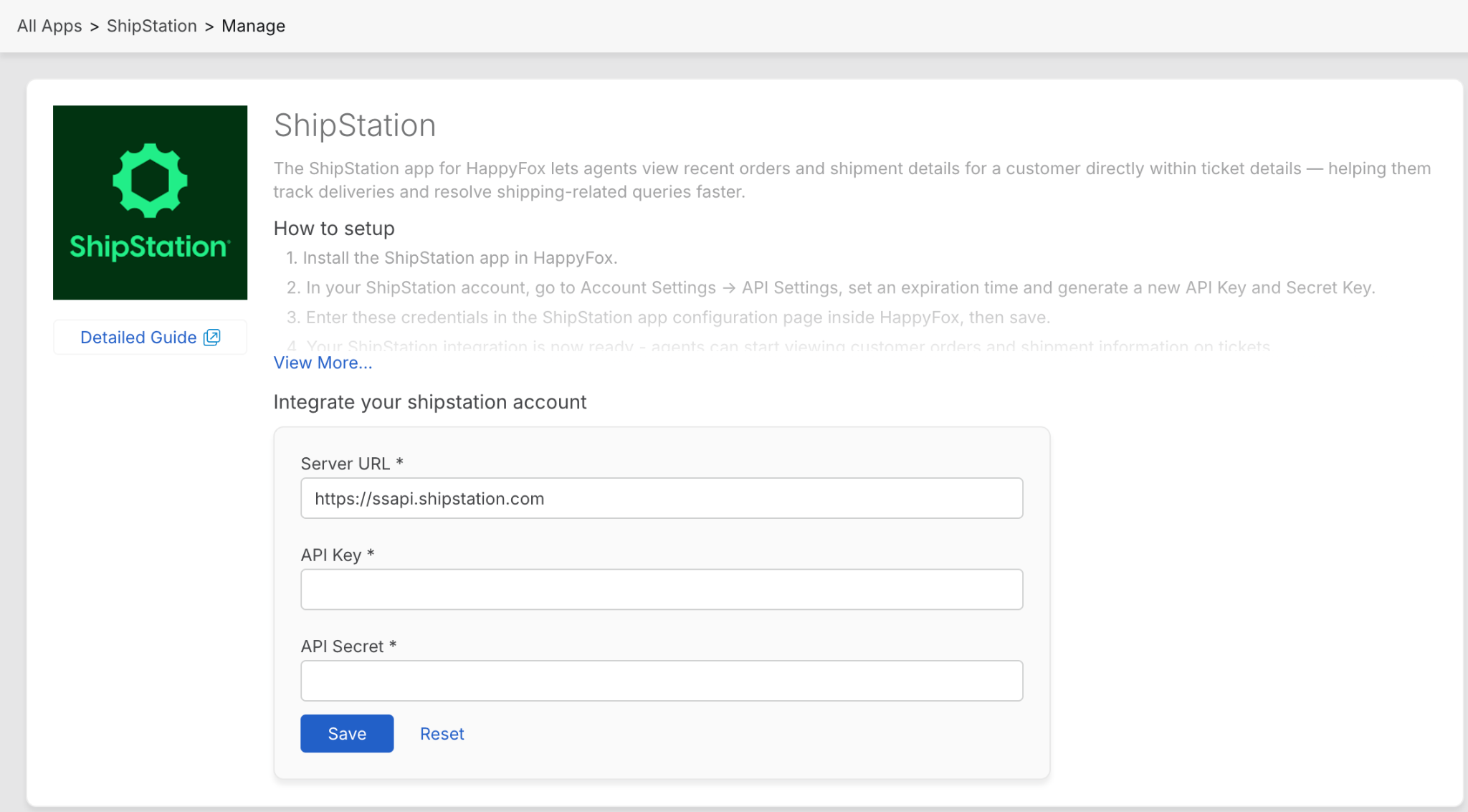
Once saved, the integration is enabled immediately.
Viewing Shipments Inside HappyFox
After installation, a ShipStation widget appears in the Ticket Details page prompting the agent to enter the Order Id they would like to obtain details on.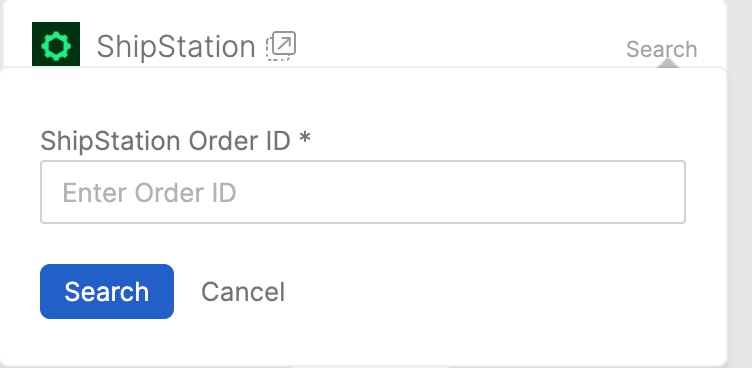
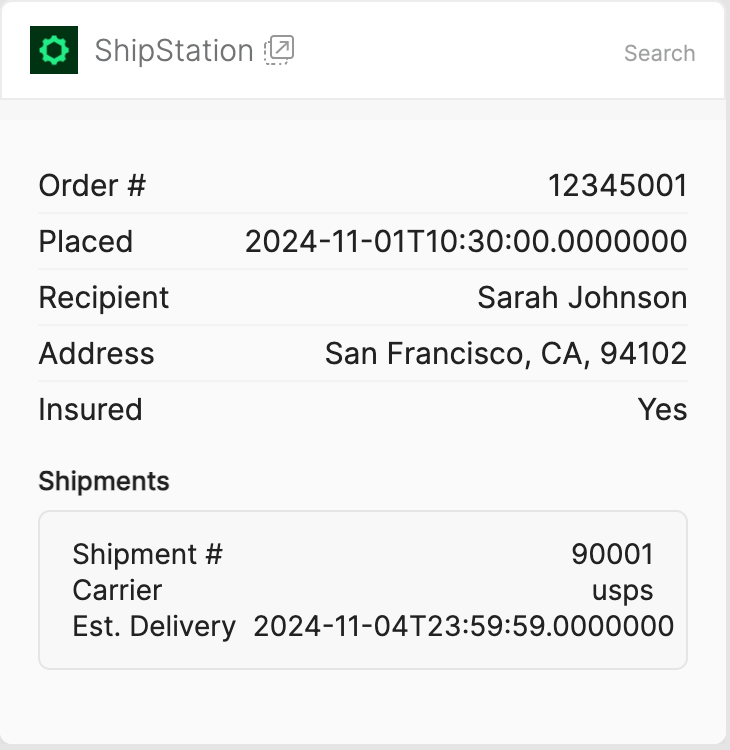
All shipments for an order are organized within the order’s details, making it easy to understand the full shipping context at a glance.
For a given order ID, agents can see:
- Order placed date
- Recipient name
- Delivery address
- Insurance status
Shipment Details
Each shipment under an order displays the carrier handling the shipment
Disabling the Integration
You can disable the ShipStation integration at any time:
- Go to Apps → E-commerce → ShipStation
- Click Disable Integration
Disabling the integration removes ShipStation data from ticket views but does not affect your ShipStation account. You can re-enable the integration later from the same page.

