Asset Panda is a customizable asset management platform that helps organizations track and manage various types of assets.
The HappyFox Help Desk + Asset Panda integration enables a one-way sync from Asset Panda to HappyFox, importing assets as read-only, managed entities. This allows agents to associate tickets and contacts with relevant asset information to streamline support workflows.
Applicable Plans: ✔ Pro ✔ Enterprise Pro ✔ All Unlimited agents plan
Key Capabilities:
- Sync Devices from Asset Panda: Devices tracked in Asset Panda are automatically synchronized into HappyFox Help Desk to ensure consistent and up-to-date asset information.
- Associate Tickets with Devices: Tickets in HappyFox can be linked to specific devices imported from Asset Panda, providing context for faster and more accurate resolutions.
- Associate Contacts with Devices: Contacts can be linked to an asset, enabling agents to view ownership and streamline communication.
How to Integrate Asset Panda with HappyFox:
Step 1: Install the App
- Log in to your HappyFox Help Desk account.
- Navigate to Apps → All Apps → Asset Panda.
- Click Install below the Asset Panda logo.
Step 2: Authenticate Your Account
- Under Integrate your Asset Panda account, provide (Asset Panda Email & Password):
- Password
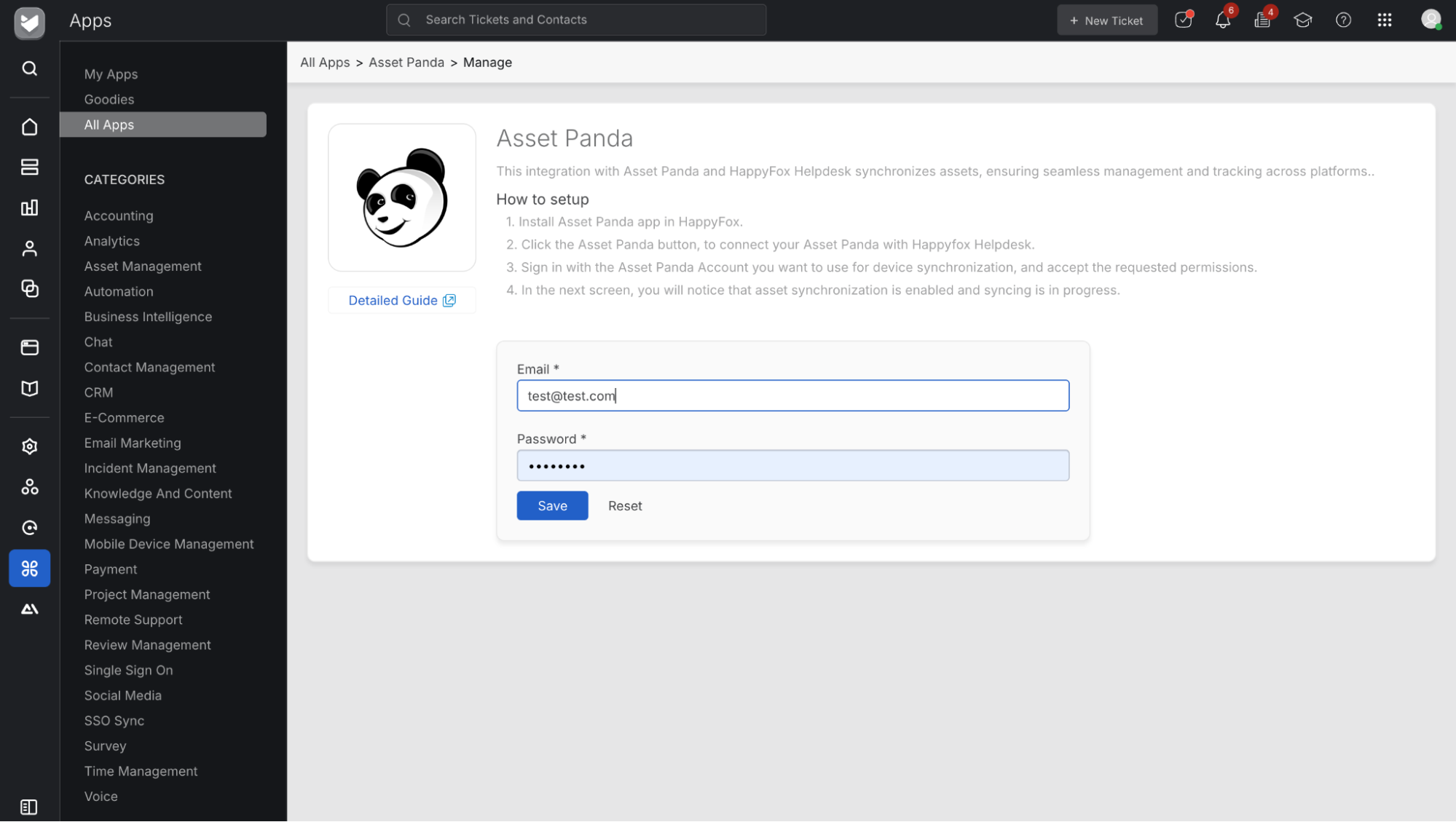
- Click Save to authenticate.
Step 3: Configure Asset Mapping:
- After authentication, a configuration dialog will appear.
- Select:
- Asset Group: Choose the group in Asset Panda you wish to sync.
- Asset Name Field: Field that holds the asset name.
- Unique ID Field: Field containing a unique identifier for each asset.
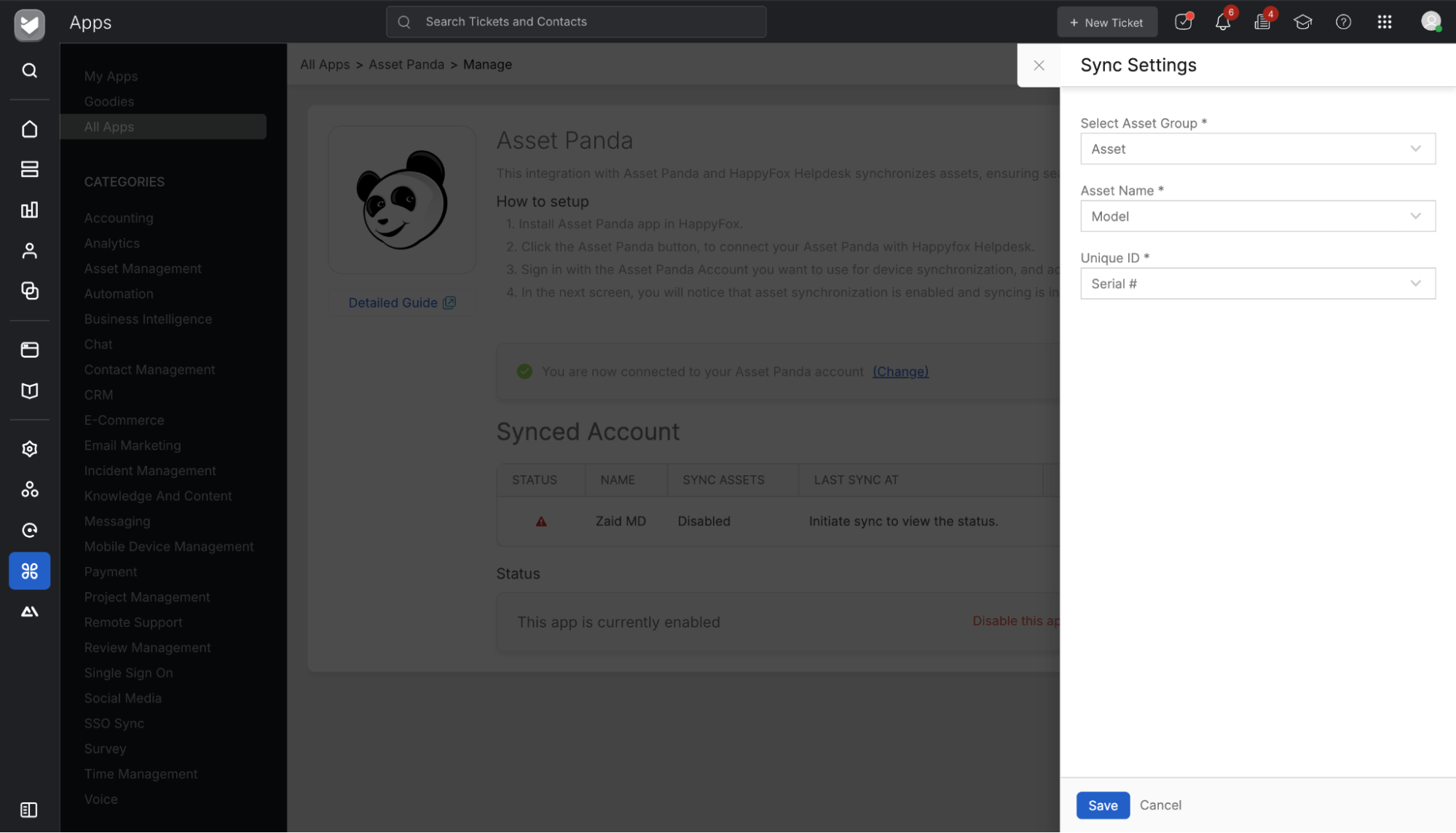
Note: Only one Asset Panda group can be synced per integration. If the Unique ID field contains duplicate values, previously synced assets will be overridden.
Managed Asset Types
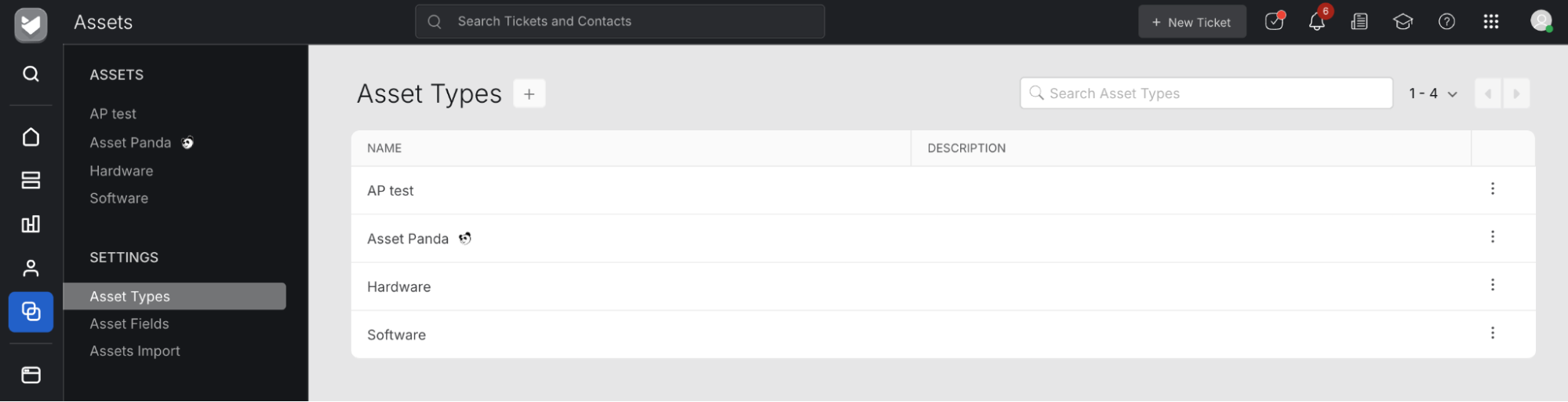
- A managed asset type will be created in HappyFox – Asset Panda
- View these under Assets → Settings → Asset Types.
- Each managed type will display an icon indicating its source.
- Managed asset types are read-only and cannot be edited or deleted.
- You may configure:
- Contact association
- Ticket association
- Asset quantity per ticket
Asset synchronization runs automatically at the end of each day.
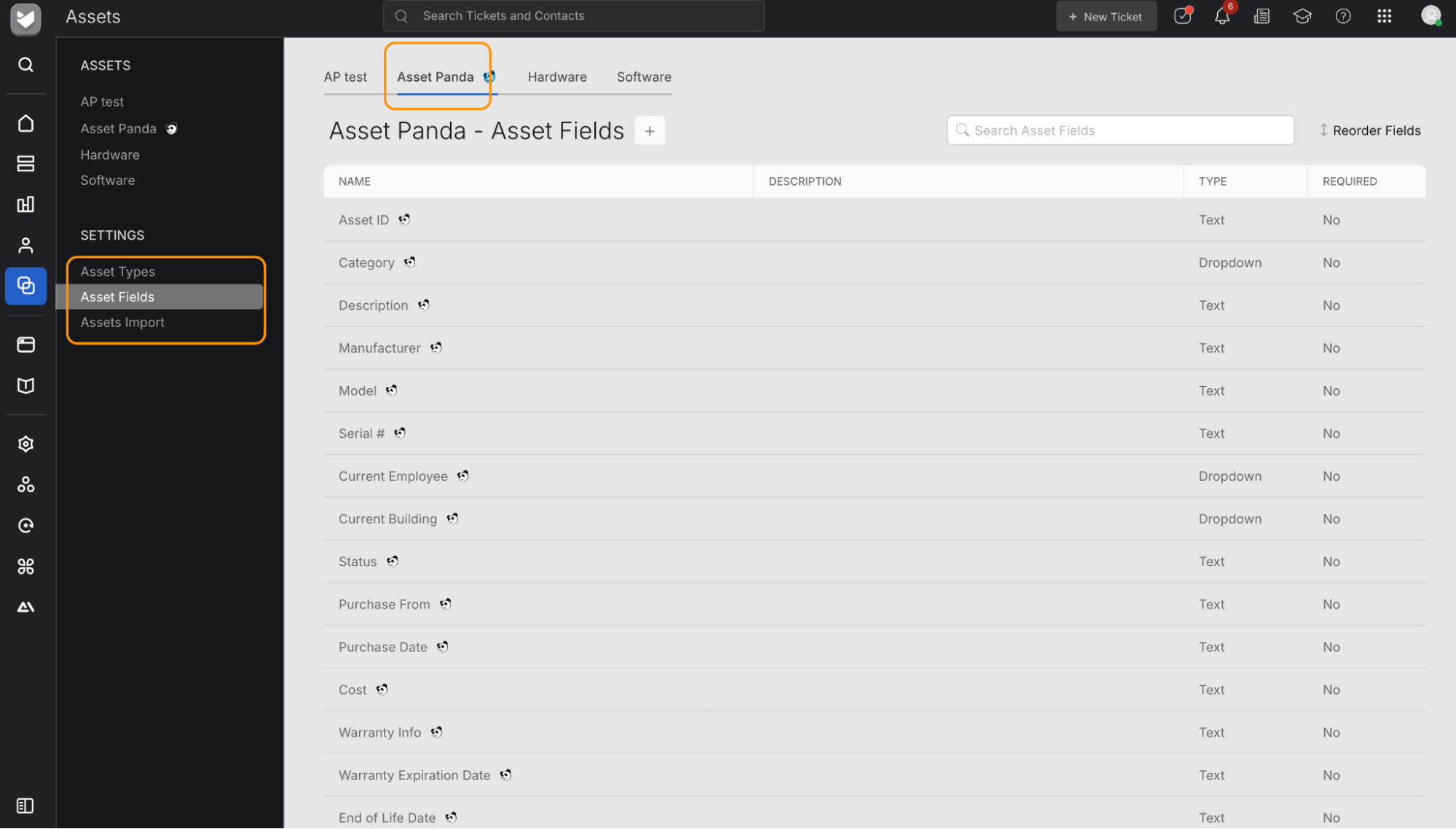
Managed Asset Fields:
- A new section called Asset Panda will be available under:
- Assets → Settings → Asset Fields
- Fields under this group are read-only and cannot be edited or deleted.
- You may:
- Add custom fields using the “+” icon beside the asset type name.
- Clone, edit, or delete any custom fields (non-managed).
Managed Assets in HappyFox:
- Synced assets appear under their respective managed asset types in the Assets module.
- Assets imported from Asset Panda display an icon that links directly to the asset detail page in Asset Panda.
- Managed assets cannot be edited or deleted.
- You may still:
- Clone managed assets.
- Manually add and manage non-synced assets.
- View:
- Assigned contacts from the right-side Contact component.
- Associated tickets from the Recent Tickets section.
Enabling or Disabling the Integration
To disable the integration:
- Go to the Asset Panda app page in HappyFox.
- Click Disable this app to stop syncing assets.

To re-enable:
- Click Enable this app under the integration status section.
Important:
Disabling or deleting the app in Asset Panda does not remove or un-sync previously imported assets from HappyFox Help Desk.