


 3407
3407
Darwinbox is a Human Resource Management System (HRMS) designed for efficient employee management and engagement. Integrating Darwinbox with HappyFox Helpdesk enables automatic synchronization of employee details to streamline operations.
Applicable Plans: ✔ Pro ✔ Enterprise Pro ✔ All Unlimited agents plan
With Darwinbox Contact Sync, you can:
-
Sync employee details from Darwinbox to HappyFox as contacts.
-
Map additional fields from Darwinbox to HappyFox as custom contact fields.
Notes:
-
Sync occurs automatically every day at 12:00 AM (based on your HappyFox account timezone).
-
Sync is also triggered whenever the configuration is saved in the Helpdesk account.
Note: This integration is currently in beta, please reach out to our support in case you face any trouble during installation.
Integration setup Prerequisites:
-
Your HappyFox agent role must have the Manage Apps permission.
Steps to Configure Darwinbox Contact Sync:
- Go to Apps > Contact Management, select Darwinbox, and click Install.
- Provide the Darwinbox Server URL, Username and Password, and API Key and Dataset Key.
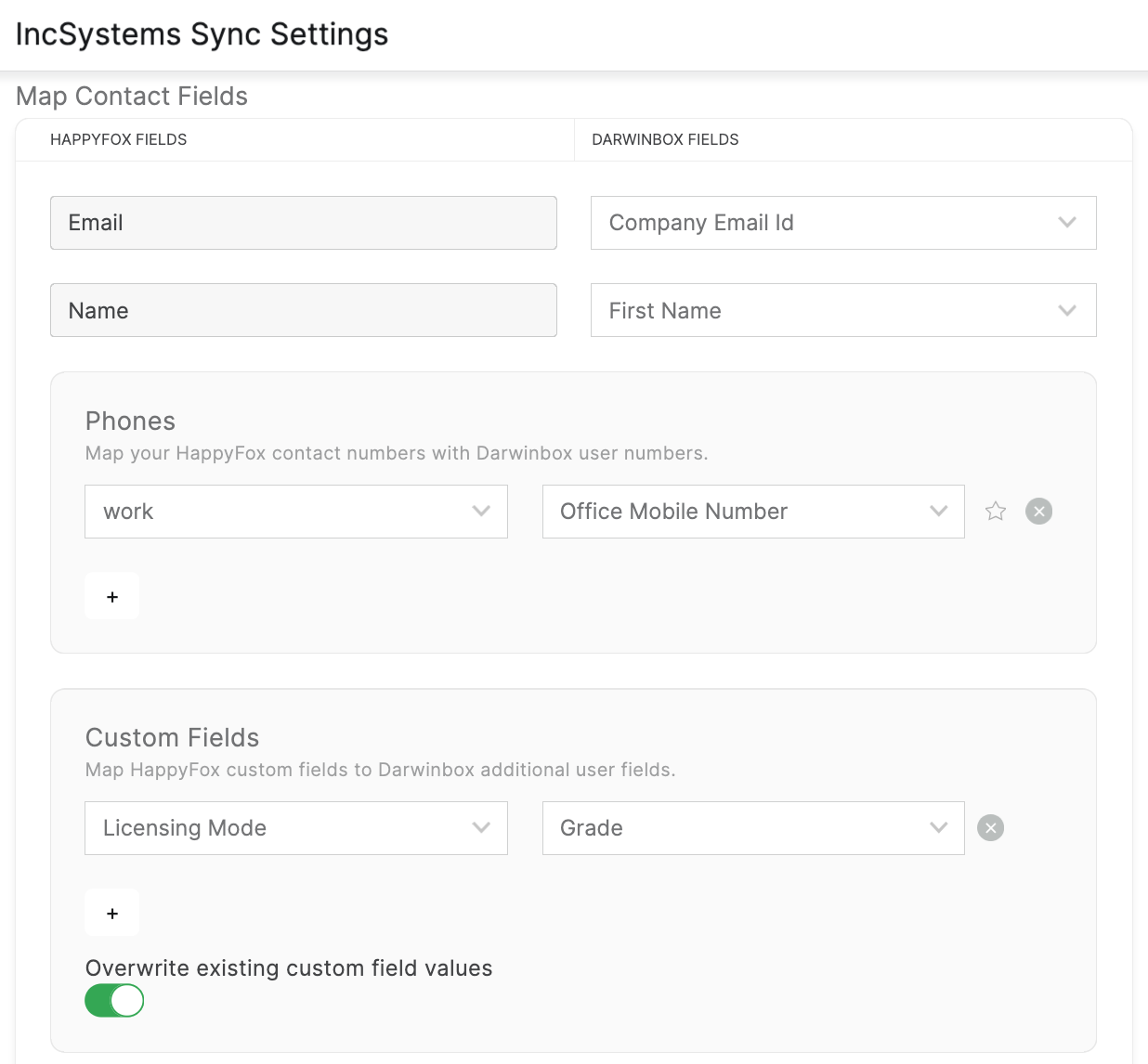
- Map Darwinbox contact fields (e.g., name, email, phone) to HappyFox contact fields.
- Map Darwinbox fields to HappyFox custom fields.
-
Enable or disable overwriting of existing custom field values during sync. When enabled, HappyFox custom fields will be updated with values from Darwinbox if there is a difference.
-
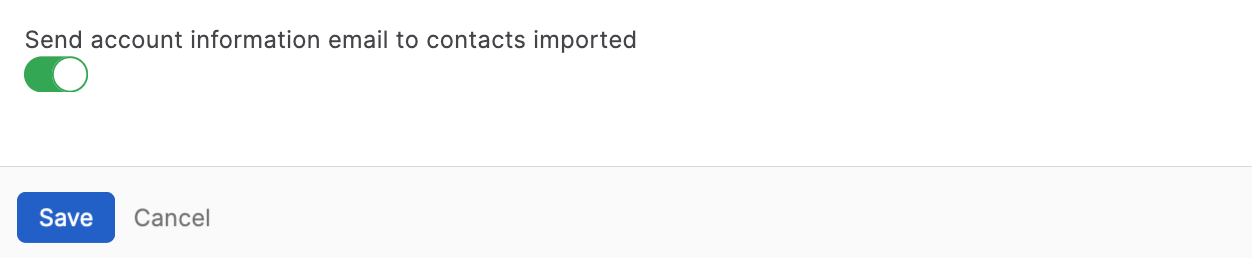
Enable or disable Send account information email to contacts imported synchronization.
-
Click Save.
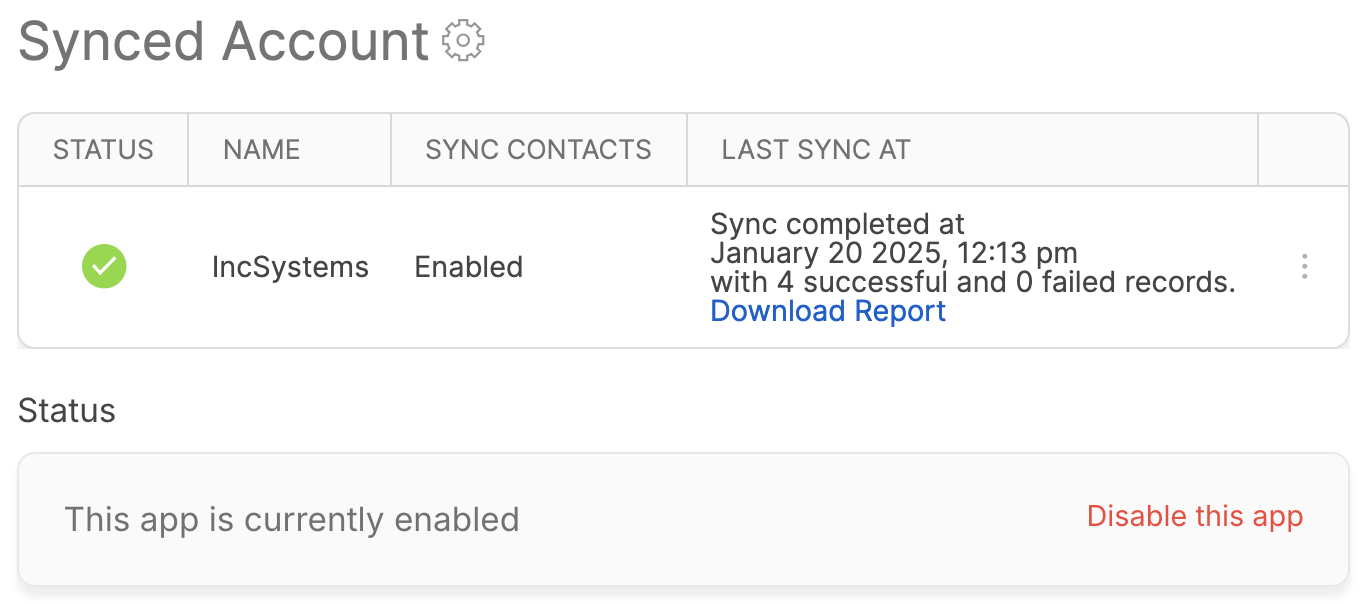
After each sync, you can view:
-
Timestamp: Date and time of the sync.
-
Record Counts: Number of successfully synced and failed records.
-
Error Log: A downloadable CSV file listing errors for failed syncs.
CSV Log Details:
-
Email: The unique email of the contact.
-
Type:
-
Existing: Updated an existing HappyFox contact.
-
New: Added a new HappyFox contact.
-
-
Sync Status: Success or Failure.
-
Result: Contact synced successfully
-
Error Details: Reason for failure (e.g., datatype mismatch, empty required fields).
Note: Only the latest sync log is available for download.
Accessing Synced Contacts:
-
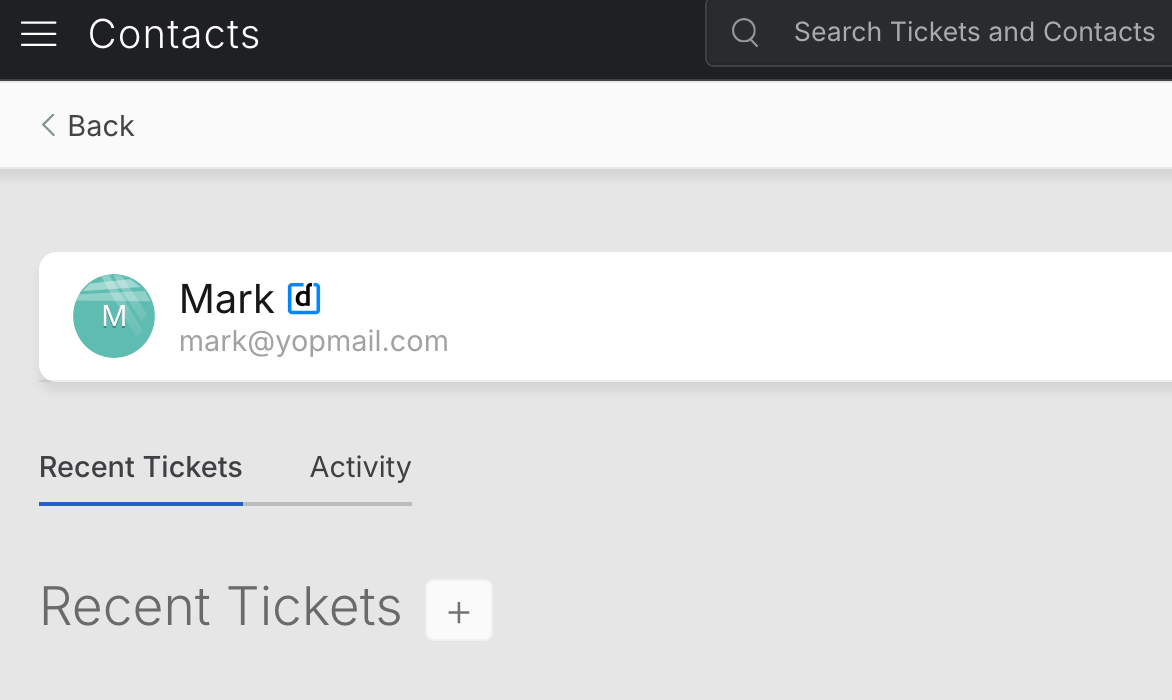
Synced Darwinbox contacts can be accessed from the Contacts module in HappyFox. Clicking the Darwinbox icon next to a contact will redirect you to the contact's detail page in Darwinbox.
Frequently Asked Questions:
-
Does the sync work both ways?
No, this is a one-way sync. Changes made in Darwinbox are reflected in HappyFox, but not vice versa.
-
Will deleting contacts in Darwinbox remove them from HappyFox?
No, deleted contacts in Darwinbox are not removed in HappyFox.
-
Are updates to Darwinbox fields reflected in HappyFox?
Yes, if the overwrite toggle is enabled, changes in Darwinbox fields are updated in HappyFox during the next sync.
-
How can I delete or disable the sync account?
To delete or disable the sync account, click on the menu next to Last Sync At and select Delete or Disable.
-
How can I access the configuration form to change the sync settings?
Click on the settings gear icon next to "Synced Account" to access the configuration form and update the sync settings.
-
How do I disable the Darwinbox integration?
To disable the integration, click "Disable this app" on the Darwinbox Integration page. If disabled, the synced contacts will not be removed from the Helpdesk account.

