If your users/contacts or agents are not receiving emails from ticket replies or system automations (such as Smart Rules), follow the troubleshooting steps below.
Note: Executing the steps in this article requires an agent role with permissions to Manage Channels, Manage Notifications, and Manage Categories.
Prerequisites & Initial Check
1. Verify Category Notification Settings
2. Go to Main Menu > Manage > Notifications.
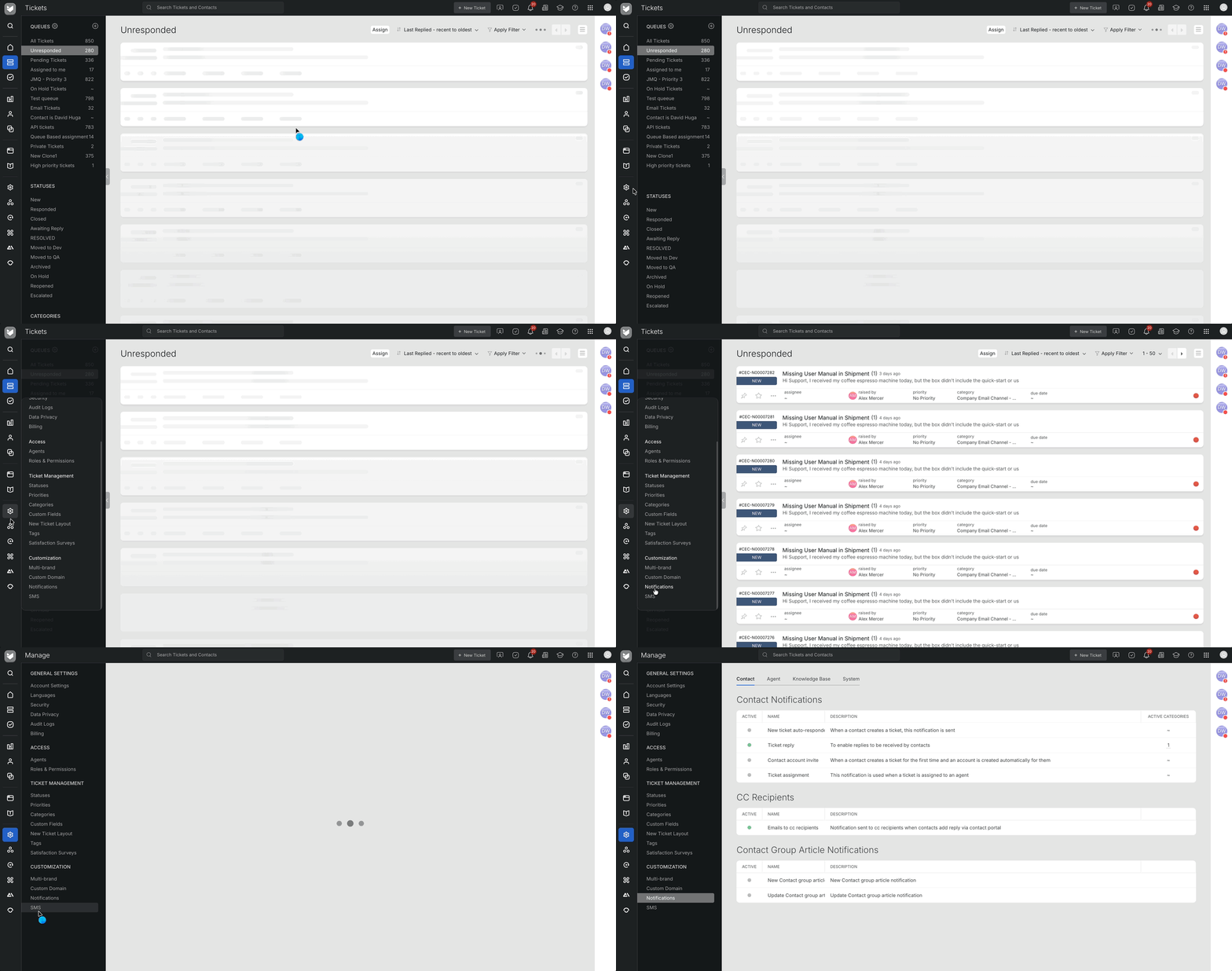
3. You can also press Ctrl + K to search Contact Notifications/Agent Notifications
4. Go to Contact tab > Ticket Reply for Contact Notifications. Agent > Agent new reply for Agent Notifications
5. Ensure the toggle is enabled for the specific category of the ticket.
Confirm the Outgoing Email Channel Address [For Contact Notifications]
-
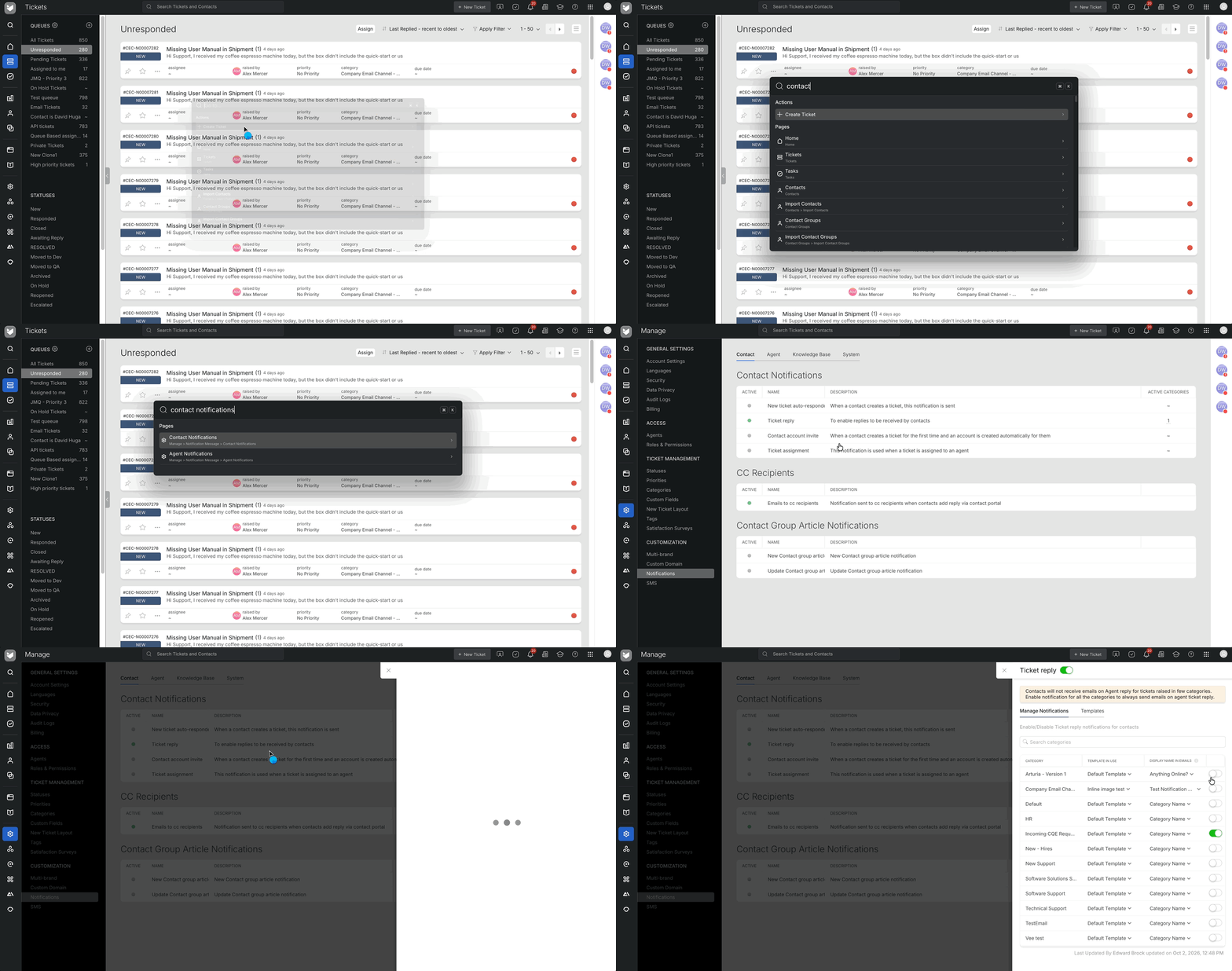
Main Menu > Manage > Categories.
-
Click to open the category associated with the ticket.
-
Check the Outgoing Email Channel to identify the exact sender address used for notifications from this category.
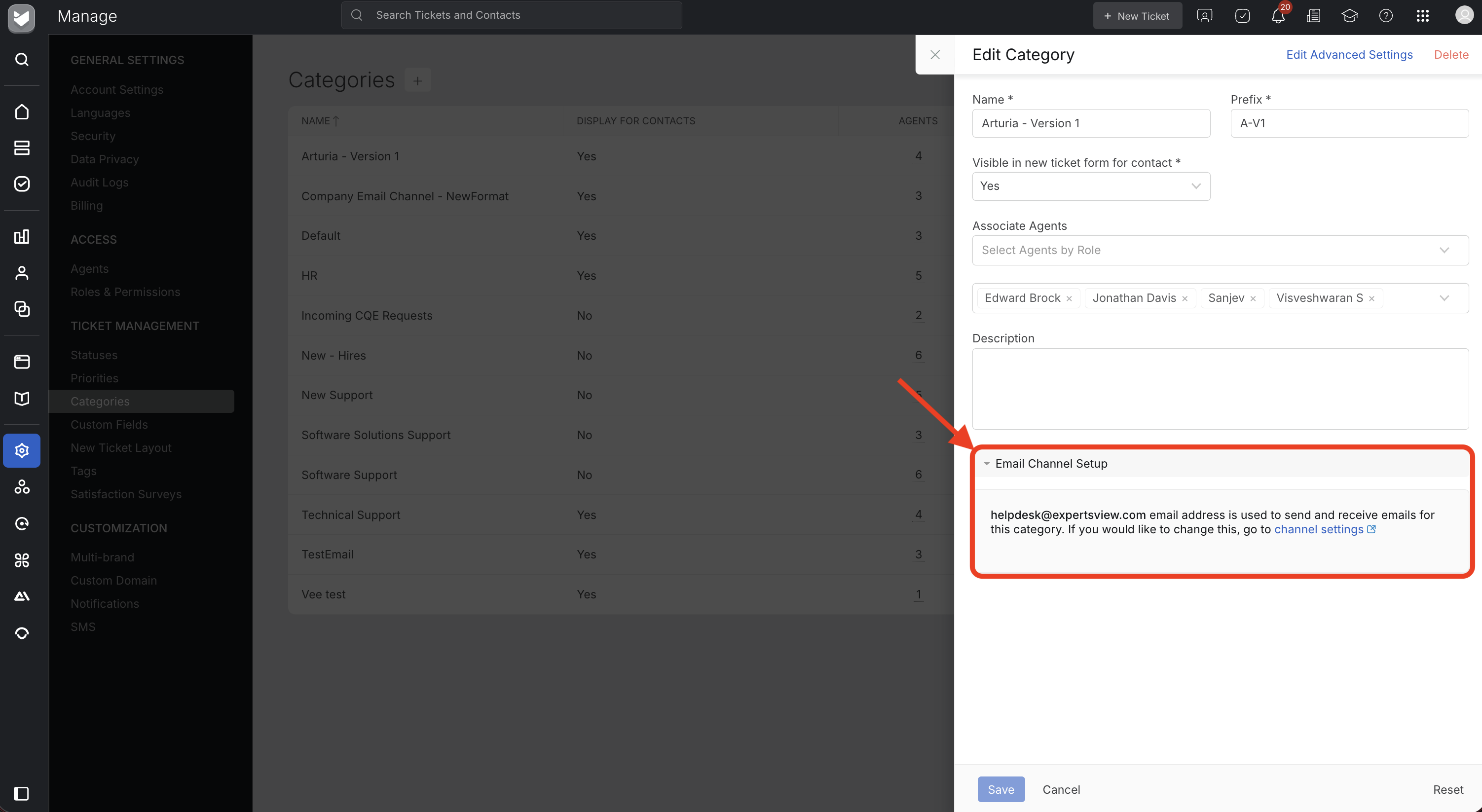
Search your email gateway or mail server logs specifically for this sender address.
Confirm the Outgoing Email Channel Address [For Agent Notifications]
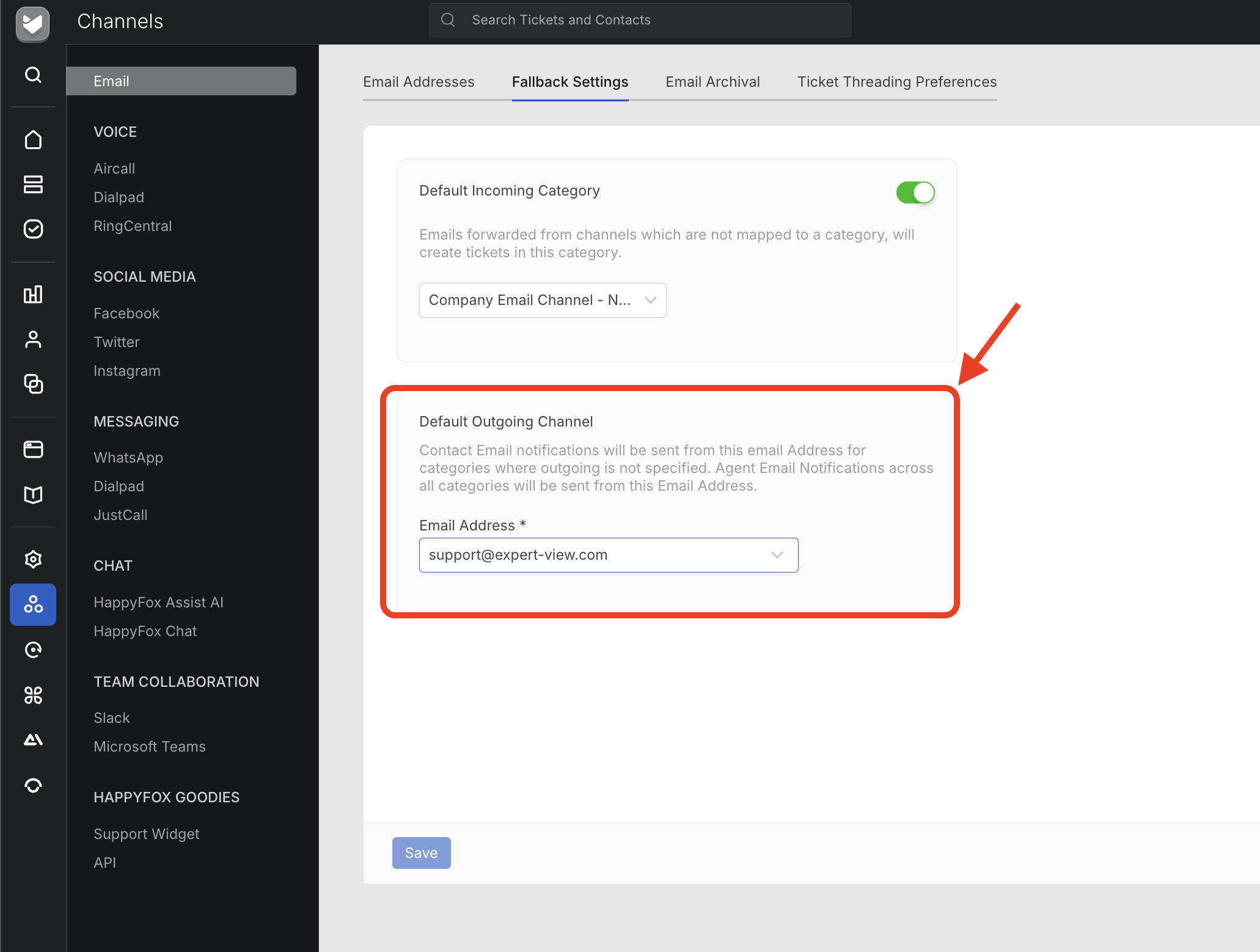
Note: Fallback Settings are editable only by the account administrator/account owner.
Still Having Issues?
If the reply notifications are enabled, the outgoing channel is correct, and the recipient is outside your domain but still not receiving emails, contact support for further investigation.
-
Email: [email protected]
-
Information to include:
-
Ticket ID
-
Recipient Email Address
-