The Zendesk integration with HappyFox Workflows allows your support operations to seamlessly interact with your Zendesk account — enabling automated ticket management, user and organization updates, internal notes, and more. Whether it's creating tickets, applying macros, or syncing user data, this integration helps centralize and automate your support processes across platforms.
Applicable Plans: ✔️ Basic ✔️ Team ✔️ Pro ✔️ Enterprise
Actions:
|
|
|
|
|
|
|
|
|
|
|
|
|
|
|
|
Prerequisites:
Plan:
-
Supported on all HappyFox plans.
-
Supported on all Zendesk plans.
Note: Team plans have API usage limits. Higher plan users can increase limits by purchasing API add-ons from Zendesk.
Permissions:
-
You must be an Admin in HappyFox to install and configure apps.
-
Your Zendesk user must have Admin access with API token access enabled.
Use Case:
-
Create or update Zendesk tickets automatically based on triggers from other apps (e.g., CRM, forms, monitoring tools).
-
Sync user and organization data between Zendesk and external systems like Salesforce, HubSpot, or Google Sheets.
-
Automate follow-ups like sending surveys or notifying teams after ticket updates.
Setting Up the Integration:
Step 1: Get Your Zendesk API Key
-
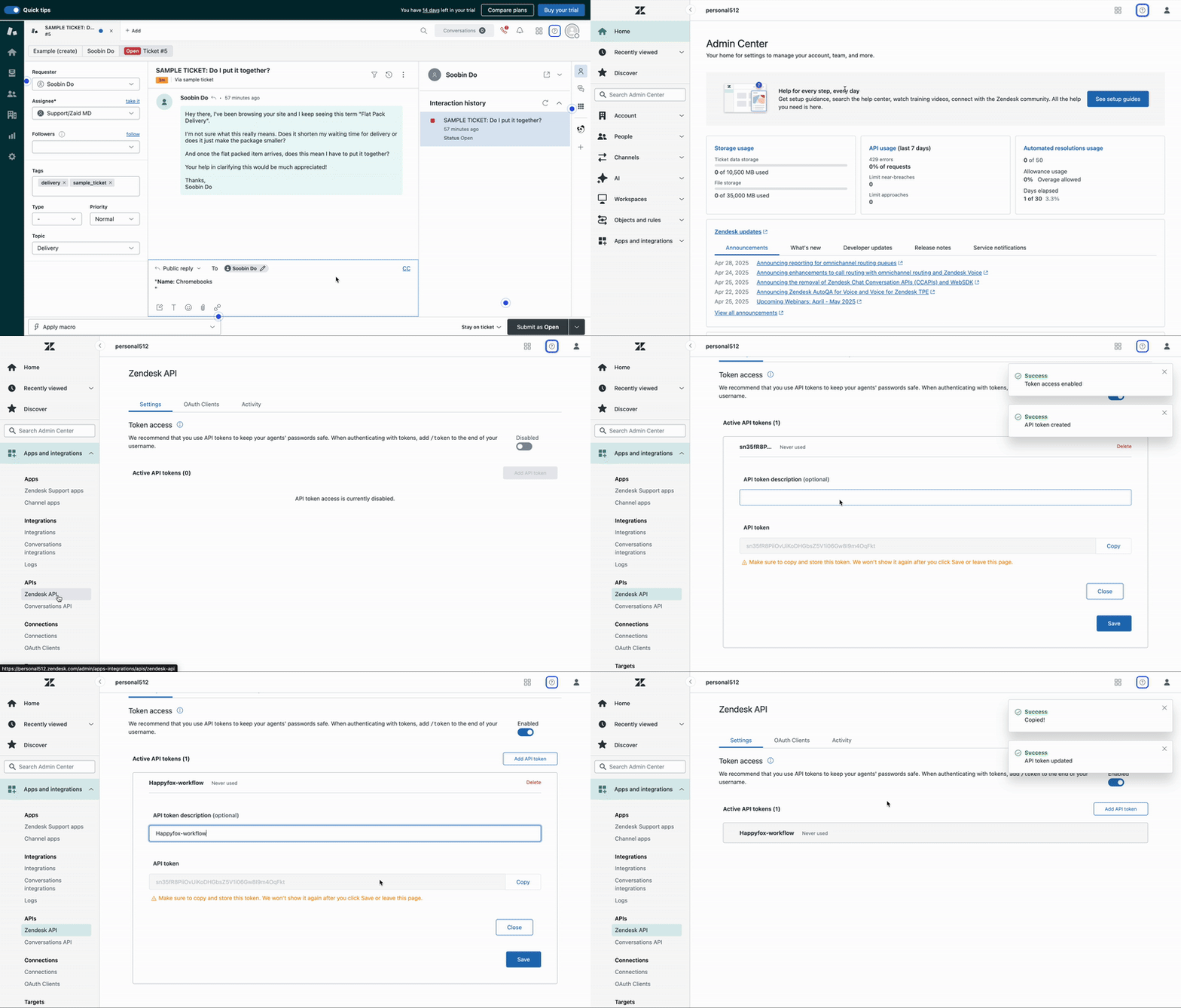
Log in to your Zendesk account and go to the Admin Center by clicking on the four-box grid icon
-
Select "Apps and Integrations" from the sidebar.
-
Navigate to Zendesk API and enable Token Access.
-
Generate a new API token and copy it. This will be used during HappyFox integration.
Step 2: Add Zendesk to HappyFox Workflows
-
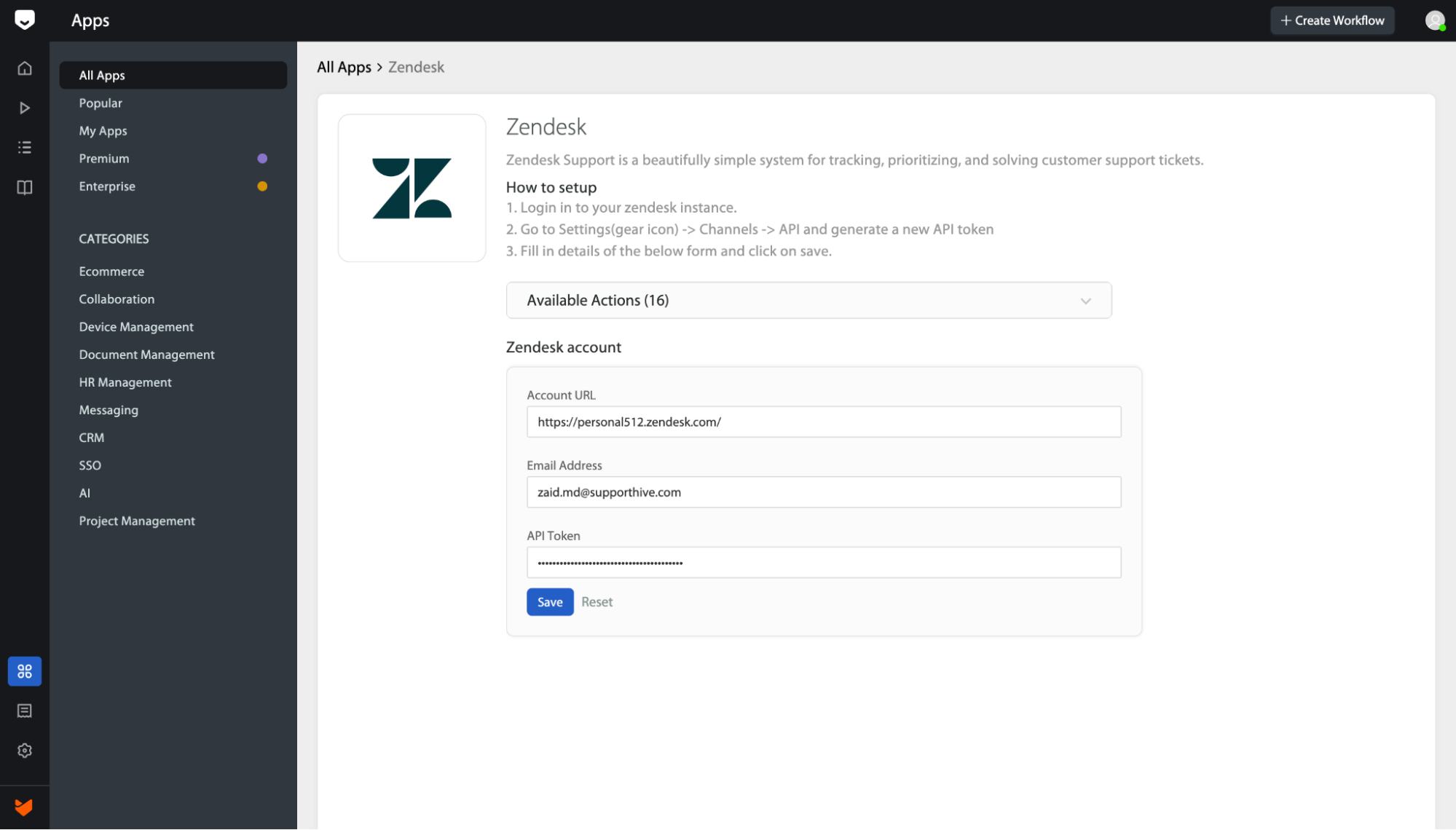
In HappyFox Workflows, go to the Apps section.
-
Search for Zendesk and click to open the integration.
-
Paste the following details:
-
Zendesk API Key
-
Zendesk Account URL (e.g., https://yourcompany.zendesk.com)
-
Your Zendesk Email address
-
- Click Save to complete the integration.
Once saved, Zendesk actions will be available to configure within your workflows.
Frequently Asked Questions:
- I'm getting an error saying "Authentication failed" after entering the API key.
Double-check your Zendesk API token and ensure your email address and subdomain are correct. Also, make sure token-based API access is enabled in your Zendesk settings.
- Is Zendesk’s rate limit an issue?
Zendesk’s API rate limits apply, especially on basic plans. For high-volume use cases, consider upgrading your Zendesk plan or contacting Zendesk to purchase additional API call bundles.