The Slack integration with HappyFox Workflows enables real-time communication by automatically sending messages to Slack users or channels based on ticket updates or conditions in your workflow. This ensures important updates, escalations, or alerts are never missed and your team stays aligned without leaving Slack.
Applicable Plans: ✔️ Basic ✔️ Team ✔️ Pro ✔️ Enterprise
Actions:
-
Send Direct Message
-
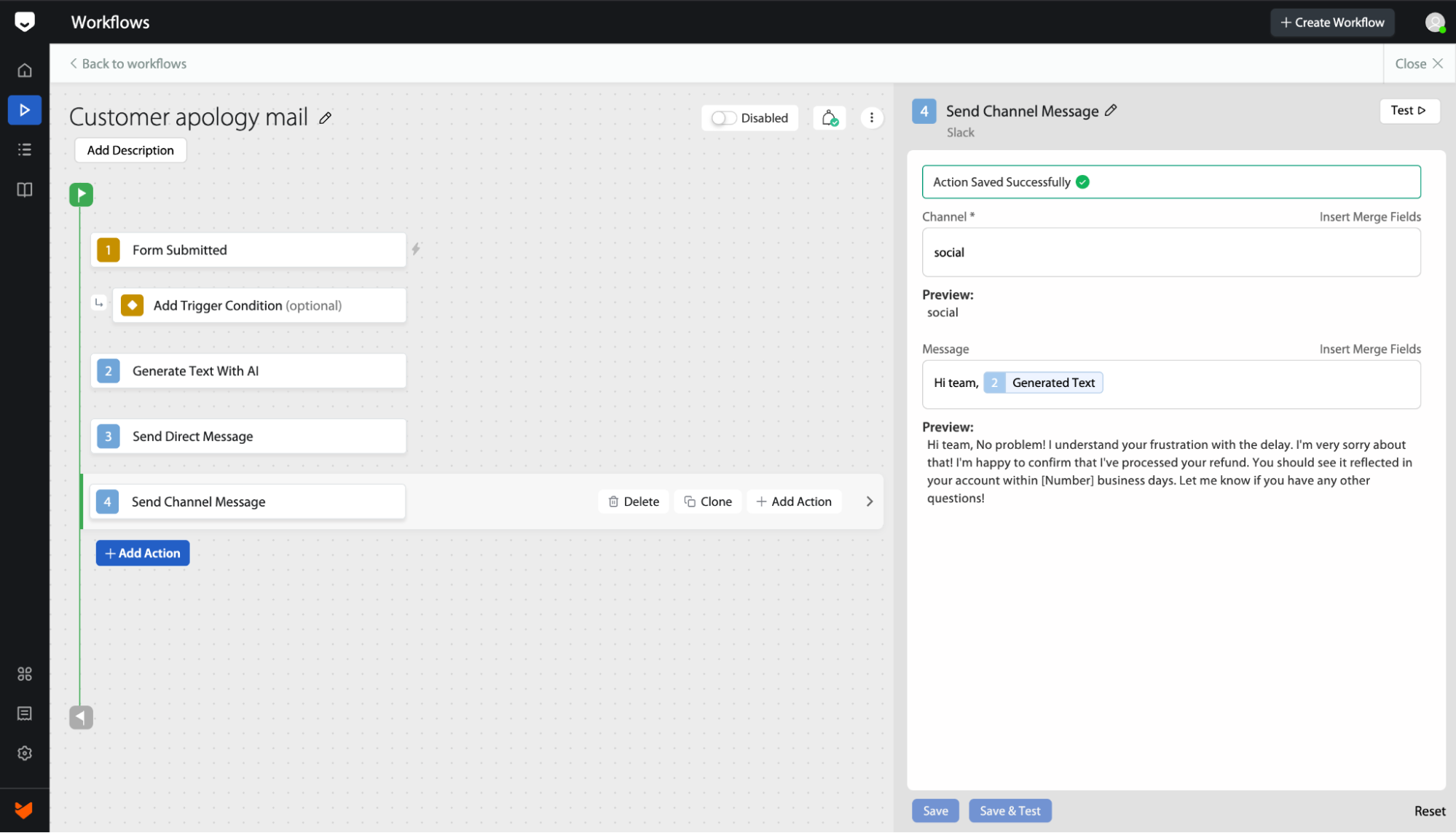
Send Channel Message
Prerequisites:
Plan:
-
Supported on all HappyFox and Slack plans.
Permissions:
-
Any logged-in user can install the app, but depending on Slack workspace settings, admin approval might be required for app installation.
Use Case:
The Slack integration is ideal for:
- Urgent ticket alerts: Automatically notify an agent or team lead via DM when a high-priority ticket is created or updated.
- Escalation summaries: Post a ticket summary to a manager’s DM or a specific channel when a ticket is escalated.
- Internal updates: Send direct messages to stakeholders when specific workflows are triggered (e.g., cancellation requests, SLA breaches).
Setting Up the Integration:
-
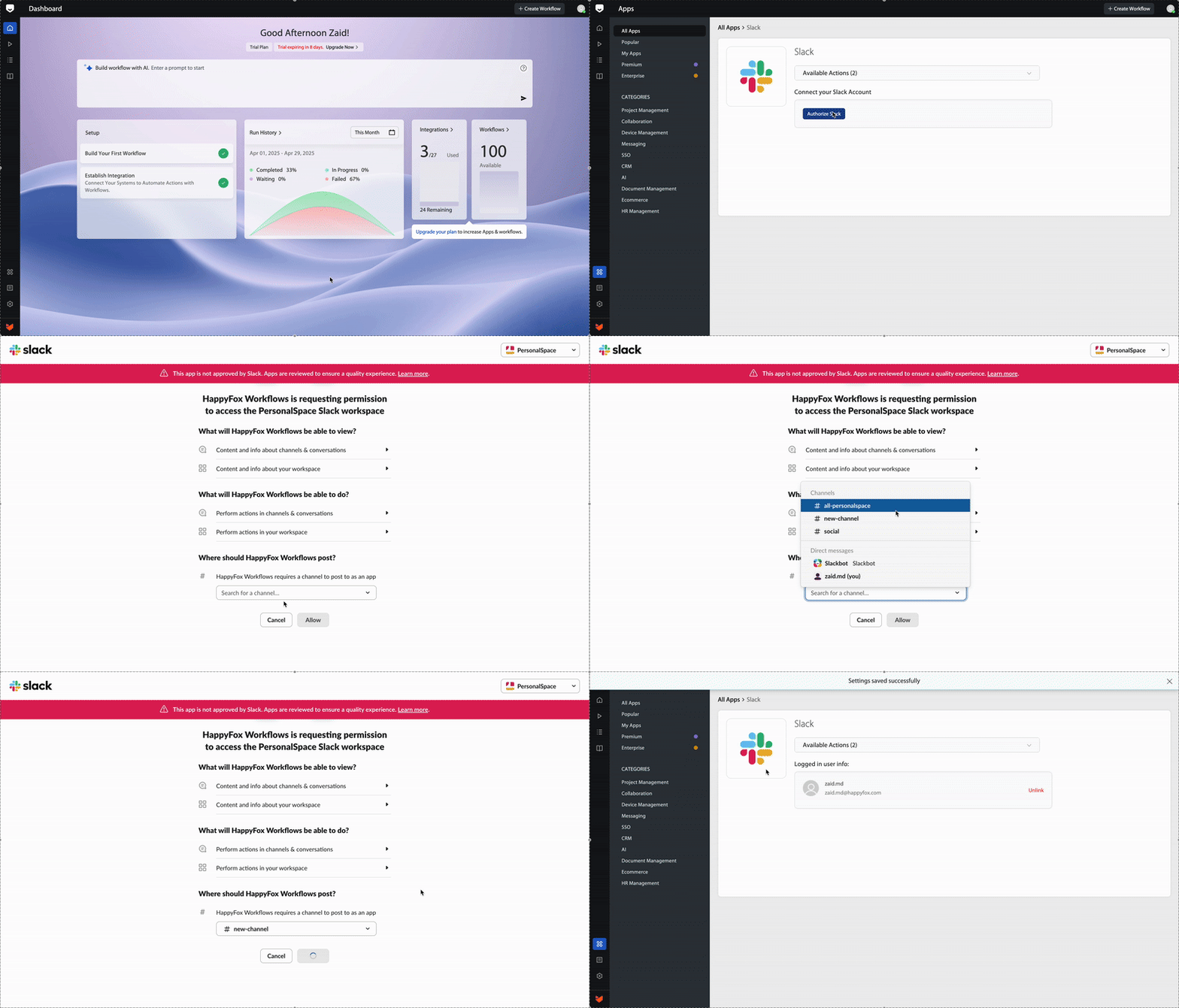
Ensure both Slack and HappyFox Workflows are logged in using the same browser session.
-
In HappyFox Workflows, navigate to App Store → Search for Slack → Install App.
-
You will be redirected to the Slack authorization page.
-
Choose the Slack workspace and approve permissions.
-
Select a default channel — this can be changed later.
Note: If you're not a Slack workspace admin, an approval request will be sent to your admin during installation.
How to send messages with Slack:
Sending Direct Messages
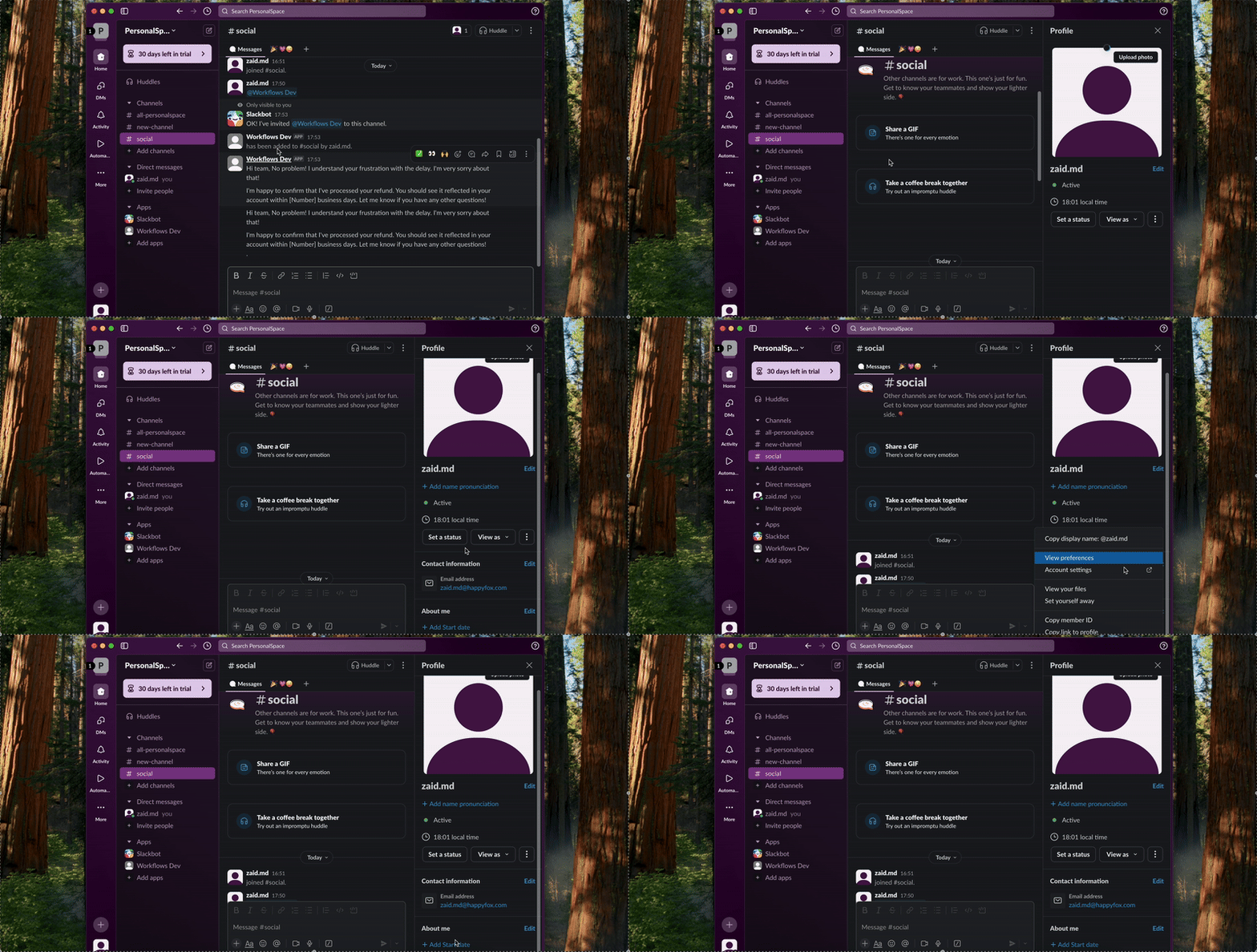
To send a DM to a Slack user, you’ll need their Slack Member ID.
How to find it
- Open the user’s profile → Click on the three-dot menu → Click Copy member ID.
-
Bulk Option: You can also download member IDs in bulk by following Slack’s official guide.
Once you have the member ID, configure your workflow to use the Send Direct Message action and specify the recipient and message body.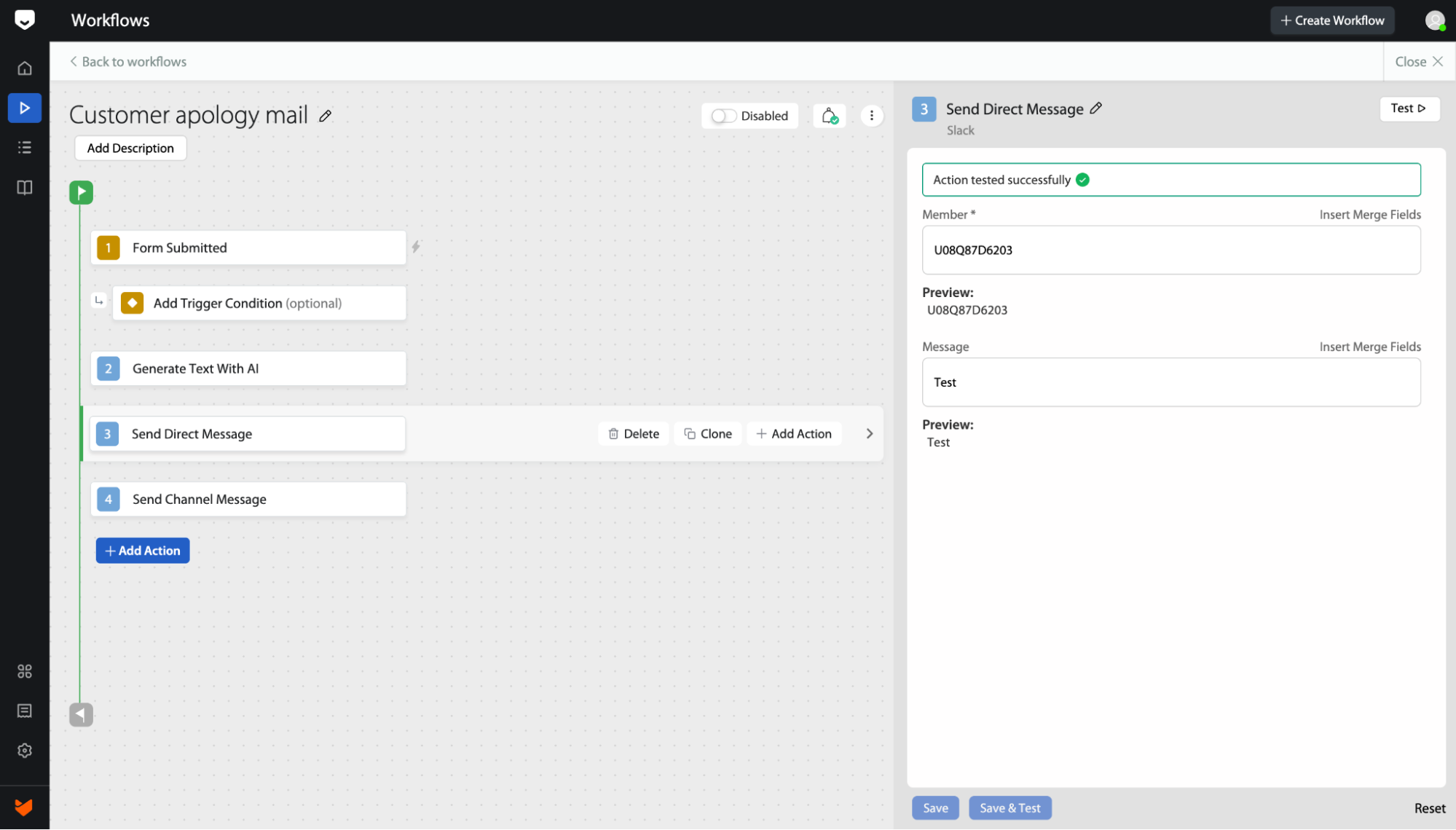
Sending Channel Messages:
To send messages to a Slack channel:
- Ensure the Workflows Dev bot (created by the integration) is installed in the desired Slack channel.
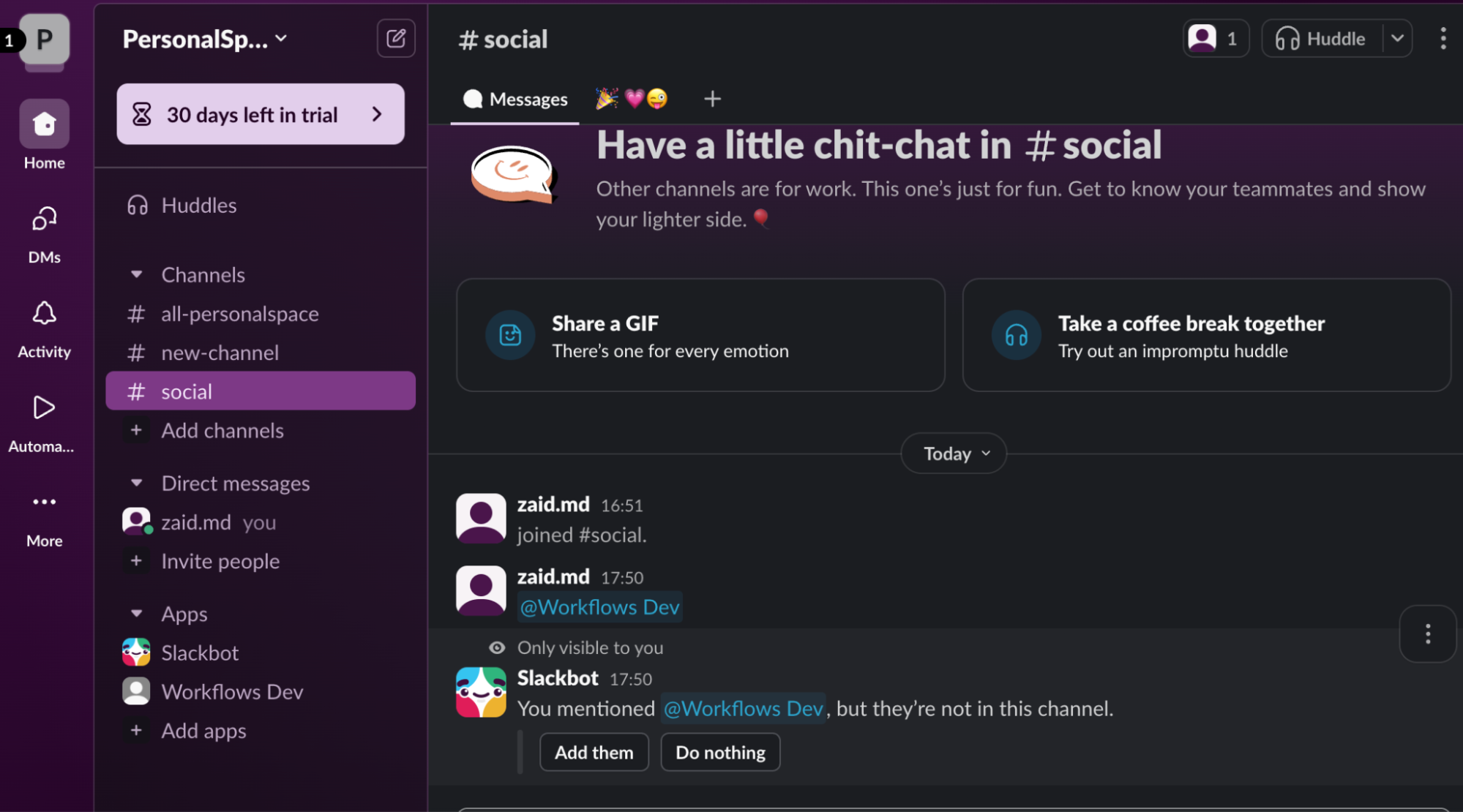
- Open the Slack channel → Type @workflows dev and hit Enter → Add the bot to the channel when prompted
Once added, copy the channel name (e.g., support-alerts without the #) and use it in the Send Channel Message action in your workflow setup.
Frequently Asked Questions:
- I’m getting Bot has not been added to the channel error
This means the bot has not been invited to the target channel. Refer to the Sending Channel Messages section above and ensure @workflows dev is added to the channel.
- I’m not able to install the app. It says Request to Install the app.
This occurs when your Slack workspace requires admin approval for app installations. You can click on the Request Approval button and proceed once your admin approves it.
- I can’t find Workflows Dev in Slack.
The app might not show up until you send a message using the workflow. Create a test workflow to send a DM — this should activate the app and make it visible in your Slack app list.