BambooHR Contact Sync allows you to automatically sync your BambooHR employee data with HappyFox Help Desk. This ensures your help desk contact database is always up-to-date with your organization’s employee directory.
HappyFox’s BambooHR Contact Sync integration lets you automatically:
-
Sync employee data from BambooHR to HappyFox as contacts.
-
Map additional fields from BambooHR to HappyFox as custom contact fields.
Note:
-
The sync is performed automatically every day at 12:00 AM (based on your HappyFox account timezone).
-
Sync is triggered every time the configuration is saved.
Applicable Plans: ✔ Pro ✔ Enterprise Pro ✔ All Unlimited agents plan
Integration Setup Prerequisites:
-
Your HappyFox agent role must have the Manage Apps permission.
-
Ensure you have your BambooHR URL and API Key ready.
How to Generate an API Key in Bamboo HR:
-
Click on the Profile Picture (My Account) at the bottom left.
-
Select API Key from the menu.
-
Click Add New Key.
-
Enter a name for the key.
-
Click Generate Key.
-
Copy the generated key for future use.
Steps to Configure BambooHR Contact Sync:
-
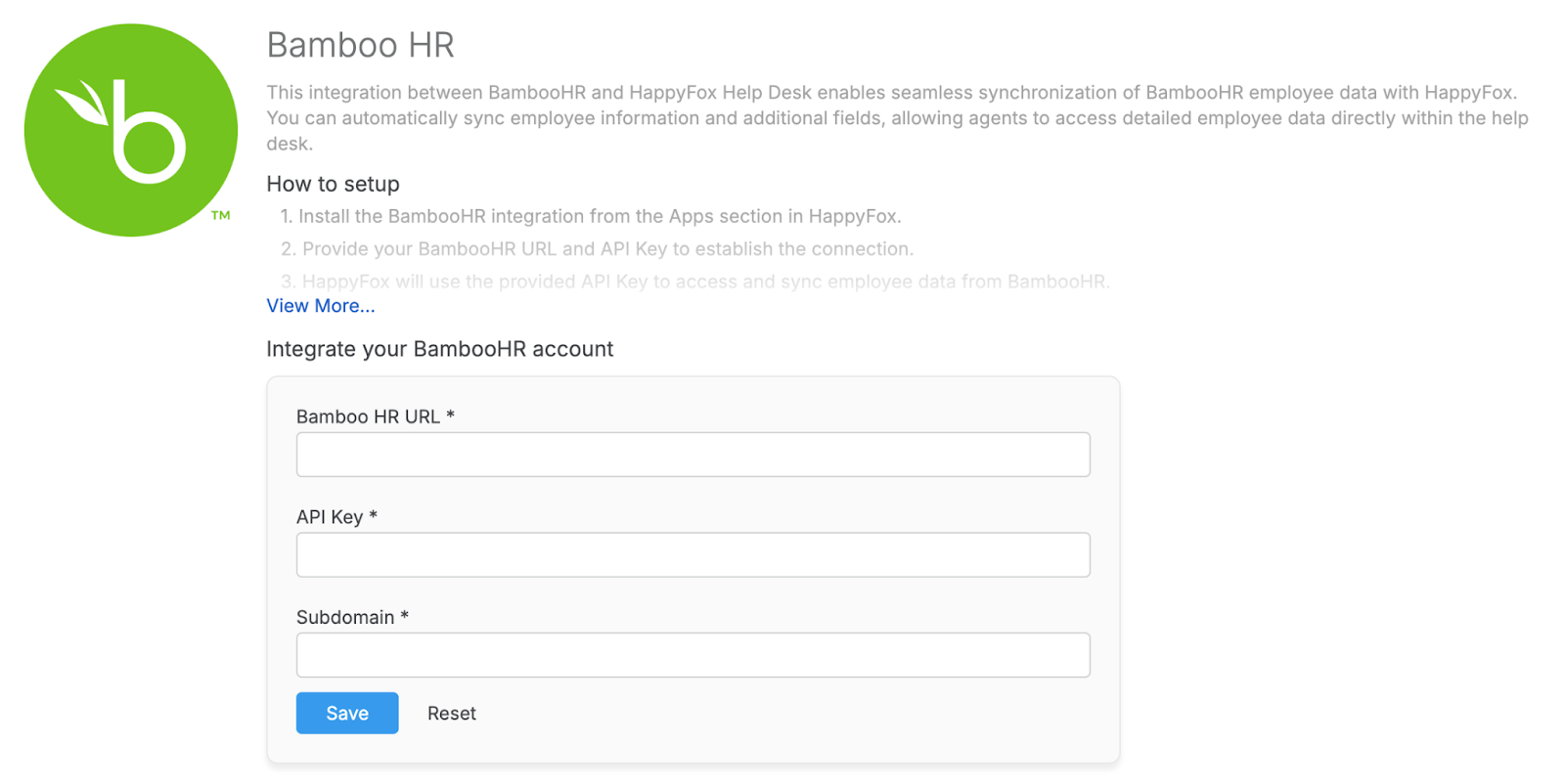
Go to Apps > Contact Management and select BambooHR > Install.
-
Enter your BambooHR URL and API Key to establish the connection.
-
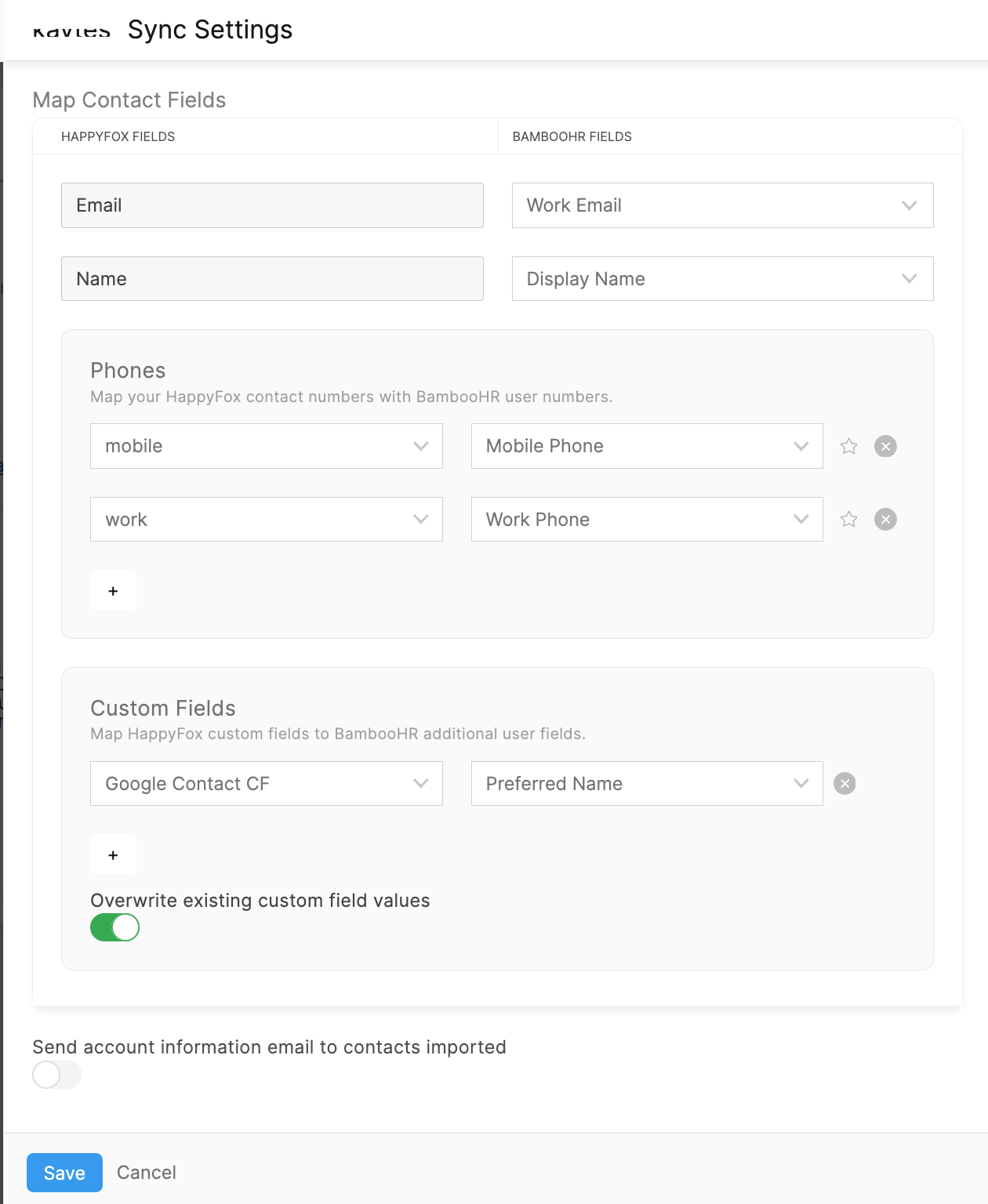
Map BambooHR contact fields (e.g., name, email, phone) to HappyFox contact fields.
-
Map BambooHR fields to HappyFox custom contact fields (if required).
-
Enable or disable overwriting of existing custom field values during sync. When enabled, HappyFox custom fields will be updated with values from BambooHR if there is a difference.
-
Click Save.
After Each Sync, You Can View:
-
Timestamp: Date and time of the sync.
-
Record Counts: Number of successfully synced and failed records.
-
Error Log: A downloadable CSV file listing errors for failed syncs.
CSV Log Details:
-
Email: The unique email of the contact.
-
Type:
-
Existing: Updated an existing HappyFox contact.
-
New: Added a new HappyFox contact.
-
-
Sync Status: Success or Failure.
-
Error Details: Reason for failure (e.g., datatype mismatch, empty required fields).
Accessing Synced Contacts:
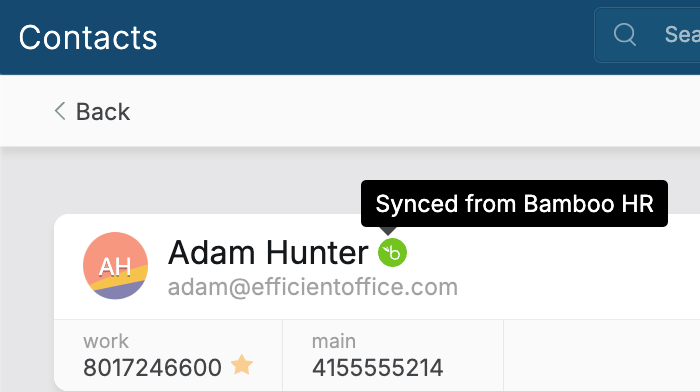
Synced BambooHR contacts can be accessed from the Contacts module in HappyFox. Clicking the BambooHR icon next to a contact will redirect you to the contact's detail page in BambooHR.
Frequently Asked Questions:
-
Does the sync work both ways?
No, this is a one-way sync. Changes made in BambooHR are reflected in HappyFox, but not vice versa.
-
Will deleting employees in BambooHR remove them from HappyFox?
No, deleted employees in BambooHR are not removed in HappyFox.
- Are updates to BambooHR fields reflected in HappyFox?
Yes, if the overwrite toggle is enabled, changes in BambooHR fields are updated in HappyFox during the next sync.
- How can I delete or disable the sync account?
To delete or disable the sync account, click on the menu next to Last Sync At and select Delete or Disable.
- How can I access the configuration form to change the sync settings?
Click on the settings gear icon next to Synced Account to access the configuration form and update the sync settings.