


Fix Unexpected Interface Language Change

Dec 22, 2025
 369
369
If your account interface has unexpectedly changed to a different language (such as French) despite having English set as your main language, you can resolve this by updating your language settings in two places.
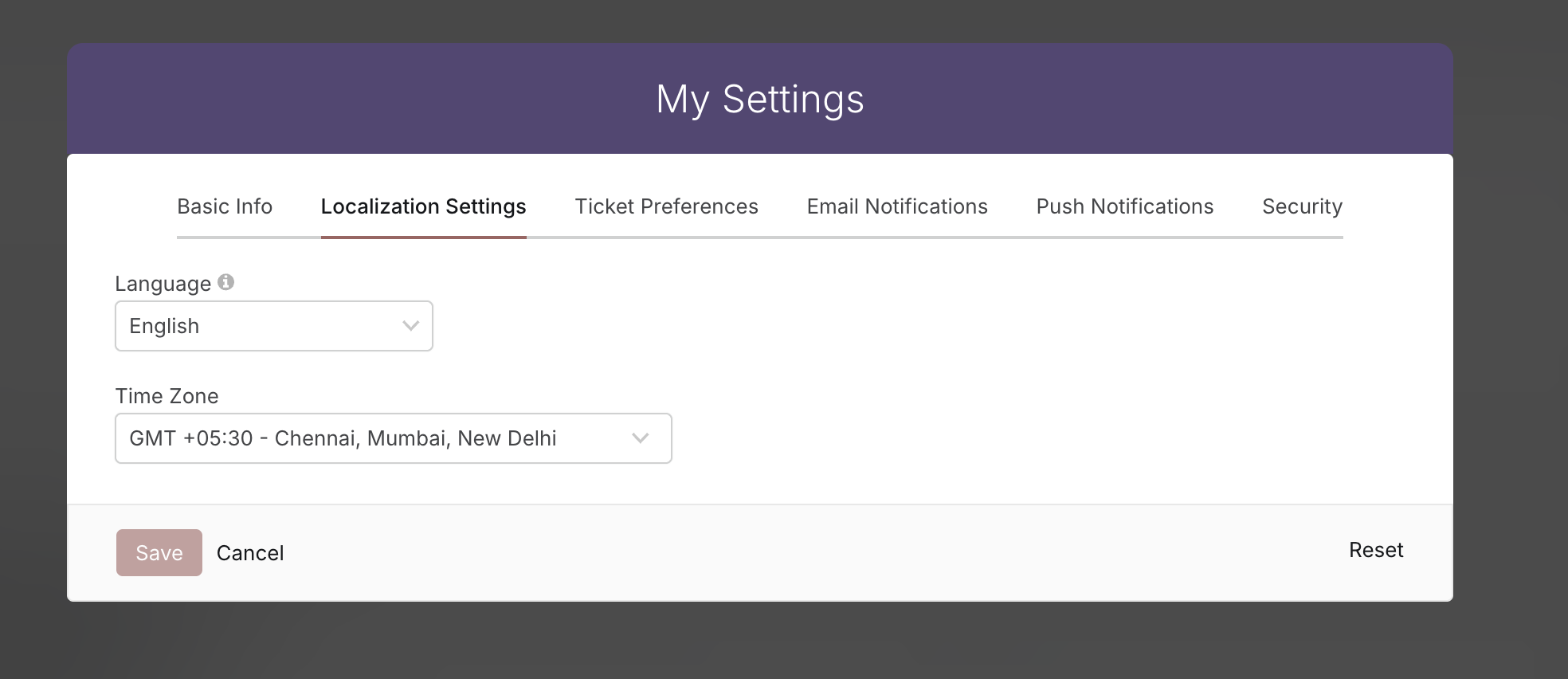
1. Personal Language Settings
- Open My Settings in your help desk
- Scroll to Localization Settings
- Set the language to English
- Save the changes
2. Account-wide Settings
(Only if you're an account admin)
- Go to Maim Menu → Manage → Account Settings → Basic
- Choose English from the language drop-down
- Click Save Settings
Important Note: Your personal language preference will always override the account-wide default, so updating your personal setting should resolve the interface language issue you're experiencing.
If the interface still appears in the incorrect language after following these steps, please contact support for further assistance.

