Contacts who access the Contact Portal can download a list of their visible tickets. This allows them to obtain a spreadsheet of their ticket history for their own records or reporting needs.
This feature is optional and can be enabled or disabled from the Support Centre Preferences as per your business needs.
Applicable Plans: ✔ Pro ✔ Enterprise Pro & ✔ All Unlimited agents plan
Enabling Ticket Export for Contacts
The Ticket Export option appears in the Contact Portal only when the corresponding setting is turned on:
- Navigate to Support Centre Preferences.
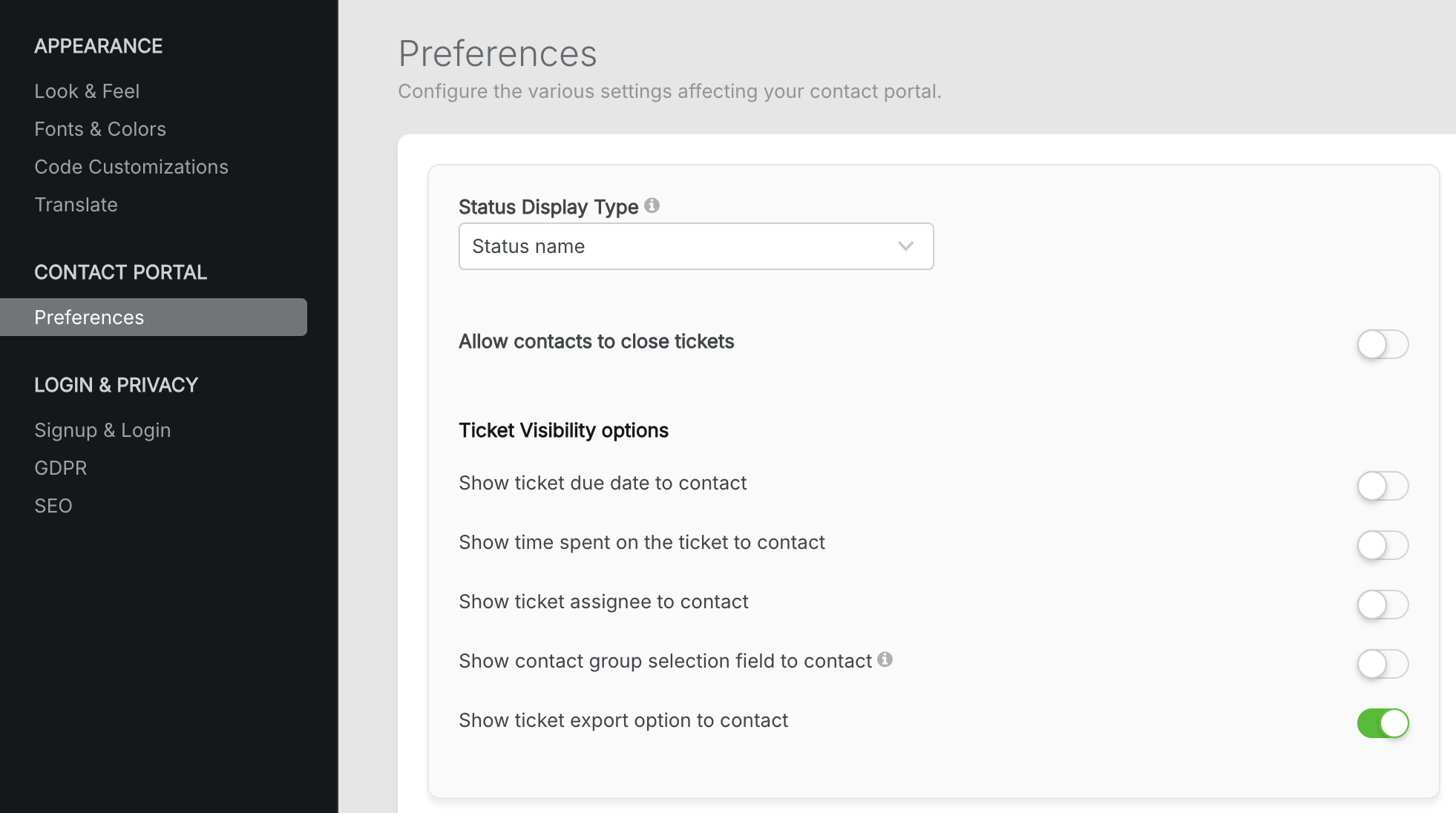
- Locate the option for Ticket Export.
- Enable the setting to allow contacts to export their tickets.
- When disabled, the Export button will not appear in the Contact Portal
Note: The Export Tickets option in the Contact Portal is shown only when your contact center login method is set to either:
Email + Password, or
Single Sign-On (SSO)
If the contact center is configured to use email-only login, the Export option will not be displayed.
What Contacts Can Export
When the feature is enabled, contacts can export the tickets visible to them in the Contact Portal. The export respects:
- Applied filters (e.g., status, category, date range)
- Sort order
- Visibility rules defined for the contact
Only fields that are visible to the contact are included in the export.
How Ticket Export Works in the Contact Portal
- When enabled, an Export button appears above the ticket list in the Contact Portal.

- On clicking it, a confirmation message informs the contact that up to 1000 tickets can be exported at once and that the export will reflect the current filters.

- After confirmation, the system processes the export in the background.
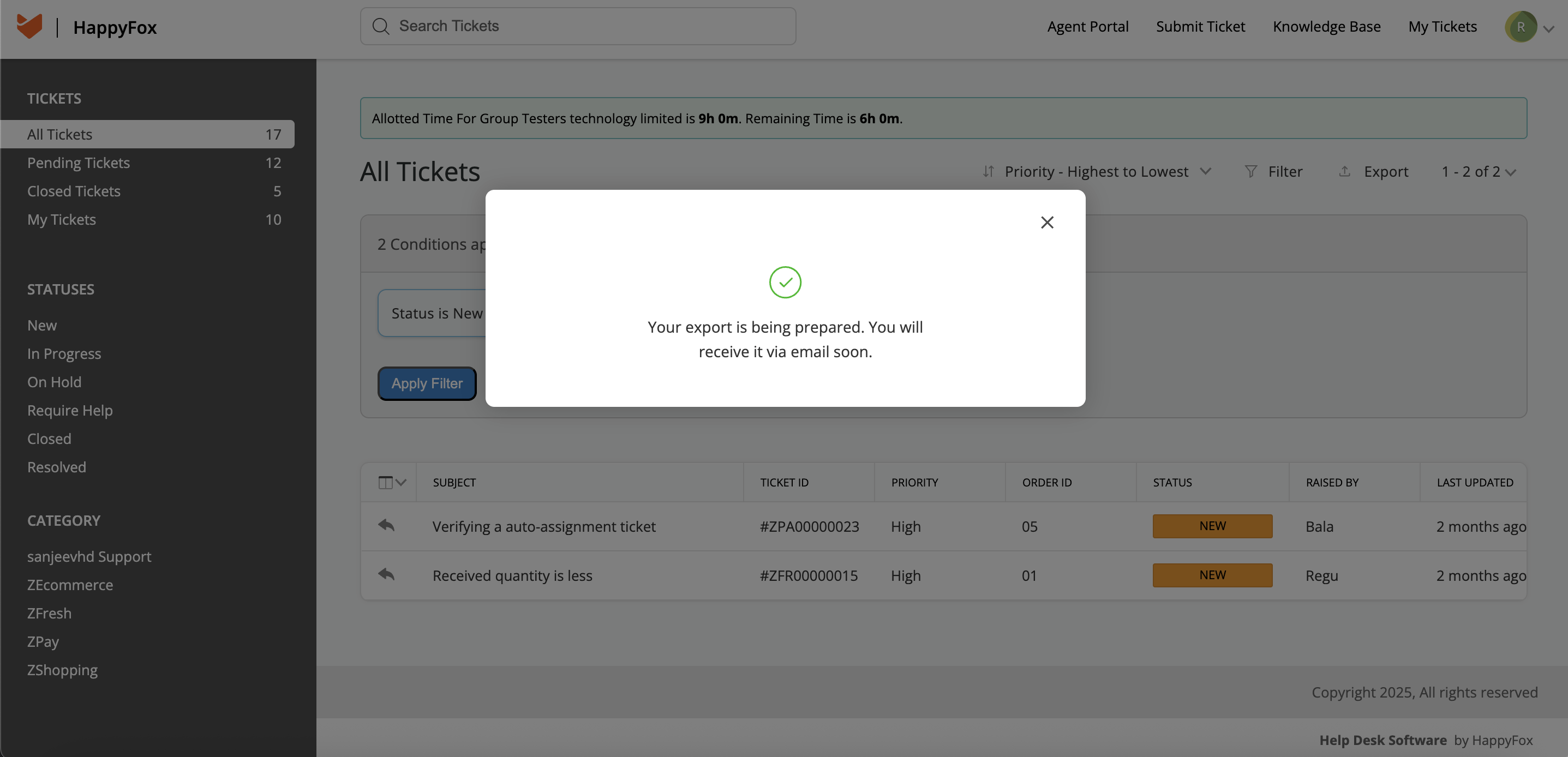
- The contact receives an email with a secure download link once the file is ready.
The link is time-limited and is valid for 48 hours for security.
Export Limitations
- A maximum of 1000 tickets can be included per export
- Only one export request can be active per contact at a time
- If more than 1000 tickets match the applied filters, the contact will be prompted to narrow the results or export with subsequent filters