The two main views available in the incident listing page are,
-
Card View
-
Compact View
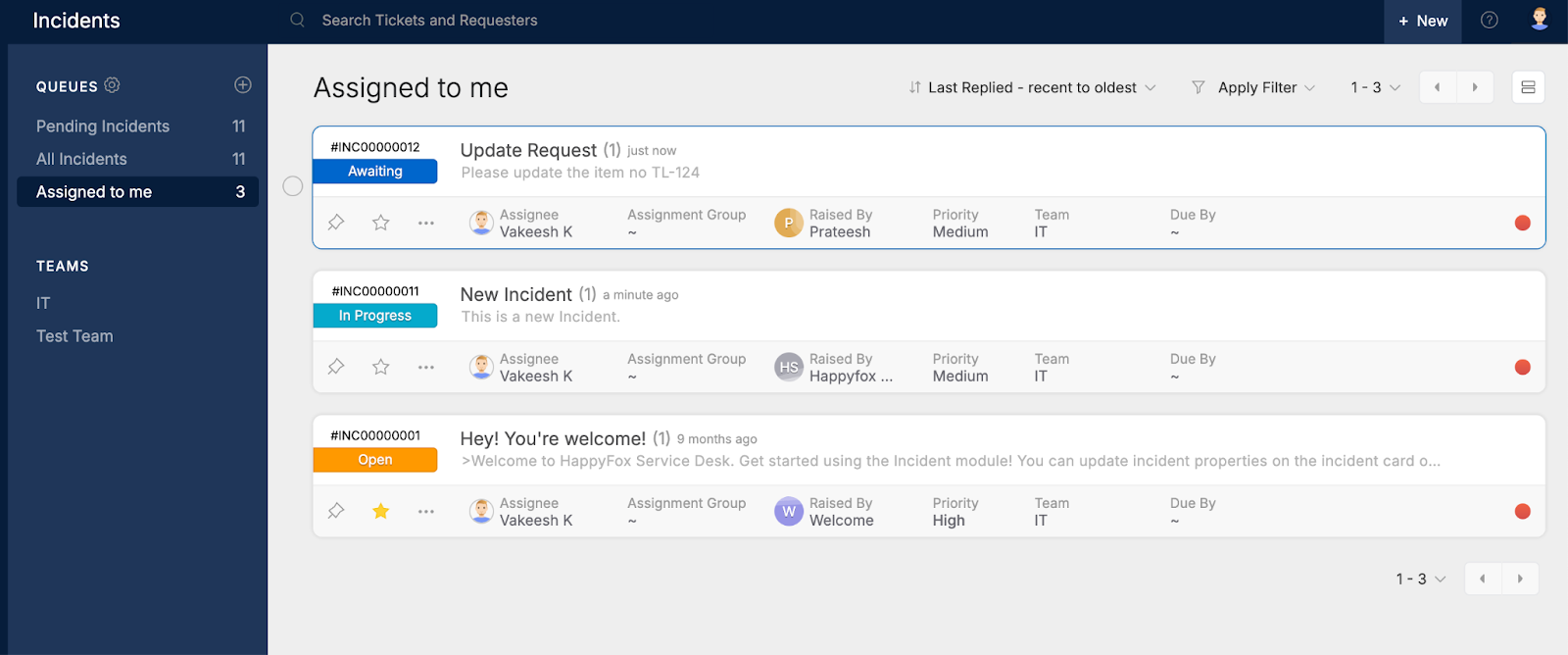
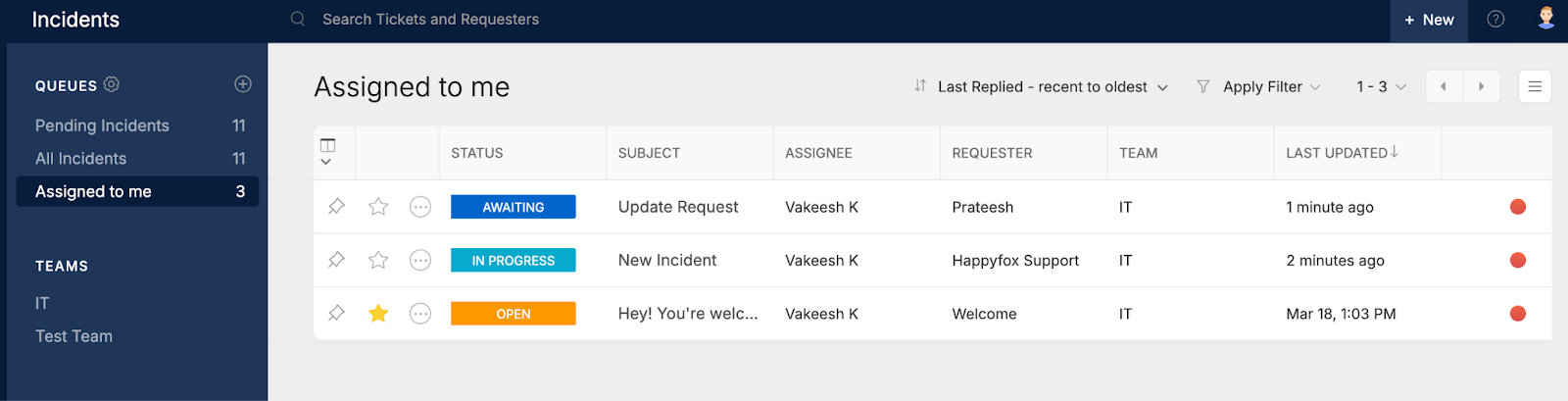
Following are the incident details that will be available in the different views
1. Incident ID: The auto generated ID of the Incident. An incident ID will be in this format #INC0000213.
2. Subject and Description
3. Status
4. Created date
5. Assignee
6. Assignment Group
7. Raised By
8. Priority
9. Team
10. Due By
11. Last Response Indicator
-
Gray Circle - Indicates that the last response or reply to the incident is by an agent.
-
Red Circle - Indicates that the last response to the incident is by the requester; which may need some action from the respective team/assignee.
-
Red Alert - Indicates that an SLA has breached for the incident.
12. Subscribe
-
The star symbol indicates whether you have subscribed to the incident or not.
-
Click on the Star icon to subscribe to an incident quickly.
-
If you have subscribed to an incident, the star will be highlighted in yellow.
13. More Actions
An agent can perform some quick actions on an incident even without going into the incident details page using the more actions. They are,
-
Change Status
-
Change Priority
-
Change Assignment Group
-
Change Assignee
-
Change Due Date
-
Change Due Time
-
Print
14. Instant Actions on Card (Card View)
The above-mentioned incident properties can also be updated just by clicking on the respective action areas on the card which will open a popover where you can choose a different value which will be saved instantly.