This article outlines the feature limitations customers may face when switching from a high value plan to Basic plan subscription, specifically regarding the number of roles and permissions, custom email, and custom domain options.
If you are currently on a high-value plan that allows more flexibility with roles and permissions, custom email, and custom domain options, but decide to move to the Basic plan, you will encounter the following restrictions. The Basic plan supports a maximum of 3 roles and permissions and does not support custom email or custom domain options. When attempting to downgrade via the billing self-service portal, you may see the following errors:
Roles and Permissions Error:
-
"You must have 3 or fewer roles to switch to this plan, but you have <number of roles you have>. Please delete <n> roles and try again."
Custom Email Error:
-
"You must have only email channels with <your domain from happyfox> to switch to this plan, but you have some channels with custom email. Please delete those channels and try again."
Custom Domain Error:
-
"You must not have any active custom domains to switch to this plan, but you have some custom domains enabled. Please disable those custom domains and try again."
By addressing these issues—reducing the number of roles, removing custom email channels, and disabling custom domains—you will be able to successfully switch to the Basic plan.
Reducing the Number of Roles & Permissions:
To reduce the number of roles in your Help Desk account, follow these steps:
- Log in to your Help Desk account.
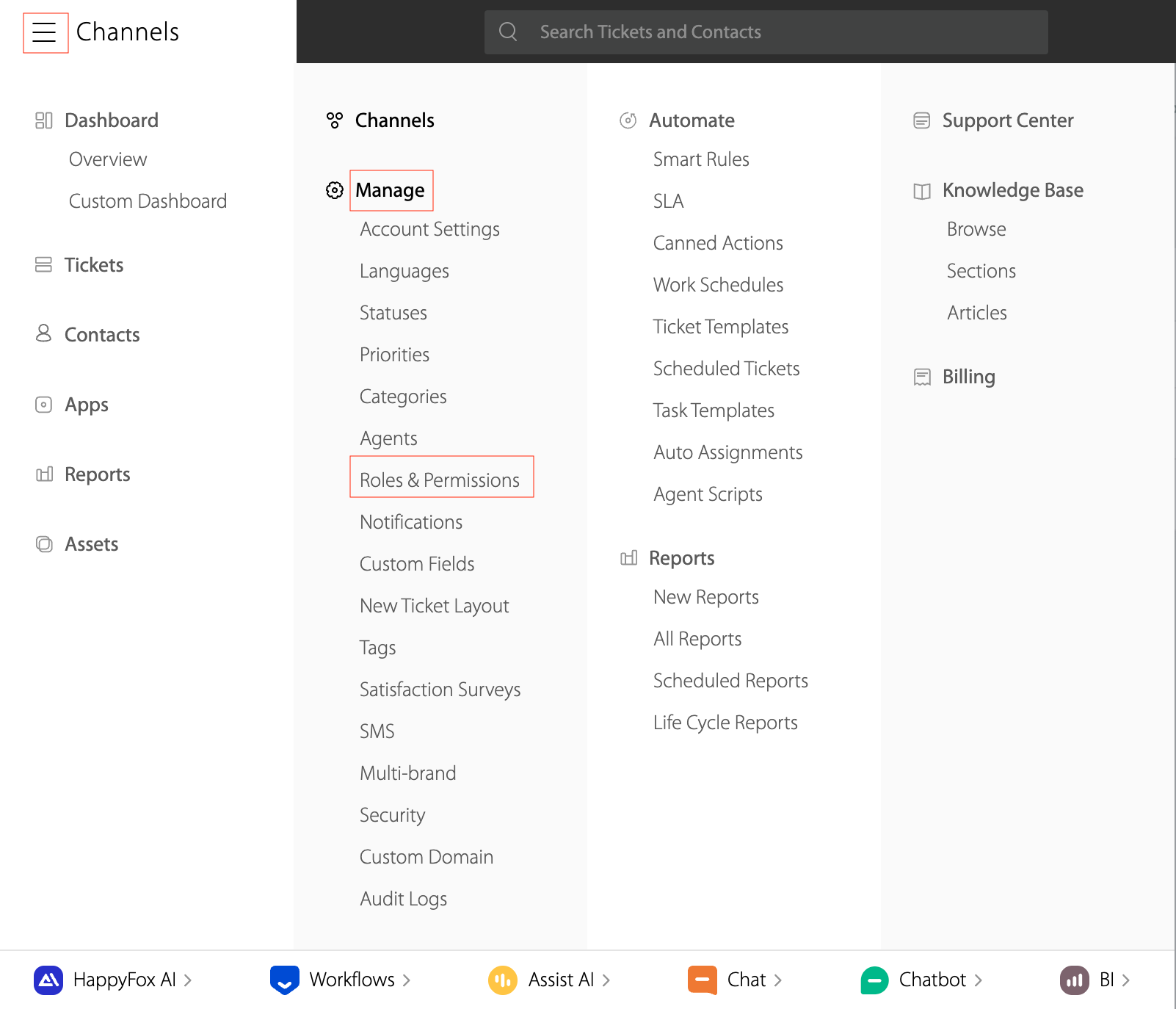
- Go to the Menu and select Manage → Roles & Permissions.
- Click on the three dots next to the role you want to delete.
- Select Delete from the dropdown menu.
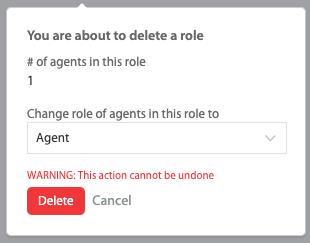
Note: If the role is assigned to an agent, you will be prompted to change the role of those agents to a new role before the deletion is completed.
Removing the Custom Email:
To remove a custom email from your Help Desk account, follow these steps:
-
Log in to your Help Desk account.
-
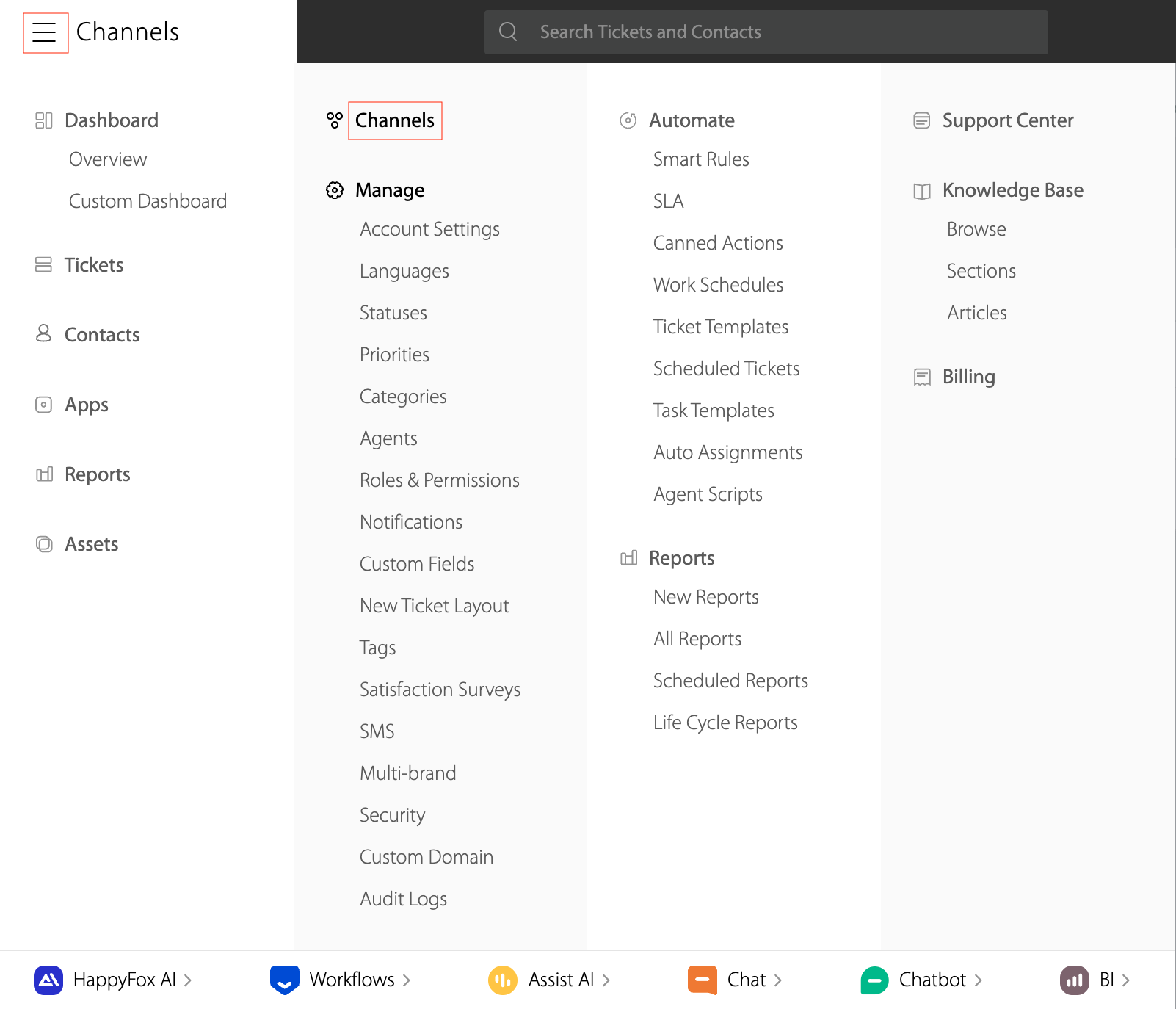
Go to the Menu and select Channel
-
Click on the three dots next to the custom email you want to delete.
Note: If the custom email is linked to any category, you need to unlink it from the category before attempting to delete the custom email.
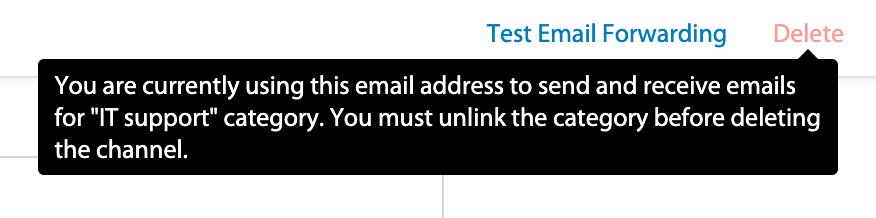
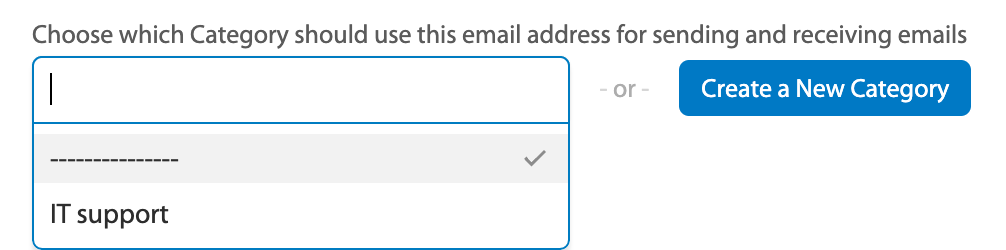
To unlink the category from the custom email:
-
In the dropdown for "Choose which Category should use this email address for sending and receiving emails," select the dash (--------) option.
Disabling the Custom Domain:
To disable a custom domain in your Help Desk account, follow these steps:
-
Log in to your Help Desk account.
-
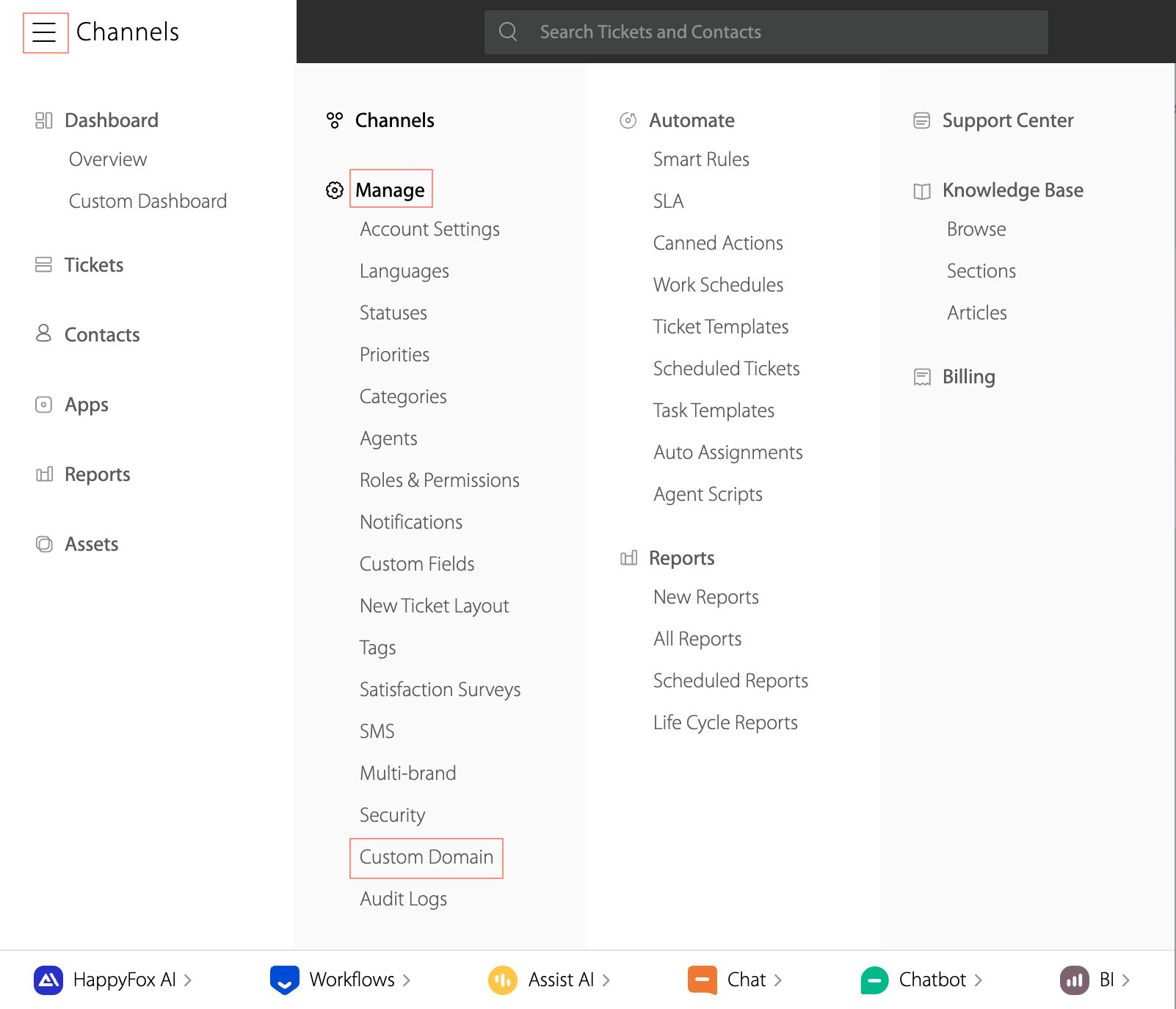
Go to the Menu and select Manage → Custom Domain.
-
Hover over the custom domain you want to disable and click on Edit.
-
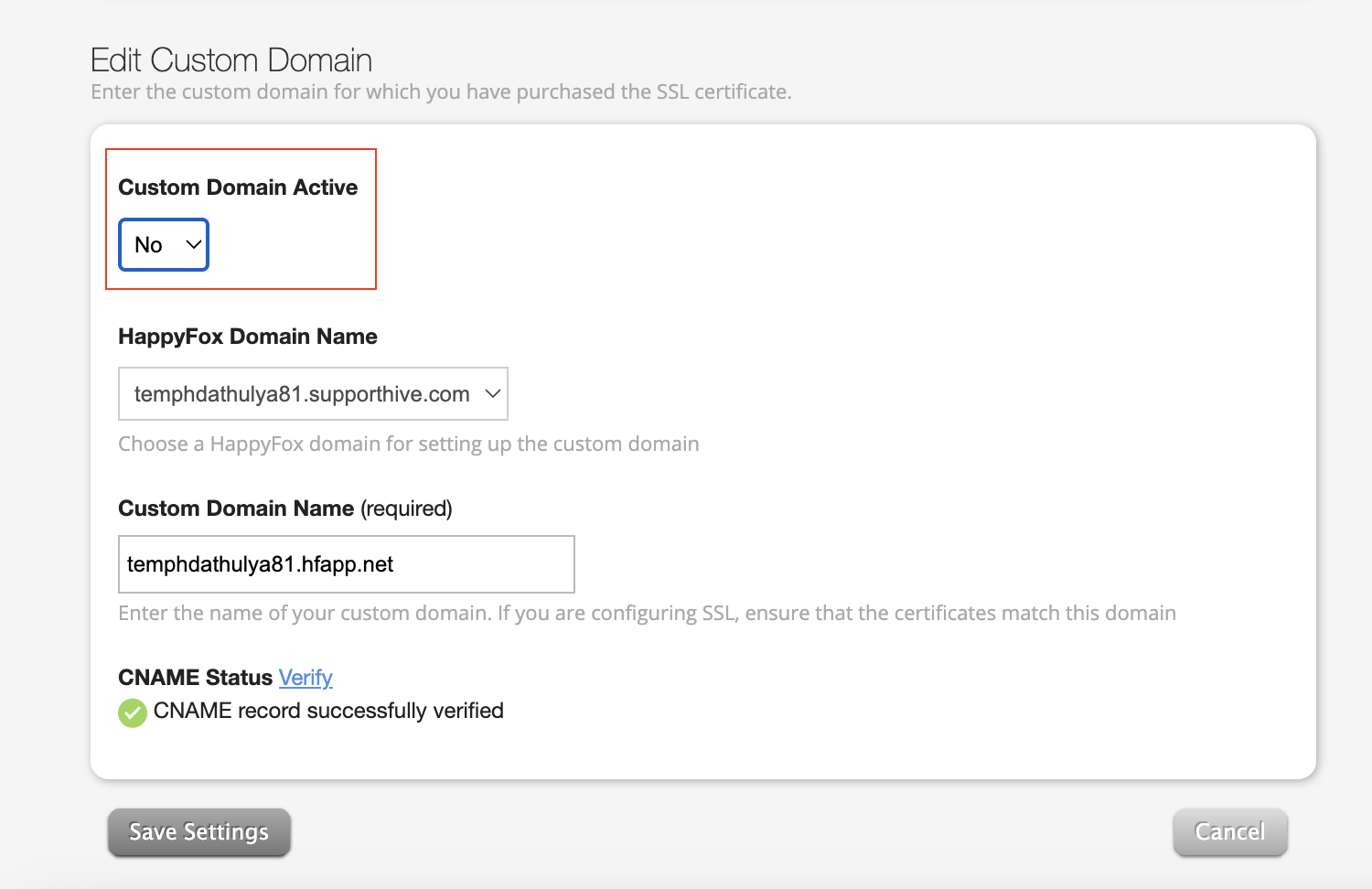
Change the "Custom Domain Active" setting from "Yes" to "No".
-
Click Save Settings to apply the changes.